Badly
Lieutenant
- Registriert
- Feb. 2006
- Beiträge
- 858
Ich blicks net ganz..
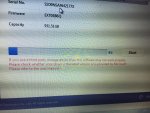
In der Anleitung soll man einen usb stick erstellen und dann gehts in dem pdf mit dos fenstern weiter..
If you use a USB device
1) Please set your USB drive into a “bootable” state before starting the Performance
Restoration software.
2) For assistance on completing this step, please refer to USB boot utilities from a
trusted internet site.
3) Extract the provided zip file into the bootable USB drive you created (extract to the
root directory).
4) Boot the target system from the bootable USB created in the previous step. Please
run perf.exe.
Mit welchem trusted utility lässt sich diese datei bootfähig machen?
Danke
http://www.samsung.com/global/busin...sung_Performance_Restoration_USB_Bootable.zip
In der Anleitung soll man einen usb stick erstellen und dann gehts in dem pdf mit dos fenstern weiter..
If you use a USB device
1) Please set your USB drive into a “bootable” state before starting the Performance
Restoration software.
2) For assistance on completing this step, please refer to USB boot utilities from a
trusted internet site.
3) Extract the provided zip file into the bootable USB drive you created (extract to the
root directory).
4) Boot the target system from the bootable USB created in the previous step. Please
run perf.exe.
Mit welchem trusted utility lässt sich diese datei bootfähig machen?
Danke
http://www.samsung.com/global/busin...sung_Performance_Restoration_USB_Bootable.zip