Fireplace Motiv 1 Neu

VLC Player,10 Videos als mp 4 zusammen führen funktioniert nicht

niskha

Cadet 4th Year
Registriert
Aug. 2016
Beiträge
114
Hallo zusammen,

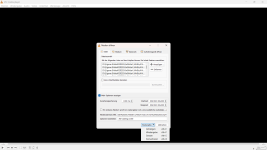
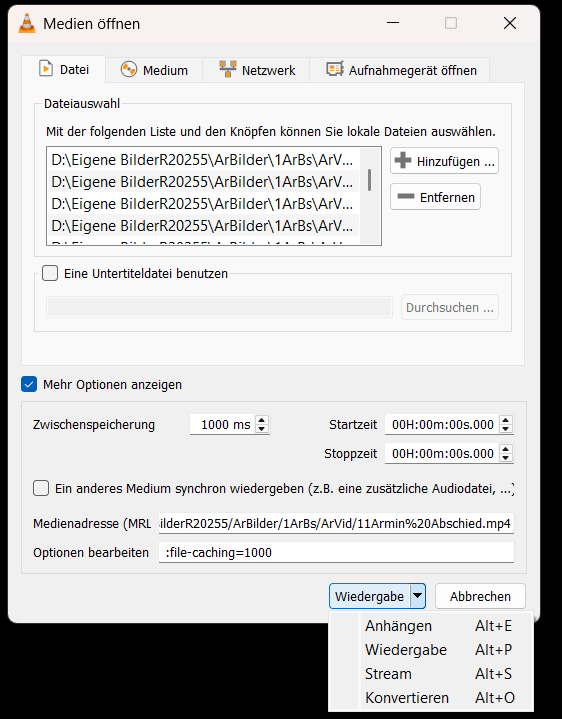
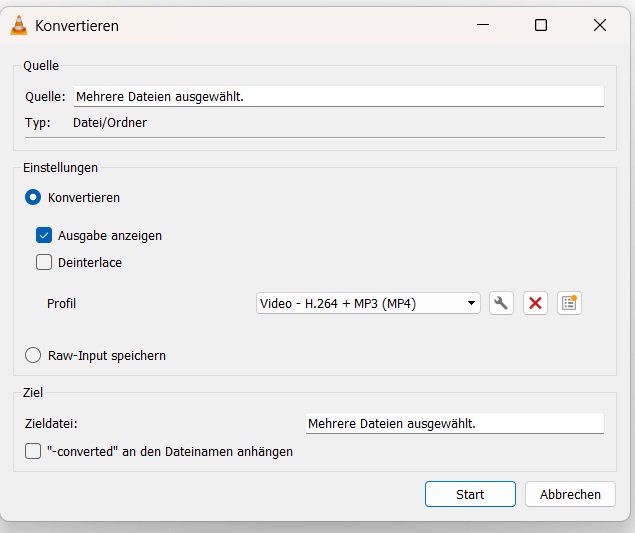
möchte ca 10 Videos vom Handy zusammen führen als mp 4 nach Anleitungen im Web, vorm konvertieren finde ich keine Möglichkeit, --Speichern unter--
Konvertieren der ca 10 Videos selbst geht, wenn konvertieren nach ca 30 min beendet ist, erscheint keine Möglichkeit, den kompletten Video zu speichern, VLC ist dann beendet
Weiß wer was?
Danke
1777194088627.png
1777194318157.png


1777193650125.png
 

Anhänge

  • 1777193903021.png
    1777193903021.png
    69,4 KB · Aufrufe: 35
  • 1777193947389.png
    1777193947389.png
    296,5 KB · Aufrufe: 45
LosslesCut, MKVToolnix, ...

ffmpeg:
Code:
# Alle MP4s im aktuellen Ordner zusammenführen
@echo off
setlocal enabledelayedexpansion

set inputs=
set filter=
set count=0

for %%f in (*.mp4) do (
    if /i not "%%f"=="output.mp4" (
        set inputs=!inputs! -i "%%~ff"
        set filter=!filter![!count!:v][!count!:a]
        set /a count+=1
    )
)

if %count%==0 (
    echo Keine MP4-Dateien gefunden.
    pause
    exit /b
)

echo Gefundene Dateien: %count%
set filter=!filter!concat=n=%count%:v=1:a=1[v][a]

echo Starte FFmpeg...
ffmpeg !inputs! -filter_complex "!filter!" -map "[v]" -map "[a]" "output.mp4"

echo.
echo Fertig! Ausgabe: output.mp4
pause

Filter-Graph (wenn Auflösungen/Codecs unterschiedlich)
Code:
ffmpeg -i video1.mp4 -i video2.mp4 -i video3.mp4 \
  -filter_complex "[0:v][0:a][1:v][1:a][2:v][2:a]concat=n=3:v=1:a=1[v][a]" \
  -map "[v]" -map "[a]" output.mp4
 
Zuletzt bearbeitet:
  • Gefällt mir
Reaktionen: nutrix und niskha
FFmpeg-Lektüre zu dem Thema: https://trac.ffmpeg.org/wiki/Concatenate
Falls Codec, Auflösung usw. sämtlicher Videos identisch sind, wäre "concat demuxer" die sinnvollere Methode.

SpiII schrieb:
wenn Auflösungen/Codecs unterschiedlich
Hinweis dazu:
All corresponding streams must have the same parameters in all segments; the filtering system will automatically select a common pixel format for video streams, and a common sample format, sample rate and channel layout for audio streams, but other settings, such as resolution, must be converted explicitly by the user.
Different frame rates are acceptable but will result in variable frame rate at output; be sure to configure the output file to handle it.
(Quelle: https://ffmpeg.org/ffmpeg-filters.html#concat)
Also z.B.
Code:
ffmpeg -i in1.ext -i in2.ext \
   -lavfi "[0]scale=1920:1080[a] ; [1]scale=1920:1080[b] ; [a][b]concat=n=2:v=1:a=1[v]" \
   -map "[v]" out.ext
Wenn sich das Seitenverhältnis (display aspect ratio, DAR) unterscheidet, wird es noch einmal komplizierter; das würde ich dann z. B. so lösen:
Code:
scale=1920:1080:force_original_aspect_ratio=decrease:reset_sar=1,pad=1920:1080:-1:-1
 
  • Gefällt mir
Reaktionen: niskha
Warum machst Du nicht die einfachste Methode, sowas wie OpenCut oder ShortCut verwenden? Dort alle Videos dann so in den Spuren anordnen, wie Du es willst, exportieren, fertig.
 
Zuletzt bearbeitet:
  • Gefällt mir
Reaktionen: niskha
Zurück
Oben