Hey, ich habe schon länger BLuesceens verschiedener Art. Hab schon in einem anderen Forum
nach HIlfe gefragt und auch hile von simpel bekommen . Jedoch hab ich das Problem nur eindämmen können und nicht beheben. UNd zwar hab ich im Bios den Turbo Boost von Intel deaktiviert. Dadurch konnte ich meinen Pc wieder starten und bekommen nun nurnoch ( :O ) jede halbe stunde einen bluescreen.
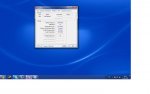
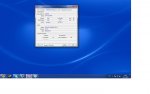
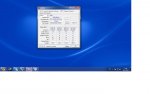
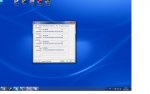
Ich werd jetzt mal noch die CPU-Z bilder und ne minidump posten.
Hoffe mir kann hier weiter geholfen werden.
Minidump:
se !analyze -v to get detailed debugging information.
BugCheck 7F, {8, 80050033, 406f8, fffff88004d68571}
Probably caused by : USBPORT.SYS ( USBPORT!GetHcFdoExt+21 )
Followup: MachineOwner
---------
0: kd> !analyze -v
*******************************************************************************
* *
* Bugcheck Analysis *
* *
*******************************************************************************
UNEXPECTED_KERNEL_MODE_TRAP (7f)
This means a trap occurred in kernel mode, and it's a trap of a kind
that the kernel isn't allowed to have/catch (bound trap) or that
is always instant death (double fault). The first number in the
bugcheck params is the number of the trap (8 = double fault, etc)
Consult an Intel x86 family manual to learn more about what these
traps are. Here is a *portion* of those codes:
If kv shows a taskGate
use .tss on the part before the colon, then kv.
Else if kv shows a trapframe
use .trap on that value
Else
.trap on the appropriate frame will show where the trap was taken
(on x86, this will be the ebp that goes with the procedure KiTrap)
Endif
kb will then show the corrected stack.
Arguments:
Arg1: 0000000000000008, EXCEPTION_DOUBLE_FAULT
Arg2: 0000000080050033
Arg3: 00000000000406f8
Arg4: fffff88004d68571
Debugging Details:
------------------
BUGCHECK_STR: 0x7f_8
CUSTOMER_CRASH_COUNT: 1
DEFAULT_BUCKET_ID: WIN7_DRIVER_FAULT
PROCESS_NAME: System
CURRENT_IRQL: 2
LAST_CONTROL_TRANSFER: from fffff80002e82569 to fffff80002e82fc0
STACK_TEXT:
fffff800`047c9d28 fffff800`02e82569 : 00000000`0000007f 00000000`00000008 00000000`80050033 00000000`000406f8 : nt!KeBugCheckEx
fffff800`047c9d30 fffff800`02e80a32 : 00000000`00000000 00000000`00000000 00000000`00000000 00000000`00000000 : nt!KiBugCheckDispatch+0x69
fffff800`047c9e70 fffff880`04d68571 : 00000000`00000000 00000000`00000000 00000000`00000000 00000000`00000000 : nt!KiDoubleFaultAbort+0xb2
fffff800`067c1ac0 00000000`00000000 : 00000000`00000000 00000000`00000000 00000000`00000000 00000000`00000000 : USBPORT!GetHcFdoExt+0x21
STACK_COMMAND: kb
FOLLOWUP_IP:
USBPORT!GetHcFdoExt+21
fffff880`04d68571 5b pop rbx
SYMBOL_STACK_INDEX: 3
SYMBOL_NAME: USBPORT!GetHcFdoExt+21
FOLLOWUP_NAME: MachineOwner
MODULE_NAME: USBPORT
IMAGE_NAME: USBPORT.SYS
DEBUG_FLR_IMAGE_TIMESTAMP: 4d8c0c08
FAILURE_BUCKET_ID: X64_0x7f_8_USBPORT!GetHcFdoExt+21
BUCKET_ID: X64_0x7f_8_USBPORT!GetHcFdoExt+21
Followup: MachineOwner
---------
0: kd> !analyze -v
*******************************************************************************
* *
* Bugcheck Analysis *
* *
*******************************************************************************
UNEXPECTED_KERNEL_MODE_TRAP (7f)
This means a trap occurred in kernel mode, and it's a trap of a kind
that the kernel isn't allowed to have/catch (bound trap) or that
is always instant death (double fault). The first number in the
bugcheck params is the number of the trap (8 = double fault, etc)
Consult an Intel x86 family manual to learn more about what these
traps are. Here is a *portion* of those codes:
If kv shows a taskGate
use .tss on the part before the colon, then kv.
Else if kv shows a trapframe
use .trap on that value
Else
.trap on the appropriate frame will show where the trap was taken
(on x86, this will be the ebp that goes with the procedure KiTrap)
Endif
kb will then show the corrected stack.
Arguments:
Arg1: 0000000000000008, EXCEPTION_DOUBLE_FAULT
Arg2: 0000000080050033
Arg3: 00000000000406f8
Arg4: fffff88004d68571
Debugging Details:
------------------
BUGCHECK_STR: 0x7f_8
CUSTOMER_CRASH_COUNT: 1
DEFAULT_BUCKET_ID: WIN7_DRIVER_FAULT
PROCESS_NAME: System
CURRENT_IRQL: 2
LAST_CONTROL_TRANSFER: from fffff80002e82569 to fffff80002e82fc0
STACK_TEXT:
fffff800`047c9d28 fffff800`02e82569 : 00000000`0000007f 00000000`00000008 00000000`80050033 00000000`000406f8 : nt!KeBugCheckEx
fffff800`047c9d30 fffff800`02e80a32 : 00000000`00000000 00000000`00000000 00000000`00000000 00000000`00000000 : nt!KiBugCheckDispatch+0x69
fffff800`047c9e70 fffff880`04d68571 : 00000000`00000000 00000000`00000000 00000000`00000000 00000000`00000000 : nt!KiDoubleFaultAbort+0xb2
fffff800`067c1ac0 00000000`00000000 : 00000000`00000000 00000000`00000000 00000000`00000000 00000000`00000000 : USBPORT!GetHcFdoExt+0x21
STACK_COMMAND: kb
FOLLOWUP_IP:
USBPORT!GetHcFdoExt+21
fffff880`04d68571 5b pop rbx
SYMBOL_STACK_INDEX: 3
SYMBOL_NAME: USBPORT!GetHcFdoExt+21
FOLLOWUP_NAME: MachineOwner
MODULE_NAME: USBPORT
IMAGE_NAME: USBPORT.SYS
DEBUG_FLR_IMAGE_TIMESTAMP: 4d8c0c08
FAILURE_BUCKET_ID: X64_0x7f_8_USBPORT!GetHcFdoExt+21
BUCKET_ID: X64_0x7f_8_USBPORT!GetHcFdoExt+21
Followup: MachineOwner
---------
0: kd> lmvm USBPORT
start end module name
fffff880`04d57000 fffff880`04dad000 USBPORT (pdb symbols) c:\symbols\usbport.pdb\47451B86B21D42BDADD411F6892B8A0D1\usbport.pdb
Loaded symbol image file: USBPORT.SYS
Mapped memory image file: c:\symbols\USBPORT.SYS\4D8C0C0856000\USBPORT.SYS
Image path: \SystemRoot\system32\drivers\USBPORT.SYS
Image name: USBPORT.SYS
Timestamp: Fri Mar 25 04:29:12 2011 (4D8C0C08)
CheckSum: 00056970
ImageSize: 00056000
File version: 6.1.7601.17586
Product version: 6.1.7601.17586
File flags: 0 (Mask 3F)
File OS: 40004 NT Win32
File type: 2.0 Dll
File date: 00000000.00000000
Translations: 0409.04b0
CompanyName: Microsoft Corporation
ProductName: Microsoft® Windows® Operating System
InternalName: usbport.sys
OriginalFilename: usbport.sys
ProductVersion: 6.1.7601.17586
FileVersion: 6.1.7601.17586 (win7sp1_gdr.110324-1501)
FileDescription: USB 1.1 & 2.0 Port Driver
LegalCopyright: © Microsoft Corporation. All rights reserved.
nach HIlfe gefragt und auch hile von simpel bekommen
. Jedoch hab ich das Problem nur eindämmen können und nicht beheben. UNd zwar hab ich im Bios den Turbo Boost von Intel deaktiviert. Dadurch konnte ich meinen Pc wieder starten und bekommen nun nurnoch ( :O ) jede halbe stunde einen bluescreen.Ich werd jetzt mal noch die CPU-Z bilder und ne minidump posten.
Hoffe mir kann hier weiter geholfen werden.
Minidump:
se !analyze -v to get detailed debugging information.
BugCheck 7F, {8, 80050033, 406f8, fffff88004d68571}
Probably caused by : USBPORT.SYS ( USBPORT!GetHcFdoExt+21 )
Followup: MachineOwner
---------
0: kd> !analyze -v
*******************************************************************************
* *
* Bugcheck Analysis *
* *
*******************************************************************************
UNEXPECTED_KERNEL_MODE_TRAP (7f)
This means a trap occurred in kernel mode, and it's a trap of a kind
that the kernel isn't allowed to have/catch (bound trap) or that
is always instant death (double fault). The first number in the
bugcheck params is the number of the trap (8 = double fault, etc)
Consult an Intel x86 family manual to learn more about what these
traps are. Here is a *portion* of those codes:
If kv shows a taskGate
use .tss on the part before the colon, then kv.
Else if kv shows a trapframe
use .trap on that value
Else
.trap on the appropriate frame will show where the trap was taken
(on x86, this will be the ebp that goes with the procedure KiTrap)
Endif
kb will then show the corrected stack.
Arguments:
Arg1: 0000000000000008, EXCEPTION_DOUBLE_FAULT
Arg2: 0000000080050033
Arg3: 00000000000406f8
Arg4: fffff88004d68571
Debugging Details:
------------------
BUGCHECK_STR: 0x7f_8
CUSTOMER_CRASH_COUNT: 1
DEFAULT_BUCKET_ID: WIN7_DRIVER_FAULT
PROCESS_NAME: System
CURRENT_IRQL: 2
LAST_CONTROL_TRANSFER: from fffff80002e82569 to fffff80002e82fc0
STACK_TEXT:
fffff800`047c9d28 fffff800`02e82569 : 00000000`0000007f 00000000`00000008 00000000`80050033 00000000`000406f8 : nt!KeBugCheckEx
fffff800`047c9d30 fffff800`02e80a32 : 00000000`00000000 00000000`00000000 00000000`00000000 00000000`00000000 : nt!KiBugCheckDispatch+0x69
fffff800`047c9e70 fffff880`04d68571 : 00000000`00000000 00000000`00000000 00000000`00000000 00000000`00000000 : nt!KiDoubleFaultAbort+0xb2
fffff800`067c1ac0 00000000`00000000 : 00000000`00000000 00000000`00000000 00000000`00000000 00000000`00000000 : USBPORT!GetHcFdoExt+0x21
STACK_COMMAND: kb
FOLLOWUP_IP:
USBPORT!GetHcFdoExt+21
fffff880`04d68571 5b pop rbx
SYMBOL_STACK_INDEX: 3
SYMBOL_NAME: USBPORT!GetHcFdoExt+21
FOLLOWUP_NAME: MachineOwner
MODULE_NAME: USBPORT
IMAGE_NAME: USBPORT.SYS
DEBUG_FLR_IMAGE_TIMESTAMP: 4d8c0c08
FAILURE_BUCKET_ID: X64_0x7f_8_USBPORT!GetHcFdoExt+21
BUCKET_ID: X64_0x7f_8_USBPORT!GetHcFdoExt+21
Followup: MachineOwner
---------
0: kd> !analyze -v
*******************************************************************************
* *
* Bugcheck Analysis *
* *
*******************************************************************************
UNEXPECTED_KERNEL_MODE_TRAP (7f)
This means a trap occurred in kernel mode, and it's a trap of a kind
that the kernel isn't allowed to have/catch (bound trap) or that
is always instant death (double fault). The first number in the
bugcheck params is the number of the trap (8 = double fault, etc)
Consult an Intel x86 family manual to learn more about what these
traps are. Here is a *portion* of those codes:
If kv shows a taskGate
use .tss on the part before the colon, then kv.
Else if kv shows a trapframe
use .trap on that value
Else
.trap on the appropriate frame will show where the trap was taken
(on x86, this will be the ebp that goes with the procedure KiTrap)
Endif
kb will then show the corrected stack.
Arguments:
Arg1: 0000000000000008, EXCEPTION_DOUBLE_FAULT
Arg2: 0000000080050033
Arg3: 00000000000406f8
Arg4: fffff88004d68571
Debugging Details:
------------------
BUGCHECK_STR: 0x7f_8
CUSTOMER_CRASH_COUNT: 1
DEFAULT_BUCKET_ID: WIN7_DRIVER_FAULT
PROCESS_NAME: System
CURRENT_IRQL: 2
LAST_CONTROL_TRANSFER: from fffff80002e82569 to fffff80002e82fc0
STACK_TEXT:
fffff800`047c9d28 fffff800`02e82569 : 00000000`0000007f 00000000`00000008 00000000`80050033 00000000`000406f8 : nt!KeBugCheckEx
fffff800`047c9d30 fffff800`02e80a32 : 00000000`00000000 00000000`00000000 00000000`00000000 00000000`00000000 : nt!KiBugCheckDispatch+0x69
fffff800`047c9e70 fffff880`04d68571 : 00000000`00000000 00000000`00000000 00000000`00000000 00000000`00000000 : nt!KiDoubleFaultAbort+0xb2
fffff800`067c1ac0 00000000`00000000 : 00000000`00000000 00000000`00000000 00000000`00000000 00000000`00000000 : USBPORT!GetHcFdoExt+0x21
STACK_COMMAND: kb
FOLLOWUP_IP:
USBPORT!GetHcFdoExt+21
fffff880`04d68571 5b pop rbx
SYMBOL_STACK_INDEX: 3
SYMBOL_NAME: USBPORT!GetHcFdoExt+21
FOLLOWUP_NAME: MachineOwner
MODULE_NAME: USBPORT
IMAGE_NAME: USBPORT.SYS
DEBUG_FLR_IMAGE_TIMESTAMP: 4d8c0c08
FAILURE_BUCKET_ID: X64_0x7f_8_USBPORT!GetHcFdoExt+21
BUCKET_ID: X64_0x7f_8_USBPORT!GetHcFdoExt+21
Followup: MachineOwner
---------
0: kd> lmvm USBPORT
start end module name
fffff880`04d57000 fffff880`04dad000 USBPORT (pdb symbols) c:\symbols\usbport.pdb\47451B86B21D42BDADD411F6892B8A0D1\usbport.pdb
Loaded symbol image file: USBPORT.SYS
Mapped memory image file: c:\symbols\USBPORT.SYS\4D8C0C0856000\USBPORT.SYS
Image path: \SystemRoot\system32\drivers\USBPORT.SYS
Image name: USBPORT.SYS
Timestamp: Fri Mar 25 04:29:12 2011 (4D8C0C08)
CheckSum: 00056970
ImageSize: 00056000
File version: 6.1.7601.17586
Product version: 6.1.7601.17586
File flags: 0 (Mask 3F)
File OS: 40004 NT Win32
File type: 2.0 Dll
File date: 00000000.00000000
Translations: 0409.04b0
CompanyName: Microsoft Corporation
ProductName: Microsoft® Windows® Operating System
InternalName: usbport.sys
OriginalFilename: usbport.sys
ProductVersion: 6.1.7601.17586
FileVersion: 6.1.7601.17586 (win7sp1_gdr.110324-1501)
FileDescription: USB 1.1 & 2.0 Port Driver
LegalCopyright: © Microsoft Corporation. All rights reserved.