L
Ledeker
Gast
Guten Morgen!
also ich habe in meinem System die X-Fi XtremeGamer Fatal1ty Pro Series verbaut.
OS ist XP mit SP3 + allen Updates.
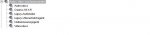
Per AutoWebUpdate von Creative hatte ich mir gestern die Treiberversion 2.18.0013 runtergeladen und installiert. Nach einem Neustart, waren jedoch einige Programmfunktionen von der Creative Suite nicht mehr aufrufbar, also beschloss ich alles sauber zu deinstallieren was mit Creative zusammenhing und installierte die komplette Software von CD die der Soundkarte beilag. Jetzt tauchen aber einige Ausrufezeichen im Gerätemanger auf, dass der Treiber nicht richtig funktioniert.
Meine Frage, wie bekomme ich wieder alles richtig installiert ohne Fehler?
Gibt es ein Removetool, welches die ganzen Treiberreste und Softwareleichen komplett vom System entfernt?
Danach würde ich alles nochmal frisch von CD installieren und per AutoWebUpdate die Soundkarte aktualisieren.
Ob das helfen würde?
also ich habe in meinem System die X-Fi XtremeGamer Fatal1ty Pro Series verbaut.
OS ist XP mit SP3 + allen Updates.
Per AutoWebUpdate von Creative hatte ich mir gestern die Treiberversion 2.18.0013 runtergeladen und installiert. Nach einem Neustart, waren jedoch einige Programmfunktionen von der Creative Suite nicht mehr aufrufbar, also beschloss ich alles sauber zu deinstallieren was mit Creative zusammenhing und installierte die komplette Software von CD die der Soundkarte beilag. Jetzt tauchen aber einige Ausrufezeichen im Gerätemanger auf, dass der Treiber nicht richtig funktioniert.
Meine Frage, wie bekomme ich wieder alles richtig installiert ohne Fehler?
Gibt es ein Removetool, welches die ganzen Treiberreste und Softwareleichen komplett vom System entfernt?
Danach würde ich alles nochmal frisch von CD installieren und per AutoWebUpdate die Soundkarte aktualisieren.
Ob das helfen würde?
The PCI Sound Blaster cards include Sound Blaster X-Fi, Sound Blaster Audigy and Sound Blaster Live! series.
Step 1: Performing a clean boot in Windows
Please see Clean Boot Troubleshooting for links to instructions on performing a clean boot in Windows.
Step 2: Uninstalling the sound drivers
If you are using Windows Vista, it is recommended that you download and install the latest Windows Vista drivers. Do not use the installation CD-ROM disk unless the disk is labeled for use with Windows Vista.
1. Click Start, Settings, Control Panel and Add Remove Programs. Uninstall all listings related to the audio card. Do not restart the PC when prompted to.
2. Go to Control Panel and switch to Classic View. Open System, select the Hardware tab and click the Device Manager button.
3. Click on the plus sign (+) next to Sound, Video and Game Controllers to expand the group. Highlight the sound card entries, for example, Sound Blaster Audigy WDM, right click and choose the Uninstall option.
4. If there are other previous sound card entries, uninstall them as well and disable onboard audio (AC97, Sigmatel, etc) if present.
5. Reboot the PC and cancel out of any driver installation if prompted to.
6. Insert the Creative Sound Blaster installation CD into your CD/DVD-ROM drive.
7. Exit from the installation wizard if it autoruns.
8. Click Start, Run and Browse. Browse to Z:\AUDIO\DRIVERS (where Z:\ represents the CD Rom drive Letter), and run CTZAPXX.EXE.
If you have a Sound Blaster X-Fi card, run SETUP.EXE.
If you have a Windows Vista/Windows XP combination CD-ROM disk for your Sound Blaster Audgy SE (SB0570) card, browse to Z:\XP\AUDIO\DRIVERS, and run SETUP.EXE.
9. In the Creative Driver Update Utility screen, select Driver Uninstallation under Update Option and select WDM Drivers under Driver Type.
10. Select the option Delete all shared Creative audio driver files, and and click OK.
11. When prompted to restart, say No.
Step 3: Removing the remaining files
1. Browse to the C:\Temp and C:\Windows\TEMP (if it exists) folders. All files and folders in the temp folder need to be either deleted or moved to a new folder.
2. Browse to Program Files, Creative and delete the Sound Blaster Folder. If a file won't delete, right click on the file, click Properties and clear all the Attributes. The file should then be able to be deleted.
3. Empty the Recycle Bin and reboot the PC.
4. If you wish to reinstall your software and drivers, do this now. For more information on how to install your product, please visit the Product Guide page for installation instructions. Otherwise, go to the next step.
Step 4: Returning from the cleanboot state
Please see Clean Boot Troubleshooting for links to instructions on returning from a clean boot in Windows.
Zuletzt bearbeitet: