Du verwendest einen veralteten Browser. Es ist möglich, dass diese oder andere Websites nicht korrekt angezeigt werden. Du solltest ein Upgrade durchführen oder einen alternativen Browser verwenden.
kann es sein das es mit xfx 9800gtx+ nicht geht das bios umzuschreiben mit nibitor ich hab das mal probiert und läuft nur auf halben takt selbst im furmark lahmt es als ob ich 16fach aa anhätte wo liegt das problem hat einer ratschläge danke schonmal
Hi tompe1, was wolltest du denn verändern, lade das Biosfile von der 9800gtx+ im Anhang als zip oder rar Datei hier hoch damit man sehen kann wo es hängt.
Gruss Harry
Edit:
Oder schreib hier die Version Nr. von dem Bios welches deine GK hat.
Hi tompe1,
sehe gerade das mit dem Nibitor 4.6 deine 9800gtx+ noch nicht unterstützt wird,
bitte das Originale Biosfile drauf lassen !
Erst mit Nibitor 4.7 kann man auch bei deiner GK das Bios bearbeiten, kommt bald die neue Version.
Gruss Harry
Hi tompe1,
stop alles zurück haben Nibitor 4.7 Online, warte mal OK.
Man ist das blöd habe heute noch geschaut und da war diese noch nicht oben. gerade auf der Website geschaut ist oben.
Gruss Harry
hab ich auch grad gefunden funktioniert bestimmt genauso wie ich vorher gemacht habei bios einlesen werte eintragen überprüfen ob alles hinhaut und flashen !!
Edit:
Habe mir das Bios geladen von deiner GK über der Website mvktech,
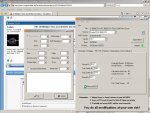
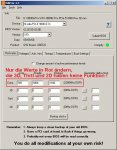
aber auch mit Nibitor 4.7 hast du keine Lüftersteuerung, da alles leer ist unter Fanspeed IC schon komisch, siehe Bild.
Würde gern an meiner Lüftersteuerung meiner XFX 9800GTX+ 785M Black Edition etwas ändern, habe aber auch nur leere Felder im Nibitor. Gibts da schon eine Lösung oder unterstützt Nibitor einfach noch keine 9800GTX+?
Es geschehen wohl noch Zeichen und Wunder. Meine XFX 9800GTX+ 785M hat ja das Problem dass sie nach dem Hochfahren auf 50-70% Lüfterspeed regelt und sobald man eine 3D-Anwendung startet, der Lüfter auf 100% geht und dann dort bleibt, egal ob ich dann wieder ins Windows gehe oder nicht. hatte diesbezüglich (wie schon andere vor mir) Kontakt via XFX Ticketsystem, hier mal der Verlauf. Die heutige Antwort hat mich ehrlich gesagt erstaunt!
Grüner Text ist von mir, rot jeweils die Antworten von XFX:
Nachrichtenverlauf [ 01.01.0001 00:00:00]
Card goes to 75% fan duty cycle after WinXP ist started. When i play a game it goes to 100% and after i finished gaming it remains at this 100% fan duty cycle level. Temperatures are at this point around 40-45 degree celsius. So no heat problem. Is there a solution? It would be bad if i had to return the card to my dealer and take another one from different manufacturer. I think this is "only" a bios problem. Thank you in advance.
[PAULV 01.01.0001 00:00:00]
Hi, thanks for your message and for letting us know. Note that you can set fan profiles using Nforce System Tools from www.nvidia.com, but note that this card does take a while to spin down, this is not considered to be a problems as most of this series do it. Hope all goes well, however if any queries or problems please keep us posted. Kind regards Paul
[ 01.01.0001 00:00:00] Hello again, i have created two profiles so the card does 35% fan duty cycle at windows (2D) and 50% fan duty cycle at 3D-apps. But this can`t be the solution. Other Cards (also based on nvidia reference-board+cooler+fan) have a great thermal management and the bios itself regulates the fan as it is needed. your bios does only 100% fan speed when going to 3D and after finishing the 3D-app is does not calm down until i restart the computer. So let`s be serious, this cant be the quality-demands of xfx?
[JAMES 01.01.0001 00:00:00] Hi, thanks for your message, we are in the process of creating a new BIOS, this will be available as soon as possible. kind regards, james
Heißt auf gut deutsch sie arbeiten wohl jetzt an einem Bios was das Problem beheben soll. Da bin ich mal gespannt..


 gerade auf der Website geschaut ist oben.