Du verwendest einen veralteten Browser. Es ist möglich, dass diese oder andere Websites nicht korrekt angezeigt werden. Du solltest ein Upgrade durchführen oder einen alternativen Browser verwenden.
Genau, lusrmgr das ist das User Management für die MMC (Microsoft Management Console). Dort in deinen Benutzer gehen und überprüfen ob dein Profil einen Pfad.
ich versteh immer noch nicht wie du das meinst. erklär mir das mal schritt für schritt wie ich vorgehn soll. schau auf das bild und sag mal bitte was ich als nächstes machen muss. danke.
Hier mein Tipp (ich hoffe, Du verstehst die englische Anleitung):
1- Logon with local admin profile. (or other account different that you want to use, but with admin privileges).
2- Open regedit and go to HKLM\SOFTWARE\Microsoft\Windows NT\CurrentVersion\ProfileList. Here you can see all SIDs of loaded profiles and probably you'll have some of them repeated but with .bak extensions.
3- So if you want to recover your profile, desktop icons, ect... you only have to delete the profile with no .bak extension and rename the other, deleting only the .bak extension of it:
Ex: In Regedit (HKLM\SOFTWARE\Microsoft\Windows NT\CurrentVersion\ProfileList) I have:
SID-1292428093-343818398-2115-158554 (1º Delete this Key)
SID-1292428093-343818398-2115-158554.bak (2º Rename This Key to SID-1292428093-343818398-2115-158554).
4- Restart your computer or Logoff and Logon with the profile that you want to restore and that's all, your profile will be restored Perfectly.
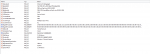
danke für den tipp. mit eigenen kenntnissen würde ich das nicht verstehn aber google sprachtools hilft weiter Ich bin jetzt auf CurrentVersion draufgegangen aber ich glaube da sieht alles ganz gut aus, da muss man nichts verändern. ich hab davon ein bild gemacht.
falls du etwas siehst was nicht richtig ist dann sag mal bitte bescheid...


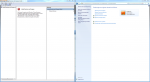
 Ich bin jetzt auf CurrentVersion draufgegangen aber ich glaube da sieht alles ganz gut aus, da muss man nichts verändern. ich hab davon ein bild gemacht.