AW: Schweerwiegender Fehler DD3D50
Hi sry hab ich ganz vergessen hier:
Betriebssystemname: Microsoft Windows XP Professional
Betriebssystemversion: 5.1.2600 Service Pack 3 Build 2600
Betriebssystemhersteller: Microsoft Corporation
Betriebssystemkonfiguration: Eigenständige Arbeitsstation
Buildtyp von Betriebssystem: Multiprocessor Free
Systembetriebszeit: 0 Tage, 1 Stunden, 35 Minuten, 36 Sekund
en
Systemhersteller: 865PE
Systemmodell: P4i65PE
Systemtyp: X86-based PC
Prozessor(en): 1 Prozessor(en) installiert.
[01]: x86 Family 15 Model 4 Stepping 1 GenuineIntel ~2999 MHz
Gesamter physikalischer Speicher: 2.047 MB
Verfügbarer physikalischer Speicher: 1.224 MB
Virtueller Speicher: Maximale Größe: 2.048 MB
Virtueller Speicher: Verfügbar: 2.007 MB
Virtueller Speicher: Zurzeit verwendet: 41 MB
Auslagerungsdateipfad(e): c:\pagefile.sys
Code:
Hotfix(es):                             80 Hotfix(e) installiert.
                                        [01]: File 1
                                        [02]: File 1
                                        [03]: File 1
                                        [04]: File 1
                                        [05]: File 1
                                        [06]: File 1
                                        [07]: File 1
                                        [08]: File 1
                                        [09]: File 1
                                        [10]: File 1
                                        [11]: File 1
                                        [12]: File 1
                                        [13]: File 1
                                        [14]: File 1
                                        [15]: File 1
                                        [16]: File 1
                                        [17]: File 1
                                        [18]: File 1
                                        [19]: File 1
                                        [20]: File 1
                                        [21]: File 1
                                        [22]: File 1
                                        [23]: File 1
                                        [24]: File 1
                                        [25]: File 1
                                        [26]: File 1
                                        [27]: File 1
                                        [28]: File 1
                                        [29]: File 1
                                        [30]: File 1
                                        [31]: File 1
                                        [32]: Q147222
                                        [33]: M928366 - Update
                                        [34]: S867460 - Update
                                        [35]: Q936181
                                        [36]: Q954430
                                        [37]: IDNMitigationAPIs - Update
                                        [38]: NLSDownlevelMapping - Update
                                        [39]: KB929399
                                        [40]: KB936782_WMP11
                                        [41]: KB939683
                                        [42]: KB954154_WM11
                                        [43]: KB925398_WMP64
                                        [44]: KB936782_WMP9
                                        [45]: KB923689
                                        [46]: KB941569
                                        [47]: KB938127-IE7 - Update
                                        [48]: KB944533-IE7 - Update
                                        [49]: KB947864-IE7 - Update
                                        [50]: KB950759-IE7 - Update
                                        [51]: KB953838-IE7 - Update
                                        [52]: KB956390-IE7 - Update
                                        [53]: MSCompPackV1 - Update
                                        [54]: KB936929 - Service Pack
                                        [55]: KB938464 - Update
                                        [56]: KB946648 - Update
                                        [57]: KB950760 - Update
                                        [58]: KB950762 - Update
                                        [59]: KB950974 - Update
                                        [60]: KB951066 - Update
                                        [61]: KB951072-v2 - Update
                                        [62]: KB951376 - Update
                                        [63]: KB951376-v2 - Update
                                        [64]: KB951698 - Update
                                        [65]: KB951748 - Update
                                        [66]: KB951978 - Update
                                        [67]: KB952287 - Update
                                        [68]: KB952954 - Update
                                        [69]: KB953839 - Update
                                        [70]: KB954211 - Update
                                        [71]: KB954459 - Update
                                        [72]: KB954550-v5 - Update
                                        [73]: KB955069 - Update
                                        [74]: KB956391 - Update
                                        [75]: KB956803 - Update
                                        [76]: KB956841 - Update
                                        [77]: KB957095 - Update
                                        [78]: KB957097 - Update
                                        [79]: KB958644 - Update
                                        [80]: XpsEPSC
Netzwerkcarte(n): 5 Netzwerkadapter installiert.
[01]: Realtek RTL8139-Familie-PCI-Fast E
thernet-NIC
Verbindungsname: LAN-Verbindung
DHCP Aktiviert: Ja
DHCP-Server: 192.168.1.1
IP-Adresse(n)
[01]: 192.168.1.4
[02]: VMware Virtual Ethernet Adapter for VMnet1
Verbindungsname: VMware Network Adapter VMnet1
[03]: VMware Virtual Ethernet Adapter for VMnet8
Verbindungsname: VMware Network Adapter VMnet8
[04]: Bluetooth PAN Network Adapter
Verbindungsname: LAN-Verbindung 4
[05]: TAP-Win32 Adapter V8
Verbindungsname: LAN-Verbindung 6
Status: Medien getrennt
Grakikkarte: GeForce FX 5500


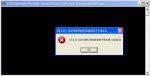


 Shader Model 3 wird benötigt, glaube die FX5000er haben 2.0.


 ) Patch lösen????


