Motero0815
Cadet 3rd Year
- Registriert
- Sep. 2008
- Beiträge
- 49
Hallo,
habe mein neues System seit Freitag laufen und bekomme leider schon das zweite mal einen BlueScreen.
Der Crash trat auf als ich mich auf einer Webseite befand, die mit Flash programmiert ist.
Hier mein System:
Betriebssystem: Windows 7
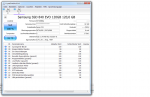
Festplatte: 1) Samsung SSD 840 Evo Series 120GB, 2.5", SATA 6Gb/s (MZ-7TE120BW) -> Hier ist Windows installiert
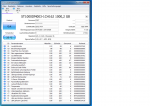
Festplatte: 2) Seagate Barracuda 7200.14 1TB, SATA 6Gb/s (ST1000DM003)
Grafikkarte: GigaByte R9270X
CPU: E3-1230 V3
MainBoard: Gigabyte GA-H87-HD3
RAM: Crucial Ballistix Sport DIMM Kit 8GB, DDR3-1600, CL9-9-9-24
Netzteil: be quiet! Straight Power E9 450W
Soundkarte: XFI-Gamer
Ich habe bei der Grafikkarte noch nicht den aktuellsten Treiber installiert -> Treiber von CD
Ansonsten habe ich die Treiber von der Main-Board CD isntalliert.
Habe die Temperaturen von meinem Sys angehängt
Anhang anzeigen HWMonitor.txtAnhang anzeigen HWMonitor.txt
Habe mit WhoCrashed das ganze mal Analisiert:
hier der Dump:
On Mon 23.12.2013 10:05:05 GMT your computer crashed
crash dump file: C:\Windows\Minidump\122313-5850-01.dmp
This was probably caused by the following module: ntoskrnl.exe (nt+0x75BC0)
Bugcheck code: 0x3B (0xC0000005, 0xFFFFF800031BBB05, 0xFFFFF8800C4CF930, 0x0)
Error: SYSTEM_SERVICE_EXCEPTION
file path: C:\Windows\system32\ntoskrnl.exe
product: Microsoft® Windows® Operating System
company: Microsoft Corporation
description: NT Kernel & System
Bug check description: This indicates that an exception happened while executing a routine that transitions from non-privileged code to privileged code.
This appears to be a typical software driver bug and is not likely to be caused by a hardware problem.
The crash took place in the Windows kernel. Possibly this problem is caused by another driver that cannot be identified at this time.
On Mon 23.12.2013 10:05:05 GMT your computer crashed
crash dump file: C:\Windows\memory.dmp
This was probably caused by the following module: win32k.sys (win32k!EngRestoreFloatingPointState+0x4B5C)
Bugcheck code: 0x3B (0xC0000005, 0xFFFFF800031BBB05, 0xFFFFF8800C4CF930, 0x0)
Error: SYSTEM_SERVICE_EXCEPTION
file path: C:\Windows\system32\win32k.sys
product: Betriebssystem Microsoft® Windows®
company: Microsoft Corporation
description: Mehrbenutzer-Win32-Treiber
Bug check description: This indicates that an exception happened while executing a routine that transitions from non-privileged code to privileged code.
This appears to be a typical software driver bug and is not likely to be caused by a hardware problem.
The crash took place in a standard Microsoft module. Your system configuration may be incorrect. Possibly this problem is caused by another driver on your system that cannot be identified at this time.
On Sun 22.12.2013 15:52:22 GMT your computer crashed
crash dump file: C:\Windows\Minidump\122213-6177-01.dmp
This was probably caused by the following module: win32k.sys (win32k+0x102D38)
Bugcheck code: 0x3B (0xC0000005, 0xFFFFF960001A2D38, 0xFFFFF88008980010, 0x0)
Error: SYSTEM_SERVICE_EXCEPTION
file path: C:\Windows\system32\win32k.sys
product: Betriebssystem Microsoft® Windows®
company: Microsoft Corporation
description: Mehrbenutzer-Win32-Treiber
Bug check description: This indicates that an exception happened while executing a routine that transitions from non-privileged code to privileged code.
This appears to be a typical software driver bug and is not likely to be caused by a hardware problem.
The crash took place in a standard Microsoft module. Your system configuration may be incorrect. Possibly this problem is caused by another driver on your system that cannot be identified at this time.
Kann mir jemand helfen?
Braucht ihr noch mehr Infos?
habe mein neues System seit Freitag laufen und bekomme leider schon das zweite mal einen BlueScreen.
Der Crash trat auf als ich mich auf einer Webseite befand, die mit Flash programmiert ist.
Hier mein System:
Betriebssystem: Windows 7
Festplatte: 1) Samsung SSD 840 Evo Series 120GB, 2.5", SATA 6Gb/s (MZ-7TE120BW) -> Hier ist Windows installiert
Festplatte: 2) Seagate Barracuda 7200.14 1TB, SATA 6Gb/s (ST1000DM003)
Grafikkarte: GigaByte R9270X
CPU: E3-1230 V3
MainBoard: Gigabyte GA-H87-HD3
RAM: Crucial Ballistix Sport DIMM Kit 8GB, DDR3-1600, CL9-9-9-24
Netzteil: be quiet! Straight Power E9 450W
Soundkarte: XFI-Gamer
Ich habe bei der Grafikkarte noch nicht den aktuellsten Treiber installiert -> Treiber von CD
Ansonsten habe ich die Treiber von der Main-Board CD isntalliert.
Habe die Temperaturen von meinem Sys angehängt
Anhang anzeigen HWMonitor.txtAnhang anzeigen HWMonitor.txt
Habe mit WhoCrashed das ganze mal Analisiert:
hier der Dump:
On Mon 23.12.2013 10:05:05 GMT your computer crashed
crash dump file: C:\Windows\Minidump\122313-5850-01.dmp
This was probably caused by the following module: ntoskrnl.exe (nt+0x75BC0)
Bugcheck code: 0x3B (0xC0000005, 0xFFFFF800031BBB05, 0xFFFFF8800C4CF930, 0x0)
Error: SYSTEM_SERVICE_EXCEPTION
file path: C:\Windows\system32\ntoskrnl.exe
product: Microsoft® Windows® Operating System
company: Microsoft Corporation
description: NT Kernel & System
Bug check description: This indicates that an exception happened while executing a routine that transitions from non-privileged code to privileged code.
This appears to be a typical software driver bug and is not likely to be caused by a hardware problem.
The crash took place in the Windows kernel. Possibly this problem is caused by another driver that cannot be identified at this time.
On Mon 23.12.2013 10:05:05 GMT your computer crashed
crash dump file: C:\Windows\memory.dmp
This was probably caused by the following module: win32k.sys (win32k!EngRestoreFloatingPointState+0x4B5C)
Bugcheck code: 0x3B (0xC0000005, 0xFFFFF800031BBB05, 0xFFFFF8800C4CF930, 0x0)
Error: SYSTEM_SERVICE_EXCEPTION
file path: C:\Windows\system32\win32k.sys
product: Betriebssystem Microsoft® Windows®
company: Microsoft Corporation
description: Mehrbenutzer-Win32-Treiber
Bug check description: This indicates that an exception happened while executing a routine that transitions from non-privileged code to privileged code.
This appears to be a typical software driver bug and is not likely to be caused by a hardware problem.
The crash took place in a standard Microsoft module. Your system configuration may be incorrect. Possibly this problem is caused by another driver on your system that cannot be identified at this time.
On Sun 22.12.2013 15:52:22 GMT your computer crashed
crash dump file: C:\Windows\Minidump\122213-6177-01.dmp
This was probably caused by the following module: win32k.sys (win32k+0x102D38)
Bugcheck code: 0x3B (0xC0000005, 0xFFFFF960001A2D38, 0xFFFFF88008980010, 0x0)
Error: SYSTEM_SERVICE_EXCEPTION
file path: C:\Windows\system32\win32k.sys
product: Betriebssystem Microsoft® Windows®
company: Microsoft Corporation
description: Mehrbenutzer-Win32-Treiber
Bug check description: This indicates that an exception happened while executing a routine that transitions from non-privileged code to privileged code.
This appears to be a typical software driver bug and is not likely to be caused by a hardware problem.
The crash took place in a standard Microsoft module. Your system configuration may be incorrect. Possibly this problem is caused by another driver on your system that cannot be identified at this time.
Kann mir jemand helfen?
Braucht ihr noch mehr Infos?