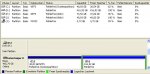
Ja der Fehler ist trotz formatieren wieder aufgetreten, hab jetzt ein anderen Stick benutzt, der wird auch richtig erkannt. Hab den gemountet dann kam folgendes:
root@sysresccd /root % fdisk -l
Disk /dev/sda: 80.0 GB, 80026361856 bytes
255 heads, 63 sectors/track, 9729 cylinders
Units = cylinders of 16065 * 512 = 8225280 bytes
Sector size (logical/physical): 512 bytes / 512 bytes
I/O size (minimum/optimal): 512 bytes / 512 bytes
Disk identifier: 0xf18cf18c
Device Boot Start End Blocks Id System
/dev/sda1 * 1 9728 78140128+ 7 HPFS/NTFS
Disk /dev/sdb: 500.1 GB, 500107862016 bytes
255 heads, 63 sectors/track, 60801 cylinders
Units = cylinders of 16065 * 512 = 8225280 bytes
Sector size (logical/physical): 512 bytes / 512 bytes
I/O size (minimum/optimal): 512 bytes / 512 bytes
Disk identifier: 0xfa80fa80
Device Boot Start End Blocks Id System
/dev/sdb1 * 1 6374 51199123+ 7 HPFS/NTFS
/dev/sdb2 6375 60800 437176845 f W95 Ext'd (LBA)
/dev/sdb5 6375 60800 437176813+ 7 HPFS/NTFS
Disk /dev/sdc: 500.1 GB, 500107862016 bytes
255 heads, 63 sectors/track, 60801 cylinders
Units = cylinders of 16065 * 512 = 8225280 bytes
Sector size (logical/physical): 512 bytes / 512 bytes
I/O size (minimum/optimal): 512 bytes / 512 bytes
Disk identifier: 0xaa91aa91
Device Boot Start End Blocks Id System
/dev/sdc1 1 60801 488384001 7 HPFS/NTFS
Disk /dev/sdd: 4007 MB, 4007657472 bytes
16 heads, 32 sectors/track, 15288 cylinders
Units = cylinders of 512 * 512 = 262144 bytes
Sector size (logical/physical): 512 bytes / 512 bytes
I/O size (minimum/optimal): 512 bytes / 512 bytes
Disk identifier: 0x00000000
Device Boot Start End Blocks Id System
/dev/sdd1 16 15288 3909696 b W95 FAT32
root@sysresccd /root % mount - t vfat / dev/sdd / mnt
Usage: mount -V : print version
mount -h : print this help
mount : list mounted filesystems
mount -l : idem, including volume labels
So far the informational part. Next the mounting.
The command is `mount [-t fstype] something somewhere'.
Details found in /etc/fstab may be omitted.
mount -a [-t|-O] ... : mount all stuff from /etc/fstab
mount device : mount device at the known place
mount directory : mount known device here
mount -t type dev dir : ordinary mount command
Note that one does not really mount a device, one mounts
a filesystem (of the given type) found on the device.
One can also mount an already visible directory tree elsewhere:
mount --bind olddir newdir
or move a subtree:
mount --move olddir newdir
One can change the type of mount containing the directory dir:
mount --make-shared dir
mount --make-slave dir
mount --make-private dir
mount --make-unbindable dir
One can change the type of all the mounts in a mount subtree
containing the directory dir:
mount --make-rshared dir
mount --make-rslave dir
mount --make-rprivate dir
mount --make-runbindable dir
A device can be given by name, say /dev/hda1 or /dev/cdrom,
or by label, using -L label or by uuid, using -U uuid .
Other options: [-nfFrsvw] [-o options] [-p passwdfd].
For many more details, say man 8 mount .
root@sysresccd /root %
ist das ok so? und was soll ich dann als nächstes tun?
root@sysresccd /root % fdisk -l
Disk /dev/sda: 80.0 GB, 80026361856 bytes
255 heads, 63 sectors/track, 9729 cylinders
Units = cylinders of 16065 * 512 = 8225280 bytes
Sector size (logical/physical): 512 bytes / 512 bytes
I/O size (minimum/optimal): 512 bytes / 512 bytes
Disk identifier: 0xf18cf18c
Device Boot Start End Blocks Id System
/dev/sda1 * 1 9728 78140128+ 7 HPFS/NTFS
Disk /dev/sdb: 500.1 GB, 500107862016 bytes
255 heads, 63 sectors/track, 60801 cylinders
Units = cylinders of 16065 * 512 = 8225280 bytes
Sector size (logical/physical): 512 bytes / 512 bytes
I/O size (minimum/optimal): 512 bytes / 512 bytes
Disk identifier: 0xfa80fa80
Device Boot Start End Blocks Id System
/dev/sdb1 * 1 6374 51199123+ 7 HPFS/NTFS
/dev/sdb2 6375 60800 437176845 f W95 Ext'd (LBA)
/dev/sdb5 6375 60800 437176813+ 7 HPFS/NTFS
Disk /dev/sdc: 500.1 GB, 500107862016 bytes
255 heads, 63 sectors/track, 60801 cylinders
Units = cylinders of 16065 * 512 = 8225280 bytes
Sector size (logical/physical): 512 bytes / 512 bytes
I/O size (minimum/optimal): 512 bytes / 512 bytes
Disk identifier: 0xaa91aa91
Device Boot Start End Blocks Id System
/dev/sdc1 1 60801 488384001 7 HPFS/NTFS
Disk /dev/sdd: 4007 MB, 4007657472 bytes
16 heads, 32 sectors/track, 15288 cylinders
Units = cylinders of 512 * 512 = 262144 bytes
Sector size (logical/physical): 512 bytes / 512 bytes
I/O size (minimum/optimal): 512 bytes / 512 bytes
Disk identifier: 0x00000000
Device Boot Start End Blocks Id System
/dev/sdd1 16 15288 3909696 b W95 FAT32
root@sysresccd /root % mount - t vfat / dev/sdd / mnt
Usage: mount -V : print version
mount -h : print this help
mount : list mounted filesystems
mount -l : idem, including volume labels
So far the informational part. Next the mounting.
The command is `mount [-t fstype] something somewhere'.
Details found in /etc/fstab may be omitted.
mount -a [-t|-O] ... : mount all stuff from /etc/fstab
mount device : mount device at the known place
mount directory : mount known device here
mount -t type dev dir : ordinary mount command
Note that one does not really mount a device, one mounts
a filesystem (of the given type) found on the device.
One can also mount an already visible directory tree elsewhere:
mount --bind olddir newdir
or move a subtree:
mount --move olddir newdir
One can change the type of mount containing the directory dir:
mount --make-shared dir
mount --make-slave dir
mount --make-private dir
mount --make-unbindable dir
One can change the type of all the mounts in a mount subtree
containing the directory dir:
mount --make-rshared dir
mount --make-rslave dir
mount --make-rprivate dir
mount --make-runbindable dir
A device can be given by name, say /dev/hda1 or /dev/cdrom,
or by label, using -L label or by uuid, using -U uuid .
Other options: [-nfFrsvw] [-o options] [-p passwdfd].
For many more details, say man 8 mount .
root@sysresccd /root %
ist das ok so? und was soll ich dann als nächstes tun?
Zuletzt bearbeitet: