redjack1000 schrieb:
Jetzt noch die Analyse starten......
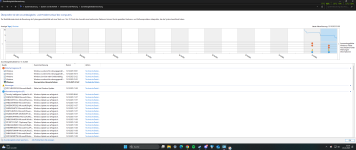
Anhang anzeigen 1665706
Cu
redjack
Sorry
5: kd> !analyze -v
Loading Kernel Symbols
..
Press ctrl-c (cdb, kd, ntsd) or ctrl-break (windbg) to abort symbol loads that take too long.
Run !sym noisy before .reload to track down problems loading symbols.
.............................................................
................................................................
................................................................
...........
Loading User Symbols
Loading unloaded module list
.........................................
*******************************************************************************
*******************************************************************************
IRQL_NOT_LESS_OR_EQUAL (a)
An attempt was made to access a pageable (or completely invalid) address at an
interrupt request level (IRQL) that is too high. This is usually
caused by drivers using improper addresses.
If a kernel debugger is available get the stack backtrace.
Arguments:
Arg1: 0000000871820000, memory referenced
Arg2: 0000000000000002, IRQL
Arg3: 0000000000000000, bitfield :
bit 0 : value 0 = read operation, 1 = write operation
bit 3 : value 0 = not an execute operation, 1 = execute operation (only on chips which support this level of status)
Arg4: fffff806a621bdab, address which referenced memory
Debugging Details:
------------------
KEY_VALUES_STRING: 1
Key : Analysis.CPU.mSec
Value: 1453
Key : Analysis.Elapsed.mSec
Value: 6266
Key : Analysis.IO.Other.Mb
Value: 0
Key : Analysis.IO.Read.Mb
Value: 1
Key : Analysis.IO.Write.Mb
Value: 23
Key : Analysis.Init.CPU.mSec
Value: 1187
Key : Analysis.Init.Elapsed.mSec
Value: 289505
Key : Analysis.Memory.CommitPeak.Mb
Value: 108
Key : Analysis.Version.DbgEng
Value: 10.0.27920.1001
Key : Analysis.Version.Description
Value: 10.2506.23.01 amd64fre
Key : Analysis.Version.Ext
Value: 1.2506.23.1
Key : Bugcheck.Code.LegacyAPI
Value: 0xa
Key : Bugcheck.Code.TargetModel
Value: 0xa
Key : Dump.Attributes.AsUlong
Value: 0x21808
Key : Dump.Attributes.DiagDataWrittenToHeader
Value: 1
Key : Dump.Attributes.ErrorCode
Value: 0x0
Key : Dump.Attributes.KernelGeneratedTriageDump
Value: 1
Key : Dump.Attributes.LastLine
Value: Dump completed successfully.
Key : Dump.Attributes.ProgressPercentage
Value: 0
Key : Failure.Bucket
Value: AV_nt!MiGatherMappedPages
Key : Failure.Exception.IP.Address
Value: 0xfffff806a621bdab
Key : Failure.Exception.IP.Module
Value: nt
Key : Failure.Exception.IP.Offset
Value: 0x41bdab
Key : Failure.Hash
Value: {992c5d81-09db-e3e5-0551-a9cd2054a139}
Key : Hypervisor.Enlightenments.ValueHex
Value: 0x7417cf94
Key : Hypervisor.Flags.AnyHypervisorPresent
Value: 1
Key : Hypervisor.Flags.ApicEnlightened
Value: 1
Key : Hypervisor.Flags.ApicVirtualizationAvailable
Value: 0
Key : Hypervisor.Flags.AsyncMemoryHint
Value: 0
Key : Hypervisor.Flags.CoreSchedulerRequested
Value: 0
Key : Hypervisor.Flags.CpuManager
Value: 1
Key : Hypervisor.Flags.DeprecateAutoEoi
Value: 0
Key : Hypervisor.Flags.DynamicCpuDisabled
Value: 1
Key : Hypervisor.Flags.Epf
Value: 0
Key : Hypervisor.Flags.ExtendedProcessorMasks
Value: 1
Key : Hypervisor.Flags.HardwareMbecAvailable
Value: 1
Key : Hypervisor.Flags.MaxBankNumber
Value: 0
Key : Hypervisor.Flags.MemoryZeroingControl
Value: 0
Key : Hypervisor.Flags.NoExtendedRangeFlush
Value: 0
Key : Hypervisor.Flags.NoNonArchCoreSharing
Value: 1
Key : Hypervisor.Flags.Phase0InitDone
Value: 1
Key : Hypervisor.Flags.PowerSchedulerQos
Value: 0
Key : Hypervisor.Flags.RootScheduler
Value: 0
Key : Hypervisor.Flags.SynicAvailable
Value: 1
Key : Hypervisor.Flags.UseQpcBias
Value: 0
Key : Hypervisor.Flags.Value
Value: 38408431
Key : Hypervisor.Flags.ValueHex
Value: 0x24a10ef
Key : Hypervisor.Flags.VpAssistPage
Value: 1
Key : Hypervisor.Flags.VsmAvailable
Value: 1
Key : Hypervisor.RootFlags.AccessStats
Value: 1
Key : Hypervisor.RootFlags.CrashdumpEnlightened
Value: 1
Key : Hypervisor.RootFlags.CreateVirtualProcessor
Value: 1
Key : Hypervisor.RootFlags.DisableHyperthreading
Value: 0
Key : Hypervisor.RootFlags.HostTimelineSync
Value: 1
Key : Hypervisor.RootFlags.HypervisorDebuggingEnabled
Value: 0
Key : Hypervisor.RootFlags.IsHyperV
Value: 1
Key : Hypervisor.RootFlags.LivedumpEnlightened
Value: 1
Key : Hypervisor.RootFlags.MapDeviceInterrupt
Value: 1
Key : Hypervisor.RootFlags.MceEnlightened
Value: 1
Key : Hypervisor.RootFlags.Nested
Value: 0
Key : Hypervisor.RootFlags.StartLogicalProcessor
Value: 1
Key : Hypervisor.RootFlags.Value
Value: 1015
Key : Hypervisor.RootFlags.ValueHex
Value: 0x3f7
Key : WER.System.BIOSRevision
Value: 5.13.0.0
BUGCHECK_CODE: a
BUGCHECK_P1: 871820000
BUGCHECK_P2: 2
BUGCHECK_P3: 0
BUGCHECK_P4: fffff806a621bdab
FILE_IN_CAB: 101325-7125-01.dmp
TAG_NOT_DEFINED_202b: *** Unknown TAG in analysis list 202b
DUMP_FILE_ATTRIBUTES: 0x21808
Kernel Generated Triage Dump
FAULTING_THREAD: ffffb80a547e6080
READ_ADDRESS: fffff806a6dc44c0: Unable to get MiVisibleState
Unable to get NonPagedPoolStart
Unable to get NonPagedPoolEnd
Unable to get PagedPoolStart
Unable to get PagedPoolEnd
unable to get nt!MmSpecialPagesInUse
0000000871820000
BLACKBOXBSD: 1 (!blackboxbsd)
BLACKBOXNTFS: 1 (!blackboxntfs)
BLACKBOXPNP: 1 (!blackboxpnp)
BLACKBOXWINLOGON: 1 (!blackboxwinlogon)
CUSTOMER_CRASH_COUNT: 1
PROCESS_NAME: System
STACK_TEXT:
fffffb85`39f12258 fffff806`a64b24e9 : 00000000`0000000a 00000008`71820000 00000000`00000002 00000000`00000000 : nt!KeBugCheckEx
fffffb85`39f12260 fffff806`a64ad7a8 : fffff806`36c55180 ffffce00`ab7e5180 ffff9800`161e7370 00000000`00000001 : nt!KiBugCheckDispatch+0x69
fffffb85`39f123a0 fffff806`a621bdab : 00000000`0075f7bd 0000003f`ffffffff 00000000`65576d00 00000000`00000002 : nt!KiPageFault+0x468
fffffb85`39f12530 fffff806`a621bb15 : fffff806`a6c389c0 fffff806`00000000 ffffb80a`547e6080 00000000`00000001 : nt!MiGatherMappedPages+0xdb
fffffb85`39f12600 fffff806`a628157a : ffffb80a`547e6080 ffffb80a`547e6080 00000000`00000080 fffff806`a621b910 : nt!MiMappedPageWriter+0x205
fffffb85`39f12af0 fffff806`a649f614 : ffffce00`ab6a2180 ffffb80a`547e6080 fffff806`a6281520 00000000`00000000 : nt!PspSystemThreadStartup+0x5a
fffffb85`39f12b40 00000000`00000000 : fffffb85`39f13000 fffffb85`39f0c000 00000000`00000000 00000000`00000000 : nt!KiStartSystemThread+0x34
SYMBOL_NAME: nt!MiGatherMappedPages+db
MODULE_NAME: nt
IMAGE_VERSION: 10.0.26100.6725
STACK_COMMAND: .process /r /p 0xffffb80a544d7040; .thread 0xffffb80a547e6080 ; kb
IMAGE_NAME: ntkrnlmp.exe
BUCKET_ID_FUNC_OFFSET: db
FAILURE_BUCKET_ID: AV_nt!MiGatherMappedPages
OSPLATFORM_TYPE: x64
OSNAME: Windows 10
FAILURE_ID_HASH: {992c5d81-09db-e3e5-0551-a9cd2054a139}
Followup: MachineOwner
---------