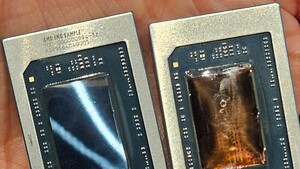
Seit neuestem macht der Rechner von meiner Freundin Bluescreens bei komplexeren Aufgaben (Flash Player oder epubs umwandeln). So lange er nicht zu stark beansprucht wird, kommt keine Fehlermeldung. Der Fehler lässt sich reproduzieren wenn ich CPUStabTest oder HOTCPU laufen lasse. Am System wurde nichts verändert und der Rechner lief so wie er war seit nem 3/4 Jahr stabil (nicht selbst gebaut, sondern so gekauft, nichts übertaktet). Die Temperatur des CPU´s bleibt unter 70 Grad vorm abstürzen. Bis jetzt hab ich probiert: chdisk, memtest (Arbeitsspeicher), Treiber von Grafikkartenchipsat de- und neu installiert, Flash Player / Firefox de- und neu installiert (und natürlich Hardwarebeschleunigung deaktiviert).
Ich tippe aufgrund des Fehlercodes auf den CPU - oder lieg ich da falsch? Wenn ich falsch liege- wie kann ich den Rest testen?
Die Fehlermeldung im Einzelnen:
Problemsignatur:
Problemereignisname: BlueScreen
Betriebsystemversion: 6.1.7601.2.1.0.256.48
Gebietsschema-ID: 1031
Zusatzinformationen zum Problem:
BCCode: 124
BCP1: 0000000000000000
BCP2: FFFFFA80050A0038
BCP3: 0000000000000000
BCP4: 0000000000000000
OS Version: 6_1_7601
Service Pack: 1_0
Product: 256_1
Dateien, die bei der Beschreibung des Problems hilfreich sind:
C:\Windows\Minidump\101314-17640-01.dmp
C:\Users\admin\AppData\Local\Temp\WER-45812-0.sysdata.xml
Die DMP Datei mit Whocrashed ausgelesen:
Crash dump directory: C:\Windows\Minidump
Crash dumps are enabled on your computer.
On Sun 12.10.2014 22:35:04 GMT your computer crashed
crash dump file: C:\Windows\Minidump\101314-17640-01.dmp
This was probably caused by the following module: ntoskrnl.exe (nt+0x4ADB3C)
Bugcheck code: 0x124 (0x0, 0xFFFFFA80050A0038, 0x0, 0x0)
Error: WHEA_UNCORRECTABLE_ERROR
file path: C:\Windows\system32\ntoskrnl.exe
product: Microsoft® Windows® Operating System
company: Microsoft Corporation
description: NT Kernel & System
Bug check description: This bug check indicates that a fatal hardware error has occurred. This bug check uses the error data that is provided by the Windows Hardware Error Architecture (WHEA).
This is likely to be caused by a hardware problem problem. This problem might be caused by a thermal issue.
The crash took place in the Windows kernel. Possibly this problem is caused by another driver that cannot be identified at this time.
Ich tippe aufgrund des Fehlercodes auf den CPU - oder lieg ich da falsch? Wenn ich falsch liege- wie kann ich den Rest testen?
Die Fehlermeldung im Einzelnen:
Problemsignatur:
Problemereignisname: BlueScreen
Betriebsystemversion: 6.1.7601.2.1.0.256.48
Gebietsschema-ID: 1031
Zusatzinformationen zum Problem:
BCCode: 124
BCP1: 0000000000000000
BCP2: FFFFFA80050A0038
BCP3: 0000000000000000
BCP4: 0000000000000000
OS Version: 6_1_7601
Service Pack: 1_0
Product: 256_1
Dateien, die bei der Beschreibung des Problems hilfreich sind:
C:\Windows\Minidump\101314-17640-01.dmp
C:\Users\admin\AppData\Local\Temp\WER-45812-0.sysdata.xml
Die DMP Datei mit Whocrashed ausgelesen:
Crash dump directory: C:\Windows\Minidump
Crash dumps are enabled on your computer.
On Sun 12.10.2014 22:35:04 GMT your computer crashed
crash dump file: C:\Windows\Minidump\101314-17640-01.dmp
This was probably caused by the following module: ntoskrnl.exe (nt+0x4ADB3C)
Bugcheck code: 0x124 (0x0, 0xFFFFFA80050A0038, 0x0, 0x0)
Error: WHEA_UNCORRECTABLE_ERROR
file path: C:\Windows\system32\ntoskrnl.exe
product: Microsoft® Windows® Operating System
company: Microsoft Corporation
description: NT Kernel & System
Bug check description: This bug check indicates that a fatal hardware error has occurred. This bug check uses the error data that is provided by the Windows Hardware Error Architecture (WHEA).
This is likely to be caused by a hardware problem problem. This problem might be caused by a thermal issue.
The crash took place in the Windows kernel. Possibly this problem is caused by another driver that cannot be identified at this time.