Hallo

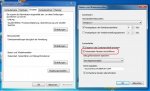
Habe mir das ding jetzt mal herunter geladen er zeigt mir aber nur die zeit von gestern bis heute an. ich habe überlegt ob das plötztliche neu starten vom Computer am Explorer liegt? mir ist nämlich aufgefallen seit ich das im System deaktiviert habe stürtzt immer mein explorer ab.
Aktuell der fehler vom absturz in bericht unten zeigt folgendes an
Version=1
EventType=APPCRASH
EventTime=129867722787262000
ReportType=2
Consent=1
UploadTime=129867722787962000
ReportIdentifier=ba1de831-cdf4-11e1-ad73-00e04db21429
IntegratorReportIdentifier=ba1de830-cdf4-11e1-ad73-00e04db21429
Response.BucketId=70258774
Response.BucketTable=4
Response.type=4
Sig[0].Name=Anwendungsname
Sig[0].Value=iexplore.exe
Sig[1].Name=Anwendungsversion
Sig[1].Value=9.0.8112.16447
Sig[2].Name=Anwendungszeitstempel
Sig[2].Value=4fca012b
Sig[3].Name=Fehlermodulname
Sig[3].Value=Flash64_11_3_300_265.ocx
Sig[4].Name=Fehlermodulversion
Sig[4].Value=11.3.300.265
Sig[5].Name=Fehlermodulzeitstempel
Sig[5].Value=4febd26e
Sig[6].Name=Ausnahmecode
Sig[6].Value=c0000005
Sig[7].Name=Ausnahmeoffset
Sig[7].Value=00000000005f2130
DynamicSig[1].Name=Betriebsystemversion
DynamicSig[1].Value=6.1.7601.2.1.0.768.3
DynamicSig[2].Name=Gebietsschema-ID
DynamicSig[2].Value=1031
DynamicSig[22].Name=Zusatzinformation 1
DynamicSig[22].Value=32e9
DynamicSig[23].Name=Zusatzinformation 2
DynamicSig[23].Value=32e987ba2076d423557bbd2f2aecd16b
DynamicSig[24].Name=Zusatzinformation 3
DynamicSig[24].Value=26bc
DynamicSig[25].Name=Zusatzinformation 4
DynamicSig[25].Value=26bced0007891278b9999437b499466a
UI[2]=C:\Program Files\Internet Explorer\iexplore.exe
UI[3]=Internet Explorer funktioniert nicht mehr
UI[4]=Windows kann online nach einer Lösung für das Problem suchen.
UI[5]=Online nach einer Lösung suchen und das Programm schließen
UI[6]=Später online nach einer Lösung suchen und das Programm schließen
UI[7]=Programm schließen
LoadedModule[0]=C:\Program Files\Internet Explorer\iexplore.exe
LoadedModule[1]=C:\Windows\SYSTEM32\ntdll.dll
LoadedModule[2]=C:\Windows\system32\kernel32.dll
LoadedModule[3]=C:\Windows\system32\KERNELBASE.dll
LoadedModule[4]=C:\Windows\system32\ADVAPI32.dll
LoadedModule[5]=C:\Windows\system32\msvcrt.dll
LoadedModule[6]=C:\Windows\SYSTEM32\sechost.dll
LoadedModule[7]=C:\Windows\system32\RPCRT4.dll
LoadedModule[8]=C:\Windows\system32\USER32.dll
LoadedModule[9]=C:\Windows\system32\GDI32.dll
LoadedModule[10]=C:\Windows\system32\LPK.dll
LoadedModule[11]=C:\Windows\system32\USP10.dll
LoadedModule[12]=C:\Windows\system32\SHLWAPI.dll
LoadedModule[13]=C:\Windows\system32\SHELL32.dll
LoadedModule[14]=C:\Windows\system32\ole32.dll
LoadedModule[15]=C:\Windows\system32\urlmon.dll
LoadedModule[16]=C:\Windows\system32\OLEAUT32.dll
LoadedModule[17]=C:\Windows\system32\iertutil.dll
LoadedModule[18]=C:\Windows\system32\WININET.dll
LoadedModule[19]=C:\Windows\system32\Normaliz.dll
LoadedModule[20]=C:\Windows\system32\IMM32.DLL
LoadedModule[21]=C:\Windows\system32\MSCTF.dll
LoadedModule[22]=C:\Windows\system32\IEFRAME.dll
LoadedModule[23]=C:\Windows\system32\PSAPI.DLL
LoadedModule[24]=C:\Windows\system32\OLEACC.dll
LoadedModule[25]=C:\Windows\WinSxS\amd64_microsoft.windows.common-controls_6595b64144ccf1df_6.0.7601.17514_none_fa396087175ac9ac\comctl32.dll
LoadedModule[26]=C:\Windows\system32\comdlg32.dll
LoadedModule[27]=C:\Program Files\Internet Explorer\IEShims.dll
LoadedModule[28]=C:\Windows\system32\CRYPTBASE.dll
LoadedModule[29]=C:\Windows\system32\uxtheme.dll
LoadedModule[30]=C:\Windows\system32\Secur32.dll
LoadedModule[31]=C:\Windows\system32\SSPICLI.DLL
LoadedModule[32]=C:\Windows\system32\profapi.dll
LoadedModule[33]=C:\Windows\system32\WS2_32.dll
LoadedModule[34]=C:\Windows\system32\NSI.dll
LoadedModule[35]=C:\Windows\system32\dnsapi.DLL
LoadedModule[36]=C:\Windows\system32\iphlpapi.DLL
LoadedModule[37]=C:\Windows\system32\WINNSI.DLL
LoadedModule[38]=C:\Windows\system32\RpcRtRemote.dll
LoadedModule[39]=C:\Windows\system32\dwmapi.dll
LoadedModule[40]=C:\Windows\system32\MSHTML.dll
LoadedModule[41]=C:\Windows\system32\VERSION.dll
LoadedModule[42]=C:\Windows\system32\setupapi.dll
LoadedModule[43]=C:\Windows\system32\CFGMGR32.dll
LoadedModule[44]=C:\Windows\system32\DEVOBJ.dll
LoadedModule[45]=C:\Windows\system32\d2d1.dll
LoadedModule[46]=C:\Windows\system32\DWrite.dll
LoadedModule[47]=C:\Windows\system32\dxgi.dll
LoadedModule[48]=C:\Windows\system32\WINTRUST.dll
LoadedModule[49]=C:\Windows\system32\CRYPT32.dll
LoadedModule[50]=C:\Windows\system32\MSASN1.dll
LoadedModule[51]=C:\Windows\system32\d3d10_1.dll
LoadedModule[52]=C:\Windows\system32\d3d10_1core.dll
LoadedModule[53]=C:\Windows\system32\nvwgf2umx.dll
LoadedModule[54]=C:\Windows\system32\CRYPTSP.dll
LoadedModule[55]=C:\Windows\system32\rsaenh.dll
LoadedModule[56]=C:\Windows\system32\CLBCatQ.DLL
LoadedModule[57]=C:\Program Files\Internet Explorer\ieproxy.dll
LoadedModule[58]=C:\Windows\system32\apphelp.dll
LoadedModule[59]=C:\Windows\system32\MLANG.dll
LoadedModule[60]=C:\Windows\system32\ntmarta.dll
LoadedModule[61]=C:\Windows\system32\WLDAP32.dll
LoadedModule[62]=C:\Windows\system32\RASAPI32.dll
LoadedModule[63]=C:\Windows\system32\rasman.dll
LoadedModule[64]=C:\Windows\system32\rtutils.dll
LoadedModule[65]=C:\Windows\system32\sensapi.dll
LoadedModule[66]=C:\Program Files\NVIDIA Corporation\NetworkAccessManager\bin32\nvLsp64.dll
LoadedModule[67]=C:\Windows\system32\mswsock.dll
LoadedModule[68]=C:\Windows\System32\wshtcpip.dll
LoadedModule[69]=C:\Windows\system32\NLAapi.dll
LoadedModule[70]=C:\Windows\system32\rasadhlp.dll
LoadedModule[71]=C:\Windows\System32\wship6.dll
LoadedModule[72]=C:\Program Files\Common Files\Microsoft Shared\Windows Live\WLIDNSP.DLL
LoadedModule[73]=C:\Windows\System32\fwpuclnt.dll
LoadedModule[74]=C:\Windows\system32\SXS.DLL
LoadedModule[75]=C:\Windows\System32\jscript9.dll
LoadedModule[76]=C:\Windows\System32\ieapfltr.dll
LoadedModule[77]=C:\Windows\system32\msimtf.dll
LoadedModule[78]=C:\Windows\system32\PROPSYS.dll
LoadedModule[79]=C:\Windows\system32\windowscodecs.dll
LoadedModule[80]=C:\Windows\system32\Macromed\Flash\Flash64_11_3_300_265.ocx
LoadedModule[81]=C:\Windows\system32\WINMM.dll
LoadedModule[82]=C:\Windows\system32\DSOUND.dll
LoadedModule[83]=C:\Windows\system32\POWRPROF.dll
LoadedModule[84]=C:\Windows\system32\MSIMG32.dll
LoadedModule[85]=C:\Windows\system32\mscms.dll
LoadedModule[86]=C:\Windows\system32\USERENV.dll
LoadedModule[87]=C:\Windows\system32\windowscodecsext.dll
LoadedModule[88]=C:\Windows\System32\msxml6.dll
LoadedModule[89]=C:\Windows\system32\icm32.dll
LoadedModule[90]=C:\Windows\system32\msls31.dll
LoadedModule[91]=C:\Windows\system32\d3d10.dll
LoadedModule[92]=C:\Windows\system32\d3d10core.dll
LoadedModule[93]=C:\Windows\system32\vbscript.dll
LoadedModule[94]=C:\Windows\system32\credssp.dll
LoadedModule[95]=C:\Windows\system32\schannel.DLL
LoadedModule[96]=C:\Windows\system32\ncrypt.dll
LoadedModule[97]=C:\Windows\system32\bcrypt.dll
LoadedModule[98]=C:\Windows\system32\bcryptprimitives.dll
LoadedModule[99]=C:\Windows\system32\GPAPI.dll
LoadedModule[100]=C:\Windows\system32\cryptnet.dll
LoadedModule[101]=C:\Windows\System32\MMDevApi.dll
LoadedModule[102]=C:\Windows\system32\AUDIOSES.DLL
LoadedModule[103]=C:\Windows\System32\Dxtrans.dll
LoadedModule[104]=C:\Windows\System32\ATL.DLL
LoadedModule[105]=C:\Windows\system32\ddrawex.dll
LoadedModule[106]=C:\Windows\system32\DDRAW.dll
LoadedModule[107]=C:\Windows\system32\DCIMAN32.dll
LoadedModule[108]=C:\Windows\System32\Dxtmsft.dll
LoadedModule[109]=C:\Windows\system32\d3d9.dll
LoadedModule[110]=C:\Windows\system32\d3d8thk.dll
LoadedModule[111]=C:\Windows\system32\dhcpcsvc6.DLL
LoadedModule[112]=C:\Windows\system32\dhcpcsvc.DLL
LoadedModule[113]=C:\Windows\system32\XmlLite.dll
LoadedModule[114]=C:\Windows\system32\MFPlat.DLL
LoadedModule[115]=C:\Windows\system32\AVRT.dll
LoadedModule[116]=C:\Program Files\Common Files\Microsoft Shared\OFFICE14\MSOXMLMF.DLL
LoadedModule[117]=C:\Windows\WinSxS\amd64_microsoft.vc90.crt_1fc8b3b9a1e18e3b_9.0.30729.6161_none_08e61857a83bc251\MSVCR90.dll
LoadedModule[118]=C:\Windows\System32\msxml3.dll
LoadedModule[119]=C:\Windows\system32\WINHTTP.dll
LoadedModule[120]=C:\Windows\system32\webio.dll
LoadedModule[121]=C:\Windows\system32\nvd3dumx.dll
State[0].Key=Transport.DoneStage1
State[0].Value=1
State[1].Key=DataRequest
State[1].Value=Bucket=70258774/nBucketTable=4/nResponse=1/n
FriendlyEventName=Nicht mehr funktionsfähig
ConsentKey=APPCRASH
AppName=Internet Explorer
AppPath=C:\Program Files\Internet Explorer\iexplore.exe