Jeckus
Lt. Commander
- Registriert
- Okt. 2007
- Beiträge
- 1.117
Guten Morgen allerseits,
es ist mal wieder soweit, ich brauche eure Hilfe. Folgendes Problem mit Left 4 Dead 2:
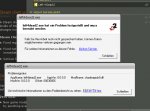
Nach der Installation startet das Spiel nicht. Es kommt nach Doppelklick auf das Icon (oder in Steam) gleich die Fehlermeldung „left4dead2.exe hat ein Problem festgestellt und muss beendet werden“.
Folgende Lösungsansätze habe ich bereits erfolglos probiert:
Die Suche nach folgenden Stichwörtern:
Quelle
a) First fix: Exit Steam and open Command Prompt in windows then run “c:\Program Files\Steam\bin\SteamService.exe” /repair. Start Steam and run the game. Hopefully it works.
b) If it doesn’t, try this new trick: Exit Steam and delete the file SteamService.exe (located in the Steam installation folder) then restart Steam.
c) If this doesn’t fix the problem either, you could try a last thing: exit Steam, Head over to Control Panel → Programs and Features, right click on Steam and click Repair. It will take a while but it will probably worth the wait.
Ich weiß mir keinen Rat mehr, vielleicht habt Ihr ja noch ein tolle Idee.
es ist mal wieder soweit, ich brauche eure Hilfe. Folgendes Problem mit Left 4 Dead 2:
Nach der Installation startet das Spiel nicht. Es kommt nach Doppelklick auf das Icon (oder in Steam) gleich die Fehlermeldung „left4dead2.exe hat ein Problem festgestellt und muss beendet werden“.
Folgende Lösungsansätze habe ich bereits erfolglos probiert:
- Das Spiel neu installiert
- Steam neu installiert, danach das Spiel neu installiert
- Grafiktreiber aktualisiert
Die Suche nach folgenden Stichwörtern:
- left 4 dead 2 startet nicht
- left 4 dead 2 launch problem
- left 4 dead 2 start problem
- left 4 dead 2 start problems
Quelle
a) First fix: Exit Steam and open Command Prompt in windows then run “c:\Program Files\Steam\bin\SteamService.exe” /repair. Start Steam and run the game. Hopefully it works.
b) If it doesn’t, try this new trick: Exit Steam and delete the file SteamService.exe (located in the Steam installation folder) then restart Steam.
c) If this doesn’t fix the problem either, you could try a last thing: exit Steam, Head over to Control Panel → Programs and Features, right click on Steam and click Repair. It will take a while but it will probably worth the wait.
Ich weiß mir keinen Rat mehr, vielleicht habt Ihr ja noch ein tolle Idee.