Probleme beim Windows Update

Registriert
Jan. 2004
Beiträge
134
Erst einmal ein vorweg mein WinXP Home ist legal. Bis Ende Februar gab es keine Probleme beim Windows Update über den IE6.
Seit vorgestern wird versucht das "Windows Genuine Advantage-Gültigkeitsprüfungstool (KB892130)" vor dem Update zu installieren. Doch nach ca. 30 sek. wird die Installation abgebrochen.
Auch das Löschen der temp. Internetdateien, Cookies und Verlauf bringt keine Abhilfe.
ActiveX Controll 6 ist aktiv, Firewall habe ich deaktiviert.
Weis keinen Ausweg mehr.
Brauche eure Hilfe.

Grüße
 
Hi, man kann das Tool auch manuell runterladen. Schau mal ob das funktioniert:
> Ohne dieses Tool oder was auch immer das sein soll geht kein Update mehr,
> und das ist echt belastend.
>
> An wen kann man sich da wenden?
> Hat jemand dieses KB892130 in der Downloadbereich doch gefunden?

http://go.microsoft.com/fwlink/?linkid=39204

Die .CAB auspacken, die DLLs nach %SystemRoot%\SYSTEM32\ kopieren und jeweils
%SystemRoot%\SYSTEM32\REGSVR32.EXE %SystemRoot%\SYSTEM32\.DLL ausfuehren, die
..INF nach %SystemRoot%\INF kopieren, dann Rechtsklick->Installieren auf diese.

Wenn Du einen Kommilitonen findest, der WGA schon per Microsoft Update hat:
unter %SystemRoot%\SoftwareDistribution\Download\ gibt's eine Datei mit 443kB
Groesse und "kryptischem" Namen. Kopiere diese und nenne sie um in
WGAInstall.exe, dann fuehre sie aus oder extrahiere die LegitCheckControl.msi
und installiere diese.
Quelle: http://netscan.research.microsoft.com/Tech/ThreadList.aspx?tid=527197278&ngid=187825 / http://netscan.research.microsoft.c...up&muid=uyUA80qoFHA.3068@TK2MSFTNGP15.phx.gbl
 
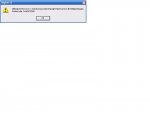
Bekomme bei der Registrierung der *.dll eine Fehlermeldung.
 

Anhänge

  • WinFehler.jpg
    WinFehler.jpg
    27,7 KB · Aufrufe: 596
Da musst du dich vielleicht mal durch die MS Newsgroups wühlen: http://www.microsoft.com/technet/co...date&tid=3af864fc-4e75-42a7-9bcf-5c76443b4dff

Mehr gibts bei Microsoft zu dem Fehler nicht :(

Z.B.:
Many users have the same problem I had today, when tried to install KB892130
from windowsupdate. It cannot be installed and returns 0x80070005 errors.
No need to say that as usual, I didn't found any useful information in MS
knowledgebase (...)

I tried to install it manually getting cab contents in a temp folder and
running update.exe. After restore point creation, installation failed with an
'Access denied' error message. I thought that something is wrong with
security and access levels of my system folders and files.

Anyway, if you have the same problem, try the following steps.

1. Boot in safe mode
2. Login as administrator
3. Open command prompt (Start - Run - cmd.exe)
4. In command prompt enter next command (omit quotes): secedit /configure
/cfg %windir%\repair\secsetup.inf /db secsetup.sdb /verbose
5. If it fails on 3-4 percent, reboot in safe bode and try a second time.
When it finish (100%) ignore any error message and reboot your computer.
6. Login as usual, clean IE hostory, cookies, temp files and go to Windows
update

This time KB892130 will install successfully.

Good luck,

Sakis Papademetriou
 
Zurück
Oben


