Sicherheit Meldung

papot

Cadet 3rd Year
Registriert
Feb. 2013
Beiträge
62
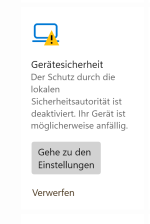
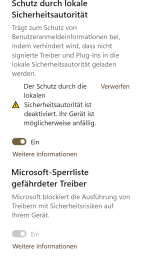
Hallo, seit paar Tagen erhalte ich beim Windowsschtz Sicherheit Meldung.
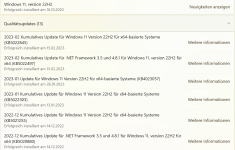
Hab die Meldungen beigefügt. Habe auch die letzten Updates bei.
Was kann ich damit machen?
Vielen Dank für eure Hilfe.

Gruß
 

Anhänge

  • Ger. Sicherheit.png
    Ger. Sicherheit.png
    39,9 KB · Aufrufe: 208
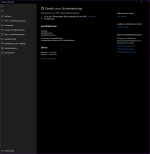
  • Unbenannt.png
    Unbenannt.png
    17,3 KB · Aufrufe: 196
  • Updates.png
    Updates.png
    235,7 KB · Aufrufe: 209
hast du irgendwelche antiviren / anti cheat software installiert?
 
papot schrieb:
Was kann ich damit machen?

Das kam mit den "Update für Microsoft Defender Antivirus-Antischadsoftwareplattform – KB5007651 (Version 1.0.2302.21002)".

Siehe auch Build 22621.1265 Received Security update KB5007651 1.0.2302.21002 which caused a problem with current public windows Build 22H2 | Microsoft Support Community.
Hi Johnny,

I think I found a fix for my problem with security, it is listed in a tutorial in the link below.

Enable or Disable Local Security Authority (LSA) Protection in Windows 11 Tutorial | Windows 11 Forum (elevenforum.com)

I just checked this registry and modified the 2 DWORDs as showing below.

The 1st dword was already there but had a value of 0, the second one I had to add because it was not there.

Seems to work fine now. 😉

Windows Registry Editor Version 5.00

[HKEY_LOCAL_MACHINE\SYSTEM\CurrentControlSet\Control\Lsa]
"RunAsPPL"=dword:00000002
"RunAsPPLBoot"=dword:00000002

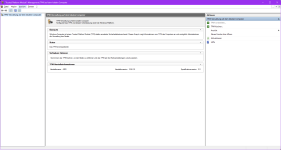
Seit dem Update stimmt etwas nicht mehr

1677414391216.png

den

1677414479419.png
 
Zuletzt bearbeitet:
@Madmax,
nein hab nur da von Windows
Ergänzung ()

Habe jetzt zwei Mal bei Kernisolierung auf aus nach dem Neustart auf ein und keine Änderung. Ist schon wieder ein Dreck vom Microsoft. Ich lasse das so. Bestimmt bei nächsten Updates wird das behoben.
Danke Euch
Gruß
 
Zuletzt bearbeitet:
Zurück
Oben