D.S.i.u.S.
Lt. Commander
- Registriert
- Feb. 2003
- Beiträge
- 1.138
OS: NixOS 26.11.20260702.6517942 (Zokor)
Kernel ist Xanmod mit scx_lavd scheduler (rebuild mit zen kernel war nicht möglich)
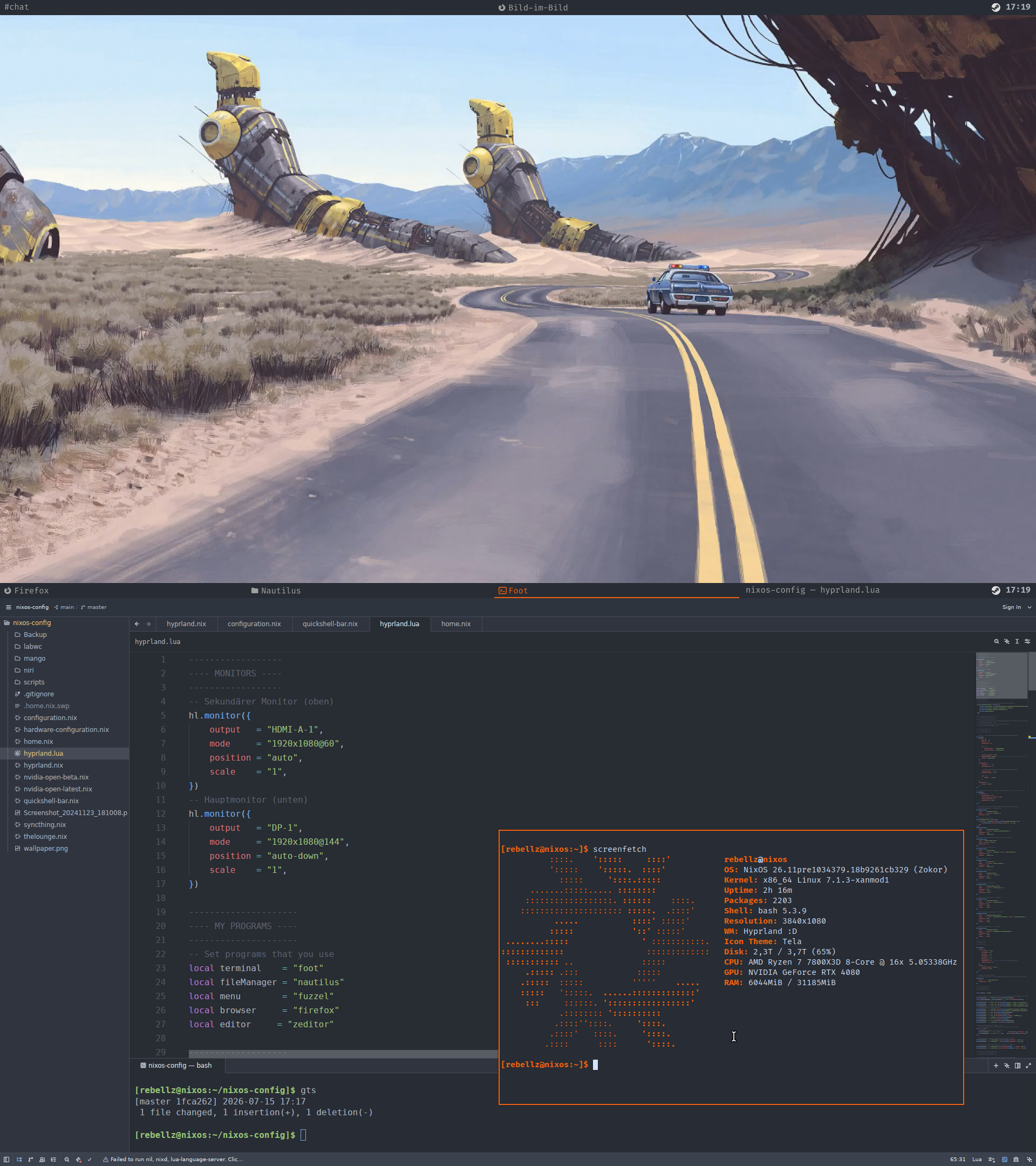
Wieder bei Hyprland 0.55.4 angekommen aber diesmal mit
Layout ist Scrolling mit
GTK Cursor ist
GTK Icons + Theme ist
Es sind zwei Monitore je 1920 x 1080
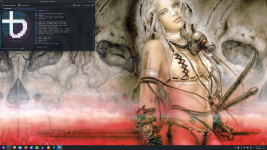
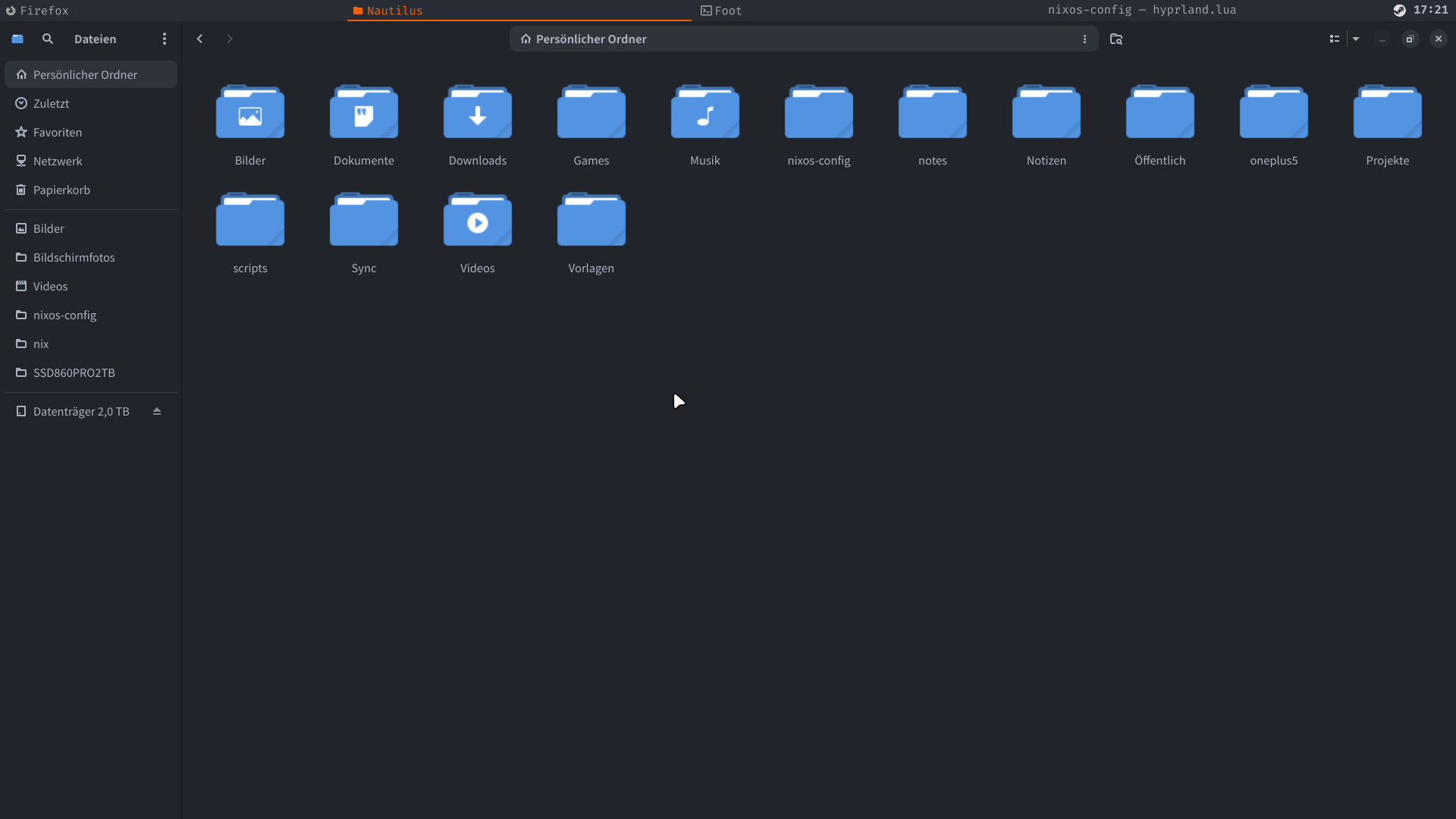
Oben habe ich meine eigene Qucikshell Leiste mit Systemtray, Taskbar (ButtonsBreite ist dynamisch), Uhrzeit und Title format. Mit Mittelklick auf Taskabar Buttons kann man Fenster schließen oder mit SUPER + Q. Kontextmenü in Systemtray funktioniert auch. Als Nächstes will ich die Leiste um Benachrichtigungen mit Klick auf Uhrzeit erweitern. Für Benachrichtigungen habe ich Tastenkürzel SUPER + Y für swaynotificationcenter eingerichtet.
Eigene Firefox Theme will ich auch noch erstellen.
Screenshot-Binds (Super + Alt + A / S / D) habe ich in Region(A), Monitor(S) und kompletter Desktop(D) aufgeteilt. Von Links nach Rechts, von Klein auf Groß.
Meine
Nerd Font Icons für TitleFormat kann man hier suchen --> https://www.nerdfonts.com/cheat-sheet
Kernel ist Xanmod mit scx_lavd scheduler (rebuild mit zen kernel war nicht möglich)
Wieder bei Hyprland 0.55.4 angekommen aber diesmal mit
hyprland.luaLayout ist Scrolling mit
column_width = 1.0, was quasi maximierte Fenster bedeutet.GTK Cursor ist
Bibata-Modern-IceGTK Icons + Theme ist
TelaEs sind zwei Monitore je 1920 x 1080
Oben habe ich meine eigene Qucikshell Leiste mit Systemtray, Taskbar (ButtonsBreite ist dynamisch), Uhrzeit und Title format. Mit Mittelklick auf Taskabar Buttons kann man Fenster schließen oder mit SUPER + Q. Kontextmenü in Systemtray funktioniert auch.
hl.bind(mainMod .. " + Y", hl.dsp.exec_cmd("swaync-client -t -sw")) Eigene Firefox Theme will ich auch noch erstellen.
Screenshot-Binds (Super + Alt + A / S / D) habe ich in Region(A), Monitor(S) und kompletter Desktop(D) aufgeteilt. Von Links nach Rechts, von Klein auf Groß.
Bash:
-- Screenshot-Binds (Super + Alt + A / S / D)

hl.bind(mainMod .. " + ALT + A", hl.dsp.exec_cmd([[sh -c "grim -g \"$(slurp)\" /home/rebellz/Bilder/Bildschirmfotos/Screenshot_$(date +%Y-%m-%d_%H-%M-%S).png && notify-send 'Screenshot' 'Region gespeichert'"]]))

hl.bind(mainMod .. " + ALT + S", hl.dsp.exec_cmd([[sh -c "grim -o $(slurp -p -o -f %o) /home/rebellz/Bilder/Bildschirmfotos/Monitor_$(date +%Y-%m-%d_%H-%M-%S).png && notify-send 'Screenshot' 'Monitor gespeichert'"]]))

hl.bind(mainMod .. " + ALT + D", hl.dsp.exec_cmd([[sh -c "grim /home/rebellz/Bilder/Bildschirmfotos/Gesamt_$(date +%Y-%m-%d_%H-%M-%S).png && notify-send 'Screenshot' 'Kompletter Desktop gespeichert'"]]))
Meine
hyprland.lua und qucikshell-bar.nix werde ich noch nachreichen.
Bash:
------------------
---- MONITORS ----
------------------
-- Sekundärer Monitor (oben)
hl.monitor({
    output   = "HDMI-A-1",
    mode     = "1920x1080@60",
    position = "auto",
    scale    = "1",
})
-- Hauptmonitor (unten)
hl.monitor({
    output   = "DP-1",
    mode     = "1920x1080@144",
    position = "auto-down",
    scale    = "1",
})

---------------------
---- MY PROGRAMS ----
---------------------
-- Set programs that you use
local terminal    = "foot"
local fileManager = "nautilus"
local menu        = "fuzzel"
local browser     = "firefox"
local editor     = "zeditor"

-------------------
---- AUTOSTART ----
-------------------
-- See https://wiki.hypr.land/Configuring/Basics/Autostart/
 hl.on("hyprland.start", function ()
     hl.exec_cmd("swaybg -i /home/rebellz/nixos-config/Screenshot_20241123_181008.png")
     hl.exec_cmd("steam -nochatui -nofriendsui -silent")
     hl.exec_cmd("hyprctl dispatch workspace 1")
     hl.exec_cmd("firefox")
 end)

-------------------------------
---- ENVIRONMENT VARIABLES ----
-------------------------------
-- See https://wiki.hypr.land/Configuring/Advanced-and-Cool/Environment-variables/
 hl.env("XCURSOR_SIZE", "24")
 hl.env("HYPRCURSOR_SIZE", "24")

-----------------------
---- LOOK AND FEEL ----
-----------------------

-- Refer to https://wiki.hypr.land/Configuring/Basics/Variables/
hl.config({
    general = {
        gaps_in  = 0,
        gaps_out = 0,
        border_size = 0,

        col = {
            active_border   = "0xffF2610D",
            inactive_border = "0xff282C34",
        },

        resize_on_border = false,
        allow_tearing = false,
        layout = "scrolling",
    },

    decoration = {
        rounding       = 0,
        rounding_power = 0,

        -- Change transparency of focused and unfocused windows
        active_opacity   = 1.0,
        inactive_opacity = 1.0,

        blur = {
            enabled   = false,
        },
    },
    animations = {
        enabled = false,
    },
})

------------------------- SCROLLING LAYOUT CONFIG -------------------------
hl.config({
    scrolling = {
        column_width = 1.0,
        fullscreen_on_one_column = true,
        focus_fit_method = 1,
        follow_focus = true,
    },
})

-- Ref https://wiki.hypr.land/Configuring/Basics/Workspace-Rules/
-- Firefox → Workspace 1, Monitor DP-1
hl.window_rule({
    name      = "firefox-to-ws1",
    match     = { class = "firefox" },
    workspace = "1",
})
-- theLounge → Workspace 2
hl.on("window.title", function(w)
    if w.class == "firefox" and w.title:find("localhost:9000") then
        hl.dispatch(hl.dsp.window.move({ workspace = "2" }))
    end
end)
hl.window_rule({
    name      = "thelounge-to-ws2",
    match     = { title = "http://localhost:9000" },
    workspace = "2",
    monitor   = "HDMI-A-1",
})
-- Fenster im Floating-Modus: Border auf 2 Pixel setzen
hl.window_rule({
    name  = "float-border-size",
    match = { float = true },
    border_size = 2,
})
-- Bild-im-Bild → Workspace 2
hl.window_rule({
    name      = "pip-to-ws2",
    match     = { class = "firefox", title = "Bild-im-Bild" },
    workspace = "2",
    monitor   = "HDMI-A-1",
})
-- Regel für Brave PiP
hl.window_rule({
    name      = "pip-brave",
    match     = { title = "Bild im Bild" },
    workspace = "2",
    monitor   = "HDMI-A-1",
})
-- Steam UI → Workspace 1
hl.window_rule({
    name      = "steam-to-ws1",
    match     = { class = "steam" },
    workspace = "1",
    monitor   = "DP-1",
})

-- Steam Spiele → Workspace 3
hl.window_rule({
    name      = "steam-games-to-ws1",
    match     = { class = "steam_app_.*" },
    workspace = "3",
    monitor   = "DP-1",
    fullscreen = true,
})

-- Battle.net → Workspace 1, floating
hl.window_rule({
    name      = "battlenet-float",
    match     = { title = "Battle%.net" },
    workspace = "1",
    float     = true,
    center    = true,
})

---------------
---- INPUT ----
---------------

hl.config({
    input = {
        kb_layout  = "de",
        kb_variant = "",
        kb_model   = "",
        kb_options = "",
        kb_rules   = "",
        follow_mouse = 1,
        sensitivity = 0, -- -1.0 - 1.0, 0 means no modification.
        focus_on_close = 2,
    },
    cursor = {
        default_monitor = "DP-1",
        no_warps = true,
    },
})

-- Example per-device config
-- See https://wiki.hypr.land/Configuring/Advanced-and-Cool/Devices/ for more
hl.device({
    name        = "epic-mouse-v1",
    sensitivity = -0.5,
})

---------------------
---- KEYBINDINGS ----
---------------------

local mainMod = "SUPER"

-- Example binds, see https://wiki.hypr.land/Configuring/Basics/Binds/ for more
hl.bind(mainMod .. " + Return", hl.dsp.exec_cmd(terminal))
local closeWindowBind = hl.bind(mainMod .. " + Q", hl.dsp.window.close())
-- Screenshot-Binds (Super + Alt + A / S / D)
hl.bind(mainMod .. " + ALT + A", hl.dsp.exec_cmd([[sh -c "grim -g \"$(slurp)\" /home/rebellz/Bilder/Bildschirmfotos/Screenshot_$(date +%Y-%m-%d_%H-%M-%S).png && notify-send 'Screenshot' 'Region gespeichert'"]]))
hl.bind(mainMod .. " + ALT + S", hl.dsp.exec_cmd([[sh -c "grim -o $(slurp -p -o -f %o) /home/rebellz/Bilder/Bildschirmfotos/Monitor_$(date +%Y-%m-%d_%H-%M-%S).png && notify-send 'Screenshot' 'Monitor gespeichert'"]]))
hl.bind(mainMod .. " + ALT + D", hl.dsp.exec_cmd([[sh -c "grim /home/rebellz/Bilder/Bildschirmfotos/Gesamt_$(date +%Y-%m-%d_%H-%M-%S).png && notify-send 'Screenshot' 'Kompletter Desktop gespeichert'"]]))
-- closeWindowBind:set_enabled(false)
hl.bind(mainMod .. " + Escape", hl.dsp.exec_cmd("command systemctl poweroff"))
hl.bind(mainMod .. " + M", hl.dsp.exec_cmd("command -v hyprshutdown >/dev/null 2>&1 && hyprshutdown || hyprctl dispatch 'hl.dsp.exit()'"))
hl.bind(mainMod .. " + N", hl.dsp.exec_cmd(fileManager))
hl.bind(mainMod .. " + B", hl.dsp.exec_cmd(browser))
hl.bind(mainMod .. " + V", hl.dsp.window.float({ action = "toggle" }))
hl.bind(mainMod .. " + SUPER_L", hl.dsp.exec_cmd(menu))
hl.bind(mainMod .. " + P", hl.dsp.window.pseudo())
hl.bind(mainMod .. " + T", hl.dsp.exec_cmd("thunderbird"))
hl.bind(mainMod .. " + code:104", hl.dsp.exec_cmd(editor))

-- Switch workspaces with mainMod + [0-9]
-- Move active window to a workspace with mainMod + SHIFT + [0-9]
for i = 1, 10 do
    local key = i % 10 -- 10 maps to key 0
    hl.bind(mainMod .. " + " .. key,             hl.dsp.focus({ workspace = i}))
    hl.bind(mainMod .. " + ALT + " .. key,     hl.dsp.window.move({ workspace = i }))
end

-- Scroll through existing workspaces with mainMod + scroll
hl.bind(mainMod .. " + mouse_down", hl.dsp.focus({ workspace = "e+1" }))
hl.bind(mainMod .. " + mouse_up",   hl.dsp.focus({ workspace = "e-1" }))

-- Move/resize windows with mainMod + LMB/RMB and dragging
hl.bind(mainMod .. " + mouse:272", hl.dsp.window.drag(),   { mouse = true })
hl.bind(mainMod .. " + mouse:273", hl.dsp.window.resize(), { mouse = true })

--------------------------------
---- WINDOWS AND WORKSPACES ----
--------------------------------

-- See https://wiki.hypr.land/Configuring/Basics/Window-Rules/
-- and https://wiki.hypr.land/Configuring/Basics/Workspace-Rules/

-- Workspace 2 und 4 → HDMI-A-1 (Monitor 2, oben)
hl.workspace_rule({ workspace = "2", monitor = "HDMI-A-1" })
hl.workspace_rule({ workspace = "4", monitor = "HDMI-A-1" })

-- Workspace 1 und 3 → DP-1 (Monitor 1, unten)
hl.workspace_rule({ workspace = "1", monitor = "DP-1", default = true })
hl.workspace_rule({ workspace = "3", monitor = "DP-1", default = true })

hl.window_rule({
    -- Fix some dragging issues with XWayland
    name  = "fix-xwayland-drags",
    match = {
        class      = "^$",
        title      = "^$",
        xwayland   = true,
        float      = true,
        fullscreen = false,
        pin        = false,
    },

    no_focus = true,
})
quckshell-bar.nix erstellt TitleFormat.qml und shell.qmlshell.qml Code habe ich überarbeitet, sodass man Font und fontSize an einer Stelle für die gesamte Leiste ändern kann. Vorher war für jedes Objekt Font Fira Code und Size 13 oder 15 definiert. Von 323 auf 305 Zeilen reduziert.
Bash:
{ config, pkgs, lib, ... }: {
programs.quickshell = {
enable = true;
activeConfig = "minibar";
systemd.enable = true;
};
xdg.configFile."quickshell/minibar/TitleFormat.qml".text = ''
pragma Singleton
import QtQuick
QtObject {
function format(appId, title) {
var id = appId ? appId.toLowerCase() : "";
// Titel zuerst
if (title) {
if (title.indexOf("Bild-im-Bild") !== -1) return " Bild-im-Bild";
if (title.indexOf("localhost:9000") !== -1) return "#chat";
if (title.indexOf("The Lounge") !== -1) return "#chat";
}
// Dann app-id
if (id === "firefox") return " Firefox";
if (id === "foot") return " Foot";
if (id === "thunderbird") return " Thunderbird";
if (id === "org.gnome.nautilus") return " Nautilus";
return title || appId || "?";
}
}
'';
xdg.configFile."quickshell/minibar/shell.qml".text = ''
import QtQuick
import QtQuick.Layouts
import Quickshell
import Quickshell.Wayland
import Quickshell.Services.SystemTray
Variants {
model: Quickshell.screens
PanelWindow {
id: bar
required property var modelData
screen: modelData
anchors { top: true; left: true; right: true }
implicitWidth: screen.width
implicitHeight: 28
exclusiveZone: 28
color: "#282c34"
// --- Font und fontSize global ---
readonly property string barFontFamily: "Fira Code"
readonly property int fontSize: 15
property var activeItem: null
property Item activeAnchor: null
PopupWindow {
id: trayMenu
visible: bar.activeItem !== null
anchor.window: bar
anchor.item: (bar.activeAnchor instanceof Item) ? bar.activeAnchor : null
anchor.rect.y: 28
anchor.rect.x: -170
implicitWidth: 220
implicitHeight: menuColumn.contentHeight + 16
color: "transparent"
HoverHandler {
onHoveredChanged: {
if (!hovered) closeTimer.start();
else closeTimer.stop();
}
}
Timer {
id: closeTimer
interval: 300
onTriggered: bar.activeItem = null
}
QsMenuOpener {
id: menuOpener
menu: bar.activeItem ? bar.activeItem.menu : null
}
Rectangle {
anchors.fill: parent
color: "#353b45"
border.color: "#3e4451"
border.width: 1
radius: 4
Column {
id: menuColumn
width: 210
anchors.horizontalCenter: parent.horizontalCenter
spacing: 2
topPadding: 5
bottomPadding: 5
property real contentHeight: {
var h = topPadding + bottomPadding;
for (var i = 0; i < repeater.count; i++) {
var child = repeater.itemAt(i);
if (child && child.visible) h += child.height + spacing;
}
return Math.max(h - spacing, 0);
}
Repeater {
id: repeater
model: menuOpener.children
delegate: Rectangle {
width: 200
height: modelData.isSeparator ? 4 : 30
color: rowMouse.containsMouse ? "#3e4451" : "transparent"
radius: 3
visible: modelData.visible !== undefined ? modelData.visible : true
anchors.horizontalCenter: parent.horizontalCenter
Rectangle {
visible: modelData.isSeparator
anchors.centerIn: parent
width: parent.width - 10
height: 1
color: "#545862"
}
Text {
visible: !modelData.isSeparator
anchors {
left: parent.left
leftMargin: 10
verticalCenter: parent.verticalCenter
}
text: modelData.text.replace("&", "")
color: modelData.enabled ? "#abb2bf" : "#545862"
font.pixelSize: bar.fontSize
font.family: bar.barFontFamily
}
MouseArea {
id: rowMouse
anchors.fill: parent
hoverEnabled: true
onClicked: {
if (!modelData.isSeparator && modelData.enabled) {
modelData.triggered();
bar.activeItem = null;
}
}
}
}
}
}
}
}
// --- Hauptlayout ---
Item {
anchors.fill: parent
// --- Taskbar (links) ---
RowLayout {
id: taskbarRow
anchors {
left: parent.left
right: rightRow.left
rightMargin: 8
top: parent.top
bottom: parent.bottom
}
spacing: 4
Repeater {
model: ToplevelManager.toplevels
delegate: Item {
id: toplevelDelegate
required property var modelData
Layout.fillWidth: true
Layout.preferredWidth: 0
Layout.maximumWidth: visible ? Number.POSITIVE_INFINITY : 0
height: bar.implicitHeight
visible: {
if (!modelData || !modelData.screens) return false;
for (var i = 0; i < modelData.screens.length; i++) {
var s = modelData.screens[i];
if (s && s.name === bar.screen.name) return true;
}
return false;
}
property bool isFocused: modelData === ToplevelManager.activeToplevel
Rectangle {
anchors.fill: parent
color: "#282c34"
// Unterstrich für aktives Fenster
Rectangle {
visible: toplevelDelegate.isFocused
anchors {
bottom: parent.bottom
left: parent.left
right: parent.right
}
height: 2
color: "#F2610D"
}
Text {
id: titleText
anchors {
left: parent.left
right: parent.right
verticalCenter: parent.verticalCenter
leftMargin: 8
rightMargin: 8
}
text: TitleFormat.format(toplevelDelegate.modelData.appId, toplevelDelegate.modelData.title)
font.pixelSize: bar.fontSize
font.family: bar.barFontFamily
elide: Text.ElideRight
horizontalAlignment: Text.AlignLeft
color: toplevelDelegate.isFocused ? "#F2610D" : "#A1A1A1"
}
MouseArea {
anchors.fill: parent
acceptedButtons: Qt.LeftButton | Qt.MiddleButton
onClicked: (mouse) => {
if (mouse.button === Qt.MiddleButton) {
modelData.close();
} else {
modelData.activate();
}
}
}
}
}
}
}
// --- Tray + Uhr (rechts) ---
Row {
id: rightRow
anchors {
right: parent.right
rightMargin: 10
verticalCenter: parent.verticalCenter
}
spacing: 8
Repeater {
model: SystemTray.items
delegate: Item {
id: trayIconRoot
width: 20
height: 20
anchors.verticalCenter: parent.verticalCenter
Image {
anchors.fill: parent
source: modelData.icon
fillMode: Image.PreserveAspectFit
}
MouseArea {
anchors.fill: parent
acceptedButtons: Qt.LeftButton | Qt.RightButton
onClicked: (mouse) => {
if (mouse.button === Qt.RightButton && modelData.hasMenu) {
bar.activeAnchor = trayIconRoot;
bar.activeItem = modelData;
} else {
modelData.activate();
bar.activeItem = null;
}
}
}
}
}
Text {
id: clockDisplay
color: "#abb2bf"
font.pixelSize: bar.fontSize
font.bold: true
font.family: bar.barFontFamily
anchors.verticalCenter: parent.verticalCenter
text: Qt.formatDateTime(new Date(), "hh:mm")
Timer {
interval: 1000
repeat: true
running: true
onTriggered: clockDisplay.text = Qt.formatDateTime(new Date(), "hh:mm")
}
}
}
}
MouseArea {
anchors.fill: parent
z: -1
onPressed: bar.activeItem = null
}
}
}'';
}
Bash:
# /etc/nixos/flake.nix
{
  description = "NixOS configuration";

  inputs = {
    nixpkgs.url = "github:NixOS/nixpkgs/nixos-unstable";
    home-manager = {
      url = "github:nix-community/home-manager";
      inputs.nixpkgs.follows = "nixpkgs";
    };
    stylix = {
      url = "github:nix-community/stylix";
      inputs.nixpkgs.follows = "nixpkgs";
    };
  };

  outputs = { self, nixpkgs, home-manager, stylix, ... } @ inputs: {
    nixosConfigurations = {
      pc = nixpkgs.lib.nixosSystem {
        system = "x86_64-linux";
        specialArgs = { inherit inputs; };
        modules = [
           stylix.nixosModules.stylix
          ./configuration.nix
          home-manager.nixosModules.home-manager {
        home-manager.useGlobalPkgs = true;
        home-manager.useUserPackages = true;
       home-manager.backupFileExtension = "backup";

        home-manager.users.rebellz = {
          imports = [
            ./home.nix
            ./hyprland.nix
            ./quickshell-bar.nix
         ];
            };
          }
        ];
      };
    };
  };
}
Nerd Font Icons für TitleFormat kann man hier suchen --> https://www.nerdfonts.com/cheat-sheet
Zuletzt bearbeitet: