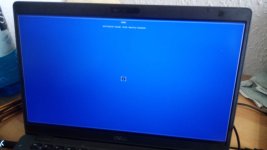
The "Verification failed: (0x1A) Security Violation" error when booting from a Ventoy USB drive occurs primarily due to UEFI Secure Boot being enabled in the system's BIOS/UEFI settings.
This security feature prevents the system from loading boot components that are not signed with a trusted key, and Ventoy's bootloader may not be recognized as trusted by default.
The most common and straightforward solution is to disable Secure Boot in the BIOS/UEFI settings. This can be done by accessing the BIOS/UEFI during startup (typically by pressing a key like F2, Del, F10, or Esc) and navigating to the Security tab to set Secure Boot to Disabled.
After disabling Secure Boot, the Ventoy USB should boot successfully.
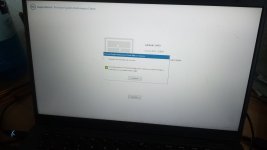
Alternatively, if you wish to keep Secure Boot enabled, you can enroll Ventoy's signing key into the system's Machine Owner Key (MOK) database. When the error screen appears, click OK and press any key to access the MOK management interface.
Select "Enroll key from disk," navigate to the VTOYEFI directory on the USB drive, and select the file ENROLL_THIS_KEY_IN_MOKMANAGER.cer. Confirm the enrollment by selecting Continue, then Yes, and finally reboot.
This process allows the system to trust Ventoy's bootloader while maintaining Secure Boot.
Another method involves enrolling the hash of the boot loader file (grubx64.efi) instead of the key, which can be done through the "Enroll hash from disk" option in the MOK manager.
This approach is useful if the key enrollment fails.
It is important to note that some systems may have a blacklisted version of GRUB (used by Ventoy) in their UEFI firmware database (DBX), particularly if the system has received a firmware update via Windows Update. In such cases, even enrolling the key may not resolve the issue, as the firmware actively blocks the boot process.
For these systems, disabling Secure Boot is the most reliable solution.
If the error persists after attempting these steps, consider using an alternative tool like Rufus to create the bootable USB drive, as compatibility issues with Ventoy and certain hardware configurations can occur.