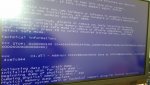
Blues Screens unter Win 7

Halunke79

Ensign
Registriert
Nov. 2008
Beiträge
143
Hallo CB Gemiende!

Ich habe seit einger Zeit ein Problem mit meinem Computer und bekomme es einfach nicht in den Griff.
Alle Treiber sind immer Aktuell. Das Problem besteht schon eine längere Zeit , aber es tritt in verschiedenen abständen auf.
Manchmal habe ich ein oder zwei Monate ruhe und und dann wieder jeden Tag das selbe.

Hat jemand eine Idee woran es liegen könnte??

Folgendes erscheint wenn ich nach dem BlueScreen wieder einschalte.

Problemsignatur:
Problemereignisname: BlueScreen
Betriebsystemversion: 6.1.7601.2.1.0.256.48
Gebietsschema-ID: 1031

Zusatzinformationen zum Problem:
BCCode: 101
BCP1: 0000000000000031
BCP2: 0000000000000000
BCP3: FFFFF880009EF180
BCP4: 0000000000000001
OS Version: 6_1_7601
Service Pack: 1_0
Product: 256_1

Dateien, die bei der Beschreibung des Problems hilfreich sind:
C:\Windows\Minidump\042714-4695-01.dmp
C:\Users\Pride\AppData\Local\Temp\WER-13416-0.sysdata.xml

Lesen Sie unsere Datenschutzbestimmungen online:
http://go.microsoft.com/fwlink/?linkid=104288&clcid=0x0407

Wenn die Onlinedatenschutzbestimmungen nicht verfügbar sind, lesen Sie unsere Datenschutzbestimmungen offline:
C:\Windows\system32\de-DE\erofflps.txt
 
Hier sind alle ausgelesenen dmp Dateien


Crash Dump Analysis
--------------------------------------------------------------------------------

Crash dump directory: C:\Windows\Minidump

Crash dumps are enabled on your computer.

On Sun 27.04.2014 07:13:44 GMT your computer crashed
crash dump file: C:\Windows\Minidump\042714-4695-01.dmp
This was probably caused by the following module: ntoskrnl.exe (nt+0x75BC0)
Bugcheck code: 0x101 (0x31, 0x0, 0xFFFFF880009EF180, 0x1)
Error: CLOCK_WATCHDOG_TIMEOUT
file path: C:\Windows\system32\ntoskrnl.exe
product: Microsoft® Windows® Operating System
company: Microsoft Corporation
description: NT Kernel & System
Bug check description: This indicates that an expected clock interrupt on a secondary processor, in a multi-processor system, was not received within the allocated interval.
This appears to be a typical software driver bug and is not likely to be caused by a hardware problem. This problem might be caused by a thermal issue.
The crash took place in the Windows kernel. Possibly this problem is caused by another driver that cannot be identified at this time.


On Sun 27.04.2014 07:13:44 GMT your computer crashed
crash dump file: C:\Windows\memory.dmp
This was probably caused by the following module: hal.dll (hal!HalReturnToFirmware+0xB2D)
Bugcheck code: 0x101 (0x31, 0x0, 0xFFFFF880009EF180, 0x1)
Error: CLOCK_WATCHDOG_TIMEOUT
file path: C:\Windows\system32\hal.dll
product: Microsoft® Windows® Operating System
company: Microsoft Corporation
description: Hardware Abstraction Layer DLL
Bug check description: This indicates that an expected clock interrupt on a secondary processor, in a multi-processor system, was not received within the allocated interval.
This appears to be a typical software driver bug and is not likely to be caused by a hardware problem. This problem might be caused by a thermal issue.
The crash took place in a standard Microsoft module. Your system configuration may be incorrect. Possibly this problem is caused by another driver on your system that cannot be identified at this time.


On Thu 24.04.2014 15:44:29 GMT your computer crashed
crash dump file: C:\Windows\Minidump\042414-4212-01.dmp
This was probably caused by the following module: ntoskrnl.exe (nt+0x75BC0)
Bugcheck code: 0x3B (0xC0000005, 0xFFFFF80002DC388C, 0xFFFFF88008EACFD0, 0x0)
Error: SYSTEM_SERVICE_EXCEPTION
file path: C:\Windows\system32\ntoskrnl.exe
product: Microsoft® Windows® Operating System
company: Microsoft Corporation
description: NT Kernel & System
Bug check description: This indicates that an exception happened while executing a routine that transitions from non-privileged code to privileged code.
This appears to be a typical software driver bug and is not likely to be caused by a hardware problem.
The crash took place in the Windows kernel. Possibly this problem is caused by another driver that cannot be identified at this time.


On Wed 16.04.2014 17:01:19 GMT your computer crashed
crash dump file: C:\Windows\Minidump\041614-4898-01.dmp
This was probably caused by the following module: Unknown ()
Bugcheck code: 0x0 (0x0, 0x0, 0x0, 0x0)
Error: CUSTOM_ERROR
A third party driver was identified as the probable root cause of this system error.
Google query: CUSTOM_ERROR


On Wed 16.04.2014 17:01:19 GMT your computer crashed
crash dump file: C:\Windows\Minidump\041614-8689-01.dmp
This was probably caused by the following module: hal.dll (hal+0x12A3B)
Bugcheck code: 0x124 (0x0, 0xFFFFFA8007050028, 0xBE000000, 0x800400)
Error: WHEA_UNCORRECTABLE_ERROR
file path: C:\Windows\system32\hal.dll
product: Microsoft® Windows® Operating System
company: Microsoft Corporation
description: Hardware Abstraction Layer DLL
Bug check description: This bug check indicates that a fatal hardware error has occurred. This bug check uses the error data that is provided by the Windows Hardware Error Architecture (WHEA).
This is likely to be caused by a hardware problem problem. This problem might be caused by a thermal issue.
The crash took place in a standard Microsoft module. Your system configuration may be incorrect. Possibly this problem is caused by another driver on your system that cannot be identified at this time.
 
Hmmm.. könnte vieles sein...

1. SMART-Werte der Festplatte überprüfen! https://www.computerbase.de/downloads/systemtools/festplatten/crystaldiskinfo/

2. Temperaturen der CPU/GPU/Chipsatz überprüfen. https://www.computerbase.de/downloads/systemtools/aida64/

3. RAM überprüfen. https://www.computerbase.de/downloads/systemtools/memtest86-plus/

4. Auf Viren überprüfen. https://www.computerbase.de/downloads/sicherheit/antimalware/kaspersky-rescue-disk/

5. Eine Rückmeldung geben... ^^

mfg
 
Okay, werde mal alles schritt für schritt durchgehen.
Punkt 1 --> Alles gut. Keine Fehler
Punkt 2 --> Temperaturen im Grünem Bereich
Punkt 3 --> Noch nicht Erledigt
Punkt 4 --> Keine vieren

Soweit dazu. Memmtest muss ich noch machen. Habe den Speicher mit dem Internen Tool von Windows getestet, da kam kein Fehler oder ähnliches.
 
könntest es mal mit neu installieren versuchen weiss ist mühsam aber vielleicht hilfts
 
Da steht ständig:

Bug check description: This indicates that an expected clock interrupt on a secondary processor, in a multi-processor system, was not received within the allocated interval.
This appears to be a typical software driver bug and is not likely to be caused by a hardware problem. This problem might be caused by a thermal issue.
The crash took place in the Windows kernel. Possibly this problem is caused by another driver that cannot be identified at this time.

Ich übersetzte mal grob auf Slang-Deutsch (CLOCK_WATCHDOG_TIMEOUT):

Irgendein Secondärprozessor der dem System antworten soll (wahrcheinlich der Hauptprozessor bzw. Grafikkarte) macht dies nicht, was zu einem Absturz des Systems führt. Intervalle des Multicoresystems werden nicht eingehalten. Heißt soviel das Befehle aus irgendwelchen Gründen nicht verarbeitet werden die aber extrem wichtig wären um einen stabilen Systembetrieb zu garantieren.
Weiter steht da, dass es ein typisches Softwareproblem sein soll das nicht durch die Hardware beeinflußt wird.
Dies wiederspricht sich aber mit der nächsten Aussage die meint, dass dies "durch ein thermisches Problem verursacht wird". -> also auf jeden Fall mal alle Themperaturen checken. Neben der CPU auch die von GPU, NB usw.
Kann laut Windows auch ein Treiberproblem/Hardwareproblem (defekt) sein. Siehe:

WHEA_UNCORRECTABLE_ERROR

Bug check description: This bug check indicates that a fatal hardware error has occurred. This bug check uses the error data that is provided by the Windows Hardware Error Architecture (WHEA).
This is likely to be caused by a hardware problem.This problem might be caused by a thermal issue.

Wieder wird ein Themperaturproblem angesprochen.

Poste mal dein System aund alle relevanten Temperaturen unter Last!
 
Zuletzt bearbeitet:
bengel40 schrieb:
könntest es mal mit neu installieren versuchen weiss ist mühsam aber vielleicht hilfts

Das System habe ich neulich komplett neu aufgesetzt weil ich dachte das , das Problem damit beseitigt sei.
Hat aber nichts gebracht...

Hier die Temperaturen

Informationsliste Wert
Sensor Eigenschaften
Sensortyp Nuvoton NCT6776F (ISA 290h)
GPU Sensortyp Diode (NV-Diode)
Motherboard Name ASRock Z68 Pro3
Gehäusezutritt gefunden Ja

Temperaturen
Motherboard 35 °C (95 °F)
CPU 51 °C (124 °F)
CPU Package 59 °C (138 °F)
CPU IA Cores 59 °C (138 °F)
CPU GT Cores 52 °C (126 °F)
1. CPU / 1. Kern 56 °C (133 °F)
1. CPU / 2. Kern 59 °C (138 °F)
1. CPU / 3. Kern 54 °C (129 °F)
1. CPU / 4. Kern 55 °C (131 °F)
PCH Diode 50 °C (122 °F)
GPU Diode 38 °C (100 °F)
ADATA SSD S511 120GB [ TRIAL VERSION ]
Crucial_CT240M500SSD1 [ TRIAL VERSION ]
SAMSUNG SSD 830 Series [ TRIAL VERSION ]
WDC WD5000BPKT-00PK4T0 [ TRIAL VERSION ]
WDC WD10EADS-00L5B1 [ TRIAL VERSION ]

Kühllüfter
Grafikprozessor (GPU) 960 RPM (26%)

Spannungswerte
CPU Kern 1.336 V
+3.3 V 3.392 V
+5 V 5.016 V
+12 V [ TRIAL VERSION ]
+5 V Bereitschaftsmodus 5.236 V
GPU Kern 0.987 V

Leistungswerte
CPU Package 52.79 W
CPU IA Cores 47.38 W
CPU GT Cores 0.11 W
CPU Uncore 5.31 W
GPU TDP% 9%

Arbeitsspeicher Eigenschaften
Modulname G Skill Ripjaws F3-12800CL9-4GBRL
Seriennummer Keine
Modulgröße 4 GB (2 ranks, 8 banks)
Modulart Unbuffered DIMM
Speicherart DDR3 SDRAM
Speichergeschwindigkeit DDR3-1600 (800 MHz)
Modulbreite 64 bit
Modulspannung 1.5 V
Fehlerkorrekturmethode Keine
Auffrischungsrate Normal (7.8 us)
DRAM Hersteller G Skill
 
Zuletzt bearbeitet:
Falls die Temperaturen unter Last I.O. sind und die Treiber alle in Ordnung, dann führe doch bitte mal als Administrator im "CMD" ein sfc /scannow durch und sag bitte was dabei rauskam.
 
Überlebt dein System Prime95 bzw. welche Temperaturen zeigt AIDA/Everest an wenn prime gleichzeitig läuft (die 12V Spannung wäre auch wichtig, die "Extreme Edition" gibts für 30 Tage als Demo kostenlos -> Everest-Ultimate-Edition)?
Wir wissen immer noch nichts über dein komplettes System :freak:
Welches Netzteil ist verbaut?

Alternative für Spannungen und temperaturen geht auch:

HWMonitor
 
Zuletzt bearbeitet:
Also. Hier Mein komplettes System

CPU : Intel Core i5-2500K mit Noctua NH-D14
Motherboard : ASRock Z68 Pro3 (2 PCI, 3 PCI-E x1, 1 PCI-E x16, 4 DDR3 DIMM, Audio, Video, Gigabit LAN)
Motherboard Chipsatz : Intel Cougar Point Z68, Intel Sandy Bridge
Speicher : G Skill Ripjaws F3-12800CL9-4GBRL Gesamt 8 Gig
Grafikkarte : Gigabyte GeForce GTX 670 OC (Variante mit 3 Lüftern)
Soundkarte : Creative CA0132 @ Creative SB Recon3D PCIe Audio Controller
Netzteil : be quiet Dark Power Pro BQT P6 530 W


Wie lange soll ich Prime laufen lassen??

Nach 10 min ergibt sich nämlich folgendes

Motherboard 32 °C (90 °F)
CPU 46 °C (115 °F)
CPU Package 60 °C (140 °F)
CPU IA Cores 60 °C (140 °F)
CPU GT Cores 50 °C (122 °F)
1. CPU / 1. Kern 55 °C (131 °F)
1. CPU / 2. Kern 60 °C (140 °F)
1. CPU / 3. Kern 56 °C (133 °F)
1. CPU / 4. Kern 56 °C (133 °F)
PCH Diode 47 °C (117 °F)
GPU Diode 33 °C (91 °F)

Das nach 20 min.

Motherboard 33 °C (91 °F)
CPU 51 °C (124 °F)
CPU Package 65 °C (149 °F)
CPU IA Cores 65 °C (149 °F)
CPU GT Cores 53 °C (127 °F)
1. CPU / 1. Kern 60 °C (140 °F)
1. CPU / 2. Kern 66 °C (151 °F)
1. CPU / 3. Kern 63 °C (145 °F)
1. CPU / 4. Kern 62 °C (144 °F)
PCH Diode 49 °C (120 °F)
GPU Diode 34 °C (93 °F)


Nach dem sfc /scannow Befehlt kommt der Satz das Windows keine Integritätsverletzungen gefunden
hat.

Mittlerweile läuft Prime über 40 min und keine auffälligkeiten...
 
Zuletzt bearbeitet:
vielleicht könnte es auch am NT sein das das der auslöser für die fehler ist
 
Hmmm... den RAM solltest du aber trotzdem auf jeden fall mal testen lassen und die Treiber sind definitiv die aktuellsten drauf?

https://www.computerbase.de/downloads/treiber/mainboards/intel-chipsatz-treiber/
https://www.computerbase.de/downloads/treiber/mainboards/intel-rapid-storage-technologie/
https://downloadcenter.intel.com/Detail_Desc.aspx?DwnldID=22596
https://www.computerbase.de/downloads/treiber/grafikkarten/nvidia-geforce-treiber/

Falls all das ausgeschlossen ist, könnte der Übeltäter eventuell echt das Netzteil sein...

Sind es den nur bestimmte Szenarien / Anwendungen die diese Bluescreens auslösen?
Oder ist es generell sporadisch?
 
Treiber sind die Aktuellsten drauf, habe jetzt extra noch mal alle hier von CB neu installiert.
Werde wohl mal das NT versuchen wenn das so weiter geht.
Könnte es unter umständen auch die Soundkarte sein?
Kam mir nämlich so vor, als ob die Probleme erst richtig los gingen, als ich diese eingebaut habe, was aber eigentlich sehr unwahrscheinlich sein dürfte, oder? Denn emanchmal läuft er über ne längere Zeit ohne Probleme bei gleicher Nutzung.

Welches NT wäre besonders empfehlenswert?? Am besten eins was für gute Qualität und Energieeffizienz bekannt ist?
Gibt es da eine klare Kaufempfehlung?

Update 22.06.2014

Habe das Eingebaute BQT E8-CM-580W gegen ein neues BQT P10 - 650W getauscht.
Werde die Sache weiter beobachten und berichten ob das Problem damit behoben wurde.
Danke noch mal an alle Tippgeber

Update 06.07.2014

Bis heute war alles gut. Eben erneut ein Bluescreen...
Bin kurz davor den Rechner aus dem Fenster zu schmeißen...:mad:

IMG_20140706_095336.jpg

==================== Event log errors: =========================

Application errors:
==================
Error: (07/06/2014 09:56:51 AM) (Source: WinMgmt) (EventID: 10) (User: )
Description: //./root/CIMV2SELECT * FROM __InstanceModificationEvent WITHIN 60 WHERE TargetInstance ISA "Win32_Processor" AND TargetInstance.LoadPercentage > 990x80041003

Error: (07/06/2014 09:18:53 AM) (Source: WinMgmt) (EventID: 10) (User: )
Description: //./root/CIMV2SELECT * FROM __InstanceModificationEvent WITHIN 60 WHERE TargetInstance ISA "Win32_Processor" AND TargetInstance.LoadPercentage > 990x80041003

Error: (07/06/2014 01:09:59 AM) (Source: WinMgmt) (EventID: 10) (User: )
Description: //./root/CIMV2SELECT * FROM __InstanceModificationEvent WITHIN 60 WHERE TargetInstance ISA "Win32_Processor" AND TargetInstance.LoadPercentage > 990x80041003

Error: (07/05/2014 05:53:14 PM) (Source: WinMgmt) (EventID: 10) (User: )
Description: //./root/CIMV2SELECT * FROM __InstanceModificationEvent WITHIN 60 WHERE TargetInstance ISA "Win32_Processor" AND TargetInstance.LoadPercentage > 990x80041003

Error: (07/05/2014 05:51:23 PM) (Source: NvStreamSvc) (EventID: 1) (User: )
Description: NvStreamSvcNvVAD initialization failed [6]

Error: (07/05/2014 05:51:23 PM) (Source: NvStreamSvc) (EventID: 1) (User: )
Description: NvStreamSvcFailed to set NvVAD endpoint as default Audio endpoint [0]

Error: (07/05/2014 05:51:23 PM) (Source: NvStreamSvc) (EventID: 1) (User: )
Description: NvStreamSvcNvVAD endpoint registration failed [0]

Error: (07/05/2014 11:14:49 AM) (Source: WinMgmt) (EventID: 10) (User: )
Description: //./root/CIMV2SELECT * FROM __InstanceModificationEvent WITHIN 60 WHERE TargetInstance ISA "Win32_Processor" AND TargetInstance.LoadPercentage > 990x80041003

Error: (07/04/2014 02:19:28 PM) (Source: WinMgmt) (EventID: 10) (User: )
Description: //./root/CIMV2SELECT * FROM __InstanceModificationEvent WITHIN 60 WHERE TargetInstance ISA "Win32_Processor" AND TargetInstance.LoadPercentage > 990x80041003

Error: (07/03/2014 07:50:42 PM) (Source: Application Error) (EventID: 1000) (User: )
Description: Name der fehlerhaften Anwendung: plugin-container.exe, Version: 30.0.0.5269, Zeitstempel: 0x53914233
Name des fehlerhaften Moduls: mozalloc.dll, Version: 30.0.0.5269, Zeitstempel: 0x53911393
Ausnahmecode: 0x80000003
Fehleroffset: 0x0000141b
ID des fehlerhaften Prozesses: 0x111c
Startzeit der fehlerhaften Anwendung: 0xplugin-container.exe0
Pfad der fehlerhaften Anwendung: plugin-container.exe1
Pfad des fehlerhaften Moduls: plugin-container.exe2
Berichtskennung: plugin-container.exe3


System errors:
=============
Error: (07/06/2014 09:54:57 AM) (Source: BugCheck) (EventID: 1001) (User: )
Description: 0x00000109 (0xa3a039d89c49590c, 0xb3b7465eeec76a9e, 0xfffff88000c06000, 0x0000000000000001)C:\Windows\MEMORY.DMP070614-4352-01

Error: (07/06/2014 09:54:56 AM) (Source: EventLog) (EventID: 6008) (User: )
Description: Das System wurde zuvor am ‎06.‎07.‎2014 um 09:51:56 unerwartet heruntergefahren.

Error: (06/30/2014 05:43:24 PM) (Source: EventLog) (EventID: 6008) (User: )
Description: Das System wurde zuvor am ‎30.‎06.‎2014 um 17:40:51 unerwartet heruntergefahren.

Error: (06/22/2014 00:33:35 AM) (Source: Schannel) (EventID: 4120) (User: NT-AUTORITÄT)
Description: Es wurde eine schwerwiegende Warnung generiert: 10. Der interne Fehlerstatus lautet: 10.

Error: (06/22/2014 00:33:35 AM) (Source: Schannel) (EventID: 4120) (User: NT-AUTORITÄT)
Description: Es wurde eine schwerwiegende Warnung generiert: 10. Der interne Fehlerstatus lautet: 10.

Error: (06/22/2014 00:09:22 AM) (Source: Schannel) (EventID: 4120) (User: NT-AUTORITÄT)
Description: Es wurde eine schwerwiegende Warnung generiert: 10. Der interne Fehlerstatus lautet: 10.

Error: (06/22/2014 00:09:22 AM) (Source: Schannel) (EventID: 4120) (User: NT-AUTORITÄT)
Description: Es wurde eine schwerwiegende Warnung generiert: 10. Der interne Fehlerstatus lautet: 10.

Error: (06/22/2014 00:00:31 AM) (Source: Schannel) (EventID: 4120) (User: NT-AUTORITÄT)
Description: Es wurde eine schwerwiegende Warnung generiert: 10. Der interne Fehlerstatus lautet: 10.

Error: (06/21/2014 10:11:43 PM) (Source: Schannel) (EventID: 4120) (User: NT-AUTORITÄT)
Description: Es wurde eine schwerwiegende Warnung generiert: 10. Der interne Fehlerstatus lautet: 10.

Error: (06/21/2014 10:11:43 PM) (Source: Schannel) (EventID: 4120) (User: NT-AUTORITÄT)
Description: Es wurde eine schwerwiegende Warnung generiert: 10. Der interne Fehlerstatus lautet: 10.


Microsoft Office Sessions:
=========================
Error: (07/06/2014 09:56:51 AM) (Source: WinMgmt) (EventID: 10) (User: )
Description: //./root/CIMV2SELECT * FROM __InstanceModificationEvent WITHIN 60 WHERE TargetInstance ISA "Win32_Processor" AND TargetInstance.LoadPercentage > 990x80041003

Error: (07/06/2014 09:18:53 AM) (Source: WinMgmt) (EventID: 10) (User: )
Description: //./root/CIMV2SELECT * FROM __InstanceModificationEvent WITHIN 60 WHERE TargetInstance ISA "Win32_Processor" AND TargetInstance.LoadPercentage > 990x80041003

Error: (07/06/2014 01:09:59 AM) (Source: WinMgmt) (EventID: 10) (User: )
Description: //./root/CIMV2SELECT * FROM __InstanceModificationEvent WITHIN 60 WHERE TargetInstance ISA "Win32_Processor" AND TargetInstance.LoadPercentage > 990x80041003

Error: (07/05/2014 05:53:14 PM) (Source: WinMgmt) (EventID: 10) (User: )
Description: //./root/CIMV2SELECT * FROM __InstanceModificationEvent WITHIN 60 WHERE TargetInstance ISA "Win32_Processor" AND TargetInstance.LoadPercentage > 990x80041003

Error: (07/05/2014 05:51:23 PM) (Source: NvStreamSvc) (EventID: 1) (User: )
Description: NvStreamSvcNvVAD initialization failed [6]

Error: (07/05/2014 05:51:23 PM) (Source: NvStreamSvc) (EventID: 1) (User: )
Description: NvStreamSvcFailed to set NvVAD endpoint as default Audio endpoint [0]

Error: (07/05/2014 05:51:23 PM) (Source: NvStreamSvc) (EventID: 1) (User: )
Description: NvStreamSvcNvVAD endpoint registration failed [0]

Error: (07/05/2014 11:14:49 AM) (Source: WinMgmt) (EventID: 10) (User: )
Description: //./root/CIMV2SELECT * FROM __InstanceModificationEvent WITHIN 60 WHERE TargetInstance ISA "Win32_Processor" AND TargetInstance.LoadPercentage > 990x80041003

Error: (07/04/2014 02:19:28 PM) (Source: WinMgmt) (EventID: 10) (User: )
Description: //./root/CIMV2SELECT * FROM __InstanceModificationEvent WITHIN 60 WHERE TargetInstance ISA "Win32_Processor" AND TargetInstance.LoadPercentage > 990x80041003

Error: (07/03/2014 07:50:42 PM) (Source: Application Error) (EventID: 1000) (User: )
Description: plugin-container.exe30.0.0.526953914233mozalloc.dll30.0.0.526953911393800000030000141b111c01cf96e741806ee8C:\Program Files (x86)\Mozilla Firefox\plugin-container.exeC:\Program Files (x86)\Mozilla Firefox\mozalloc.dll8cf07ad9-02da-11e4-8a13-002522ce1ea9


==================== Memory info ===========================

Percentage of memory in use: 20%
Total physical RAM: 8156.18 MB
Available physical RAM: 6496.67 MB
Total Pagefile: 16310.54 MB
Available Pagefile: 14540.36 MB
Total Virtual: 8192 MB
Available Virtual: 8191.82 MB

Kann jemand was damit Anfangen?

Update 07.7.2014

Hat sich erledigt, hab die Faxen dicke , PC ist bei ebay gelandet.
Closed

Update 22.02.2015

Für alle die es Interessiert. Es lag am Ram, der Käufer des Rams hatte dann ähnliche Probleme....
 
Zuletzt bearbeitet:
Zurück
Oben