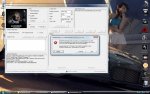
so.. hier seht ihr jetzt die meldung, die ich nach dem durchlauf bekomme
+ alles was in den details zu finden ist
See the end of this message for details on invoking
just-in-time (JIT) debugging instead of this dialog box.
************** Exception Text **************
System.UnauthorizedAccessException: Access to the path 'C:\Program Files (x86)\Framebuffer Crysis WARHEAD Benchmark Tool\results.xml' is denied.
at System.IO.__Error.WinIOError(Int32 errorCode, String maybeFullPath)
at System.IO.FileStream.Init(String path, FileMode mode, FileAccess access, Int32 rights, Boolean useRights, FileShare share, Int32 bufferSize, FileOptions options, SECURITY_ATTRIBUTES secAttrs, String msgPath, Boolean bFromProxy)
at System.IO.FileStream..ctor(String path, FileMode mode, FileAccess access, FileShare share)
at System.Xml.XmlTextWriter..ctor(String filename, Encoding encoding)
at System.Xml.XmlDocument.Save(String filename)
at FBWHTool.Form1.showTime(String _map, String _special, String _mode, String _res, String _aa, String _runs, String _api, String _hora, Boolean lastRun)
at FBWHTool.Form1.OnShowtime()
at FBWHTool.Form1.timer1_Tick(Object sender, EventArgs e)
at System.Windows.Forms.Timer.OnTick(EventArgs e)
at System.Windows.Forms.Timer.TimerNativeWindow.WndProc(Message& m)
at System.Windows.Forms.NativeWindow.Callback(IntPtr hWnd, Int32 msg, IntPtr wparam, IntPtr lparam)
************** Loaded Assemblies **************
mscorlib
Assembly Version: 2.0.0.0
Win32 Version: 2.0.50727.3053 (netfxsp.050727-3000)
CodeBase: file:///C:/Windows/Microsoft.NET/Framework/v2.0.50727/mscorlib.dll
----------------------------------------
FBWHTool
Assembly Version: 0.2.0.9
Win32 Version: 0.2.0.9
CodeBase: file:///C:/Program%20Files%20(x86)/Framebuffer%20Crysis%20WARHEAD%20Benchmark%20Tool/FBWHTool.exe
----------------------------------------
System.Windows.Forms
Assembly Version: 2.0.0.0
Win32 Version: 2.0.50727.3053 (netfxsp.050727-3000)
CodeBase: file:///C:/Windows/assembly/GAC_MSIL/System.Windows.Forms/2.0.0.0__b77a5c561934e089/System.Windows.Forms.dll
----------------------------------------
System
Assembly Version: 2.0.0.0
Win32 Version: 2.0.50727.3053 (netfxsp.050727-3000)
CodeBase: file:///C:/Windows/assembly/GAC_MSIL/System/2.0.0.0__b77a5c561934e089/System.dll
----------------------------------------
System.Drawing
Assembly Version: 2.0.0.0
Win32 Version: 2.0.50727.3053 (netfxsp.050727-3000)
CodeBase: file:///C:/Windows/assembly/GAC_MSIL/System.Drawing/2.0.0.0__b03f5f7f11d50a3a/System.Drawing.dll
----------------------------------------
System.Xml
Assembly Version: 2.0.0.0
Win32 Version: 2.0.50727.3053 (netfxsp.050727-3000)
CodeBase: file:///C:/Windows/assembly/GAC_MSIL/System.Xml/2.0.0.0__b77a5c561934e089/System.Xml.dll
----------------------------------------
System.Management
Assembly Version: 2.0.0.0
Win32 Version: 2.0.50727.3053 (netfxsp.050727-3000)
CodeBase: file:///C:/Windows/assembly/GAC_MSIL/System.Management/2.0.0.0__b03f5f7f11d50a3a/System.Management.dll
----------------------------------------
Accessibility
Assembly Version: 2.0.0.0
Win32 Version: 2.0.50727.3053 (netfxsp.050727-3000)
CodeBase: file:///C:/Windows/assembly/GAC_MSIL/Accessibility/2.0.0.0__b03f5f7f11d50a3a/Accessibility.dll
----------------------------------------
ICSharpCode.SharpZipLib
Assembly Version: 0.85.5.452
Win32 Version: 0.85.5.452
CodeBase: file:///C:/Program%20Files%20(x86)/Framebuffer%20Crysis%20WARHEAD%20Benchmark%20Tool/ICSharpCode.SharpZipLib.DLL
----------------------------------------
************** JIT Debugging **************
To enable just-in-time (JIT) debugging, the .config file for this
application or computer (machine.config) must have the
jitDebugging value set in the system.windows.forms section.
The application must also be compiled with debugging
enabled.
For example:
<configuration>
<system.windows.forms jitDebugging="true" />
</configuration>
When JIT debugging is enabled, any unhandled exception
will be sent to the JIT debugger registered on the computer
rather than be handled by this dialog box.
vielleicht kann mir jemand weiterhelfen...
alles klar, nach dem neusten update läuft das programm auch

da hätte ich aber schon gestern drauf kommen können *g*
hier mal mein ergebnis:
Processor: Intel(R) Pentium(R) Dual CPU E2140 @ 1.60GHz @ 3080 Mhz
CPU ID: Intel64 Family 6 Model 15 Stepping 13
Operating System: Microsoft® Windows Vista™ Ultimate 64-bit Service Pack 1
Physical memory: 4,00 GB
Display adapter: NVIDIA GeForce 9800 GT 512 MB
Video Processor: GeForce 9800 GT
Driver version: 7.15.11.8205 (20090206174600.000000-000)
Motherboard: Gigabyte P35-DS3
==============================================================
TimeDemo Play Started , (Total Frames: 3502, Recorded Time: 92.69s)
!TimeDemo Run 0 Finished.
Play Time: 104.10s, Average FPS: 33.64
Min FPS: 15.80 at frame 2890, Max FPS: 46.00 at frame 646
Average Tri/Sec: 2576642, Tri/Frame: 76594
Recorded/Played Tris ratio: 6.82
!TimeDemo Run 1 Finished.
Play Time: 101.31s, Average FPS: 34.57
Min FPS: 15.80 at frame 2890, Max FPS: 46.00 at frame 646
Average Tri/Sec: 3439593, Tri/Frame: 99502
Recorded/Played Tris ratio: 5.25
!TimeDemo Run 2 Finished.
Play Time: 101.34s, Average FPS: 34.56
Min FPS: 15.80 at frame 2890, Max FPS: 46.00 at frame 646
Average Tri/Sec: 3342409, Tri/Frame: 96719
Recorded/Played Tris ratio: 5.40
TimeDemo Play Ended, (3 Runs Performed)
==============================================================
//////////// Summary \\\\\\\\\\\\\
02.17.2009 18:12:56 - Microsoft® Windows Vista™ Ultimate 64-bit Service Pack 1
DirectX 9.0c GAMER 3X @ Map: ambush @ 0 1440 x 900 AA 0x
==> Framerate [ Min: 15.80 Max: 46.00 Avg: 34.57 ]
@ II n II d
nur zum vergleich:
//////////// Summary \\\\\\\\\\\\\
02.17.2009 18:49:59 - Microsoft® Windows Vista™ Ultimate 64-bit Service Pack 1
DirectX 9.0c ENTHUSIAST 3X @ Map: airfield flythrough @ 8 1440 x 900 AA 0x
==> Framerate [ Min: 12.44 Max: 35.25 Avg: 29.01 ]