1. How to install/remove/update it ....
To install the driver on Windows 2000 :
1. In Control Panel, double-click to start the Add/Remove Hardware utility.
2. Select Add/Troubleshoot a device.
3. Select Add a new device.
4. Select No, I want to select the hardware from a list.
5. Select Other devices , and then click Next.
6. Select Have Disk button and navigate to the ENG , FRE or GER subfolder that contains the RAMDriv.inf
file for the respective English , French or German version of the ramdisk.
To install the driver on Windows XP / Windows Server 2003 :
1. In Control Panel, double-click to start the Add/Remove Hardware utility.
2. Select Add a new hardware device.
3. Select Yes, I have already connected the hardware. Click Next.
4. Select Add a new device.
5. Select Install the hardware that I manually select from a list. Click Next.
6. Select Show All Devices.
7. Select Have Disk button and navigate to the ENG , FRE or GER subfolder that contains the RAMDriv.inf
file for the respective English , French or German version of the ramdisk.
8. Select Next , Next , Finish.
To install the driver on Vista / Windows Server 2008 :
1. In Control Panel, double-click the Add Hardware icon to start the wizard. Click Next
2. Select Install the hardware that I manually select from a list. Click Next.
3. Select Show All Devices. Click Next
4. Select Have Disk button and navigate to the ENG , FRE or GER subfolder that contains the RAMDriv.inf
file for the respective English , French or German version of the ramdisk. Push OK.
5. Select Next , Next , Finish.
To install the driver on Windows 7 :
1. Go to "Device Manager" via "System Properties".
2. Select the Computer name icon ( upper node ) , and click on the icon with the right mouse button.
3. Select and push the "Add legacy hardware" button.
4. Select "Install the hardware that I manually select from a list". Click Next.
5. Select "Show All Devices". Click Next
6. Select "Have Disk button" and navigate to the ENG , FRE or GER subfolder that contains the RAMDriv.inf
file for the respective English , French or German version of the ramdisk. Push OK.
7. Select Next , Next , Finish.
Let reboot the PC if Windows asks for it. Note that this may not always be the case. It is highly recommended however to reboot the system before installing the ( same or other ) RAMDisk version again.


![[ACE].:SHARK:.](https://pics.computerbase.de/forum/avatars/m/20/20862.jpg?1132159884)

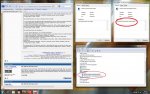
 Siehe Anhang. Wenn ich den Treiber erneuern will findet er keinen neueren.