Picus schrieb:
"-high" kannst man auch noch in die Startoptionen reinschreiben.
Würde dann beim TE so aussehen "-novid -console -high -threads 8"
Inwiefern "mat_queue_mode" noch aktuell ist, kann ich nicht sagen. "-nod3d9ex" und "-nojoy" kann man auch noch probieren.
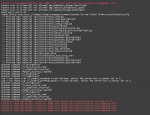
Kommt das bei raus wenn ich es öffne:
Failed to load gamerulescvars.txt, game rules cvars might not be reported to management tools.
Parent cvar in client.dll not allowed (mp_endmatch_votenextleveltime)
Parent cvar in client.dll not allowed (mp_verbose_changelevel_spew)
Parent cvar in client.dll not allowed (cl_remove_old_ugc_downloads)
maxplayers set to 64
Error: Localization key value exceeds MAX_LOCALIZED_CHARS. Problem key: SFUI_HowToPlay_TacticsContents
Error: Localization key value exceeds MAX_LOCALIZED_CHARS. Problem key: SFUI_HowToPlay_TacticsContents
Error: Localization key value exceeds MAX_LOCALIZED_CHARS. Problem key: SFUI_HowToPlay_TacticsContents
Error: Localization key value exceeds MAX_LOCALIZED_CHARS. Problem key: SFUI_HowToPlay_TacticsContents
Error: Localization key value exceeds MAX_LOCALIZED_CHARS. Problem key: SFUI_HowToPlay_TacticsContents
Error: Localization key value exceeds MAX_LOCALIZED_CHARS. Problem key: SFUI_HowToPlay_TacticsContents
Steam config directory: C:\Program Files (x86)\Steam\steamapps\common\Counter-Strike Global Offensive\platform\config
--- Missing Vgui material vgui/store/store_item_bg
--- Missing Vgui material vgui/store/store_item_bg_highlight
--- Missing Vgui material vgui/store/store_item_sel_bg
--- Missing Vgui material vgui/store/store_item_pickup_bg
--- Missing Vgui material vgui/store/store_preview_bg
--- Missing Vgui material vgui/store/store_bottom_bar_button_bg
--- Missing Vgui material vgui/store/store_bottom_bar_button_highlight_bg
--- Missing Vgui material vgui/store/store_default_dialog
--- Missing Vgui material vgui/store/store_backpack_bg
--- Missing Vgui material vgui/store/store_backpack_bg_highlight
--- Missing Vgui material vgui/store/store_backpack_bg_highlight
--- Missing Vgui material vgui/store/store_discount_corner
--- Missing Vgui material vgui/store/store_preview_bg
--- Missing Vgui material vgui/store/store_tooltip_bg
--- Missing Vgui material vgui/store/store_tab_selected
--- Missing Vgui material vgui/store/store_tab_unselected
--- Missing Vgui material vgui/btn_econ_blue
--- Missing Vgui material vgui/store/button_econ_blue_over
--- Missing Vgui material vgui/store/store_backpack_bg
--- Missing Vgui material vgui/store/store_backpack_bg_highlight
--- Missing Vgui material vgui/store/store_backpack_bg_highlight
Unknown command "cl_thirdperson"
Unknown command "tr_best_course_time"
Unknown command "tr_completed_training"
Unknown command "weapon_accuracy_logging"
Failed to init 'maps/soundcache/_master_german.cache'
Unknown command "cl_teamid_min"
Unknown command "cl_teamid_max"
Can't use cheat cvar cl_teamid_overhead in multiplayer, unless the server has sv_cheats set to 1.
Can't use cheat cvar cl_teamid_overhead_maxdist in multiplayer, unless the server has sv_cheats set to 1.
Unknown command "cl_thirdperson"
Unknown command "tr_best_course_time"
Unknown command "tr_completed_training"
Unknown command "weapon_accuracy_logging"
Failed to read the default inventory image file (materials/icons/inventory_icon_quest.vtf)
Failed to read the default inventory image file (materials/icons/inventory_icon_campaign.vtf)
Failed to read the default inventory image file (materials/icons/inventory_icon_campaign.vtf)
Failed to read the default inventory image file (materials/icons/inventory_icon_campaign.vtf)
Failed to read the default inventory image file (materials/icons/inventory_icon_campaign.vtf)