Diagnosebericht v1.0
01 - Betriebssystem
0101 - Betriebssystem : Windows 7 Home Premium 64-bit (6.1, Build 7601) Service Pack 1 (7601.win7sp1_gdr.120830-0333)
0102 - Sprache : German (Regional Setting: German)
0103 - BIOS : BIOS Date: 02/05/10 19:13:52 Ver: 08.00.10
0104 - Prozessor : Intel(R) Core(TM) i7-2600 CPU @ 3.40GHz (8 CPUs), ~3.4GHz
0105 - Speicher : 8192MB RAM
0106 - Verfügbarer BS Speicher : 8174MB RAM
0107 - Page File : 2870MB used, 13474MB available
0108 - Windows Dir : C:\Windows
0109 - DirectX Version : DirectX 11
0110 - DX Setup Parameter : Not found
0111 - DPI Einstellungen: Nutzer: Using System DPI
0112 - DPI Einstellungen: System: 96 DPI (100 percent)
0113 - DWM DPI Skalierung : Disabled
0114 - DxDiag Version : 6.01.7601.17514
02 - Prozessor
0201 - Überschrift : Intel(R) Core(TM) i7-2600 CPU @ 3.40GHz x8 ~3401MHz
0202 - Jetzige Taktfrequenz : 3401MHz
0203 - L1-Cache : 256,00 KB
0204 - L2-Cache : 1,00 MB
0205 - L3-Cache : 8,00 MB
03 - Videoadapter
0301 - Kartenname : NVIDIA GeForce GTX 570
0302 - Hersteller : NVIDIA
0303 - Chip Typ : GeForce GTX 570
0304 - DAC Typ : Integrated RAMDAC
0305 - Geräteschlüssel : Enum\PCI\VEN_10DE&DEV_1086&SUBSYS_087110DE&REV_A1
0306 - Speicher anzeigen : 4049 MB
0307 - AdapterRAM : 1,25 GB
0308 - Jetziger Modus : 1366 x 768 (32 bit) (60Hz)
0309 - Monitorname : BenQ GL950A (Analog)
0310 - Treibername : nvd3dumx.dll,nvwgf2umx.dll,nvwgf2umx.dll,nvd3dum,nvwgf2um,nvwgf2um
0311 - Treiberversion : 9.18.0013.1090
0312 - Treiber Sprache : English
0313 - DDI Version : 11
0314 - Treiber Model : WDDM 1.1
0315 - Treiber Beta : False
0316 - Treiber Debug : False
0317 - Treiberdatum : 12/29/2012 11:34:47
0318 - Treibergröße : 18054312
0319 - VDD : Nicht zutreffend
0320 - Mini VDD : Nicht zutreffend
0321 - Mini VDD Datum : n/a
0322 - Mini VDD Größe : 0
0323 - Geräteidentifikation : {D7B71E3E-53C6-11CF-2C77-7C281CC2C435}
0324 - Anbieter ID : 0x10DE
0325 - Geräte ID : 0x1086
0326 - SubSys ID : 0x087110DE
0327 - Revision ID : 0x00A1
0328 - Driver Strong Name : oem145.inf:NVIDIA_SetA_Devices.NTamd64.6.1:Section022:9.18.13.1090

ci\ven_10de&dev_1086
0329 - Rank of Driver : 00E02001
0330 - Video Beschleunigung : ModeMPEG2_A ModeMPEG2_C ModeVC1_C ModeWMV9_C
0331 - Deinterlace Caps : {6CB69578-7617-4637-91E5-1C02DB810285}: Format(In/Out)=(YUY2,YUY2) Frames(Prev/Fwd/Back)=(0,0,0) Caps=VideoProcess_YUV2RGB VideoProcess_StretchX VideoProcess_StretchY DeinterlaceTech_PixelAdaptive
{F9F19DA5-3B09-4B2F-9D89-C64753E3EAAB}: Format(In/Out)=(YUY2,YUY2) Frames(Prev/Fwd/Back)=(0,0,0) Caps=VideoProcess_YUV2RGB VideoProcess_StretchX VideoProcess_StretchY
{5A54A0C9-C7EC-4BD9-8EDE-F3C75DC4393B}: Format(In/Out)=(YUY2,YUY2) Frames(Prev/Fwd/Back)=(0,0,0) Caps=VideoProcess_YUV2RGB VideoProcess_StretchX VideoProcess_StretchY
{335AA36E-7884-43A4-9C91-7F87FAF3E37E}: Format(In/Out)=(YUY2,YUY2) Frames(Prev/Fwd/Back)=(0,0,0) Caps=VideoProcess_YUV2RGB VideoProcess_StretchX VideoProcess_StretchY DeinterlaceTech_BOBVerticalStretch
{6CB69578-7617-4637-91E5-1C02DB810285}: Format(In/Out)=(UYVY,UYVY) Frames(Prev/Fwd/Back)=(0,0,0) Caps=VideoProcess_YUV2RGB VideoProcess_StretchX VideoProcess_StretchY DeinterlaceTech_PixelAdaptive
{F9F19DA5-3B09-4B2F-9D89-C64753E3EAAB}: Format(In/Out)=(UYVY,UYVY) Frames(Prev/Fwd/Back)=(0,0,0) Caps=VideoProcess_YUV2RGB VideoProcess_StretchX VideoProcess_StretchY
{5A54A0C9-C7EC-4BD9-8EDE-F3C75DC4393B}: Format(In/Out)=(UYVY,UYVY) Frames(Prev/Fwd/Back)=(0,0,0) Caps=VideoProcess_YUV2RGB VideoProcess_StretchX VideoProcess_StretchY
{335AA36E-7884-43A4-9C91-7F87FAF3E37E}: Format(In/Out)=(UYVY,UYVY) Frames(Prev/Fwd/Back)=(0,0,0) Caps=VideoProcess_YUV2RGB VideoProcess_StretchX VideoProcess_StretchY DeinterlaceTech_BOBVerticalStretch
{6CB69578-7617-4637-91E5-1C02DB810285}: Format(In/Out)=(YV12,0x32315659) Frames(Prev/Fwd/Back)=(0,0,0) Caps=VideoProcess_YUV2RGB VideoProcess_StretchX VideoProcess_StretchY DeinterlaceTech_PixelAdaptive
{F9F19DA5-3B09-4B2F-9D89-C64753E3EAAB}: Format(In/Out)=(YV12,0x32315659) Frames(Prev/Fwd/Back)=(0,0,0) Caps=VideoProcess_YUV2RGB VideoProcess_StretchX VideoProcess_StretchY
{5A54A0C9-C7EC-4BD9-8EDE-F3C75DC4393B}: Format(In/Out)=(YV12,0x32315659) Frames(Prev/Fwd/Back)=(0,0,0) Caps=VideoProcess_YUV2RGB VideoProcess_StretchX VideoProcess_StretchY
{335AA36E-7884-43A4-9C91-7F87FAF3E37E}: Format(In/Out)=(YV12,0x32315659) Frames(Prev/Fwd/Back)=(0,0,0) Caps=VideoProcess_YUV2RGB VideoProcess_StretchX VideoProcess_StretchY DeinterlaceTech_BOBVerticalStretch
{6CB69578-7617-4637-91E5-1C02DB810285}: Format(In/Out)=(NV12,0x3231564e) Frames(Prev/Fwd/Back)=(0,0,0) Caps=VideoProcess_YUV2RGB VideoProcess_StretchX VideoProcess_StretchY DeinterlaceTech_PixelAdaptive
{F9F19DA5-3B09-4B2F-9D89-C64753E3EAAB}: Format(In/Out)=(NV12,0x3231564e) Frames(Prev/Fwd/Back)=(0,0,0) Caps=VideoProcess_YUV2RGB VideoProcess_StretchX VideoProcess_StretchY
{5A54A0C9-C7EC-4BD9-8EDE-F3C75DC4393B}: Format(In/Out)=(NV12,0x3231564e) Frames(Prev/Fwd/Back)=(0,0,0) Caps=VideoProcess_YUV2RGB VideoProcess_StretchX VideoProcess_StretchY
{335AA36E-7884-43A4-9C91-7F87FAF3E37E}: Format(In/Out)=(NV12,0x3231564e) Frames(Prev/Fwd/Back)=(0,0,0) Caps=VideoProcess_YUV2RGB VideoProcess_StretchX VideoProcess_StretchY DeinterlaceTech_BOBVerticalStretch
{6CB69578-7617-4637-91E5-1C02DB810285}: Format(In/Out)=(IMC1,UNKNOWN) Frames(Prev/Fwd/Back)=(0,0,0) Caps=
{F9F19DA5-3B09-4B2F-9D89-C64753E3EAAB}: Format(In/Out)=(IMC1,UNKNOWN) Frames(Prev/Fwd/Back)=(0,0,0) Caps=
{5A54A0C9-C7EC-4BD9-8EDE-F3C75DC4393B}: Format(In/Out)=(IMC1,UNKNOWN) Frames(Prev/Fwd/Back)=(0,0,0) Caps=
{335AA36E-7884-43A4-9C91-7F87FAF3E37E}: Format(In/Out)=(IMC1,UNKNOWN) Frames(Prev/Fwd/Back)=(0,0,0) Caps=
{6CB69578-7617-4637-91E5-1C02DB810285}: Format(In/Out)=(IMC2,UNKNOWN) Frames(Prev/Fwd/Back)=(0,0,0) Caps=
{F9F19DA5-3B09-4B2F-9D89-C64753E3EAAB}: Format(In/Out)=(IMC2,UNKNOWN) Frames(Prev/Fwd/Back)=(0,0,0) Caps=
{5A54A0C9-C7EC-4BD9-8EDE-F3C75DC4393B}: Format(In/Out)=(IMC2,UNKNOWN) Frames(Prev/Fwd/Back)=(0,0,0) Caps=
{335AA36E-7884-43A4-9C91-7F87FAF3E37E}: Format(In/Out)=(IMC2,UNKNOWN) Frames(Prev/Fwd/Back)=(0,0,0) Caps=
{6CB69578-7617-4637-91E5-1C02DB810285}: Format(In/Out)=(IMC3,UNKNOWN) Frames(Prev/Fwd/Back)=(0,0,0) Caps=
{F9F19DA5-3B09-4B2F-9D89-C64753E3EAAB}: Format(In/Out)=(IMC3,UNKNOWN) Frames(Prev/Fwd/Back)=(0,0,0) Caps=
{5A54A0C9-C7EC-4BD9-8EDE-F3C75DC4393B}: Format(In/Out)=(IMC3,UNKNOWN) Frames(Prev/Fwd/Back)=(0,0,0) Caps=
{335AA36E-7884-43A4-9C91-7F87FAF3E37E}: Format(In/Out)=(IMC3,UNKNOWN) Frames(Prev/Fwd/Back)=(0,0,0) Caps=
{6CB69578-7617-4637-91E5-1C02DB810285}: Format(In/Out)=(IMC4,UNKNOWN) Frames(Prev/Fwd/Back)=(0,0,0) Caps=
{F9F19DA5-3B09-4B2F-9D89-C64753E3EAAB}: Format(In/Out)=(IMC4,UNKNOWN) Frames(Prev/Fwd/Back)=(0,0,0) Caps=
{5A54A0C9-C7EC-4BD9-8EDE-F3C75DC4393B}: Format(In/Out)=(IMC4,UNKNOWN) Frames(Prev/Fwd/Back)=(0,0,0) Caps=
{335AA36E-7884-43A4-9C91-7F87FAF3E37E}: Format(In/Out)=(IMC4,UNKNOWN) Frames(Prev/Fwd/Back)=(0,0,0) Caps=
{6CB69578-7617-4637-91E5-1C02DB810285}: Format(In/Out)=(S340,UNKNOWN) Frames(Prev/Fwd/Back)=(0,0,0) Caps=
{F9F19DA5-3B09-4B2F-9D89-C64753E3EAAB}: Format(In/Out)=(S340,UNKNOWN) Frames(Prev/Fwd/Back)=(0,0,0) Caps=
{5A54A0C9-C7EC-4BD9-8EDE-F3C75DC4393B}: Format(In/Out)=(S340,UNKNOWN) Frames(Prev/Fwd/Back)=(0,0,0) Caps=
{335AA36E-7884-43A4-9C91-7F87FAF3E37E}: Format(In/Out)=(S340,UNKNOWN) Frames(Prev/Fwd/Back)=(0,0,0) Caps=
{6CB69578-7617-4637-91E5-1C02DB810285}: Format(In/Out)=(S342,UNKNOWN) Frames(Prev/Fwd/Back)=(0,0,0) Caps=
{F9F19DA5-3B09-4B2F-9D89-C64753E3EAAB}: Format(In/Out)=(S342,UNKNOWN) Frames(Prev/Fwd/Back)=(0,0,0) Caps=
{5A54A0C9-C7EC-4BD9-8EDE-F3C75DC4393B}: Format(In/Out)=(S342,UNKNOWN) Frames(Prev/Fwd/Back)=(0,0,0) Caps=
{335AA36E-7884-43A4-9C91-7F87FAF3E37E}: Format(In/Out)=(S342,UNKNOWN) Frames(Prev/Fwd/Back)=(0,0,0) Caps=
0332 - D3D9 Overlay : Supported
0333 - DXVA-HD : Supported
0334 - DDraw Status : Enabled
0335 - D3D Status : Enabled
0336 - ABG Status : Enabled
0337 - Bemerkungen : No problems found.
0338 - OpenGL : 6.1.7600.16385 (win7_rtm.090713-1255)
04 - Speicher
0401 - Gesamtspeicher : 7,98 GB
0402 - Freier Speicher : 5,76 GB
0403 - Pagefile gesamt : 15,96 GB
0404 - Pagefile frei : 13,52 GB
0405 - Bank Label : BANK0
0406 - Geschwindigkeit : 1333 MHz
0407 - Gesamtbreite : 64 Bits
0408 - Kapazität : 4,00 GB
0405 - Bank Label : BANK1
0406 - Geschwindigkeit : 1333 MHz
0407 - Gesamtbreite : 64 Bits
0408 - Kapazität : 4,00 GB
----------------------------------
05 - Netzwerk
----------------------------------
0501 - Beschreibung : 802.11n Wireless LAN Card
0502 - Treiberdatum : 8-24-2012
0503 - Treiberversion : 5.0.3.0
06 - Mainboard
0601 - Model : P8H67-M LE
0602 - Hersteller : ASUSTeK COMPUTER INC.
07 - Soung-Gerät
0701 - Beschreibung : Lautsprecher (Realtek High Definition Audio)
0702 - Sound-Playback voreingestellt: True
0703 - Stimm-Playback voreingestellt: True
0704 - Hardware ID : HDAUDIO\FUNC_01&VEN_10EC&DEV_0887&SUBSYS_1043840B&REV_1002
0705 - Hersteller ID : 1
0706 - Produkt ID : 100
0707 - Typ : WDM
0708 - Treibername : RTKVHD64.sys
0709 - Treiberversion : 6.00.0001.6662
0710 - Treiberattribute : Final Retail
0711 - Datum und Größe : 6/19/2012 16:54:20
0713 - Treiberanbieter : Realtek Semiconductor Corp.
0714 - Min./Max. Sampl-Rate : 4316782, 4316782
0715 - Static/Strm HW Mix Puffer: 4316782, 4316782
0716 - Static/Strm HW 3D Puffer : 4316782, 4316782
0717 - HW Speicher : 4316790
0718 - Stimm-Management : False
0719 - EAX (tm) 2.0 Listen/Src : False, False
0720 - I3DL2(tm) Listen/Src : False, False
0721 - Bemerkungen : No problems found.
0701 - Beschreibung : Realtek Digital Output (Realtek High Definition Audio)
0702 - Sound-Playback voreingestellt: False
0703 - Stimm-Playback voreingestellt: False
0704 - Hardware ID : HDAUDIO\FUNC_01&VEN_10EC&DEV_0887&SUBSYS_1043840B&REV_1002
0705 - Hersteller ID : 1
0706 - Produkt ID : 100
0707 - Typ : WDM
0708 - Treibername : RTKVHD64.sys
0709 - Treiberversion : 6.00.0001.6662
0710 - Treiberattribute : Final Retail
0711 - Datum und Größe : 6/19/2012 16:54:20
0713 - Treiberanbieter : Realtek Semiconductor Corp.
0714 - Min./Max. Sampl-Rate : 4316782, 4316782
0715 - Static/Strm HW Mix Puffer: 4316782, 4316782
0716 - Static/Strm HW 3D Puffer : 4316782, 4316782
0717 - HW Speicher : 4316790
0718 - Stimm-Management : False
0719 - EAX (tm) 2.0 Listen/Src : False, False
0720 - I3DL2(tm) Listen/Src : False, False
0721 - Bemerkungen : No problems found.
----------------------------------
08 - Festplatte
----------------------------------
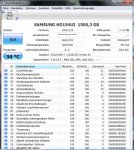
0801 - Model : SAMSUNG HD154UI ATA Device
0802 - Medientyp : Fixed hard disk media
0803 - Größe : 1397,26 GB
0801 - Model : Multi Flash Reader
0802 - Medientyp : NULL
0803 - Größe : 0
0805 - Treiberdatum : 6-21-2006
0806 - Treiberversion : 6.1.7600.16385
0807 - Überschrift : A:\
0808 - Kapazität : 21,00 GB
0809 - Freier Speicher : 20,91 GB
0810 - Laufwerktyp : 3-Fest
0811 - Dateisystem : NTFS
0807 - Überschrift : C:\
0808 - Kapazität : 1348,34 GB
0809 - Freier Speicher : 876,41 GB
0810 - Laufwerktyp : 3-Fest
0811 - Dateisystem : NTFS
----------------------------------
09 - Prozess
----------------------------------
0901 - 0000 Idle 0 0 0
0901 - 0004 System 0 0 0
0901 - 0198 smss.exe 0 0 0 normal
0901 - 0248 csrss.exe 0 0 0 normal
0901 - 0298 wininit.exe 0 0 0 high
0901 - 02b8 csrss.exe 1 174 80 normal
0901 - 02f0 services.exe 0 0 0 normal
0901 - 02f8 winlogon.exe 1 6 0 high
0901 - 0304 lsass.exe 0 0 0 normal
0901 - 0310 lsm.exe 0 0 0 normal
0901 - 0380 svchost.exe 0 0 0 normal
0901 - 03c0 nvSCPAPISvr.exe 0 0 0 normal C:\Program Files (x86)\NVIDIA Corporation\3D Vision
0901 - 03ec svchost.exe 0 0 0 normal
0901 - 0240 svchost.exe 0 0 0 normal
0901 - 01b8 svchost.exe 0 0 0 normal
0901 - 03fc svchost.exe 0 0 0 normal
0901 - 045c audiodg.exe 0 0 0
0901 - 0478 svchost.exe 0 0 0 normal
0901 - 04a8 svchost.exe 0 0 0 normal
0901 - 04e8 DisplayLinkManager.exe 0 0 0 normal
0901 - 0534 DisplayLinkUserAgent.exe 1 12 7 high
0901 - 0574 svchost.exe 0 0 0 normal
0901 - 0648 wlanext.exe 0 0 0 normal
0901 - 0658 conhost.exe 0 0 0 normal
0901 - 06b8 spoolsv.exe 0 0 0 normal
0901 - 06e4 sched.exe 0 0 0 normal C:\Program Files (x86)\Avira\AntiVir Desktop
0901 - 072c svchost.exe 0 0 0 normal
0901 - 07d0 atkexComSvc.exe 0 0 0 normal C:\Program Files (x86)\ASUS\AXSP\1.00.14
0901 - 0758 aaHMSvc.exe 0 0 0 normal C:\Program Files (x86)\ASUS\AAHM\1.00.14
0901 - 0628 AsSysCtrlService.exe 0 0 0 normal C:\Program Files (x86)\ASUS\AsSysCtrlService\1.00.11
0901 - 05e8 AdminService.exe 0 0 0 normal
0901 - 0838 taskhost.exe 1 26 20 normal
0901 - 0894 dwm.exe 1 17 2 high
0901 - 0910 BCUService.exe 0 0 0 normal C:\Program Files (x86)\DeviceVM\Browser Configuration Utility
0901 - 092c svchost.exe 0 0 0 normal C:\Windows\SysWOW64
0901 - 094c svchost.exe 0 0 0 normal
0901 - 0980 svchost.exe 0 0 0 normal
0901 - 09a4 PnkBstrA.exe 0 0 0 normal C:\Windows\SysWOW64
0901 - 09cc RaRegistry.exe 0 0 0 normal C:\Program Files (x86)\Conceptronic\Common
0901 - 09f0 RaRegistry64.exe 0 0 0 normal
0901 - 0a54 taskeng.exe 1 10 3 normal
0901 - 0a78 AsRoutineController.exe 1 17 13 below normal C:\Program Files (x86)\ASUS\AI Suite II
0901 - 0a94 explorer.exe 1 570 284 normal
0901 - 08f0 TurboVHelp.exe 1 70 41 below normal C:\Program Files (x86)\ASUS\AI Suite II\TurboV EVO
0901 - 0830 EPUHelp.exe 1 53 35 below normal C:\Program Files (x86)\ASUS\AI Suite II\EPU
0901 - 0a30 igfxtray.exe 1 12 5 normal
0901 - 0bb4 RAVCpl64.exe 1 54 20 normal
0901 - 0bbc netsession_win.exe 1 9 4 normal C:\Users\Zer0\AppData\Local\Akamai
0901 - 0f84 svchost.exe 0 0 0 normal
0901 - 0f9c svchost.exe 0 0 0 normal
0901 - 0fb0 svchost.exe 0 0 0 normal
0901 - 0fd0 nusb3mon.exe 1 18 9 normal C:\Program Files (x86)\Renesas Electronics\USB 3.0 Host Controller Driver\Application
0901 - 0fdc netsession_win.exe 1 9 4 normal C:\Users\Zer0\AppData\Local\Akamai
0901 - 0fe4 AI Suite II.exe 1 597 241 below normal C:\Program Files (x86)\ASUS\AI Suite II
0901 - 0e8c WLIDSVC.EXE 0 0 0 normal
0901 - 0eb0 avgnt.exe 1 88 26 normal C:\Program Files (x86)\Avira\AntiVir Desktop
0901 - 0ec8 BCU.exe 1 9 4 normal C:\Program Files (x86)\DeviceVM\Browser Configuration Utility
0901 - 04cc unsecapp.exe 1 9 2 normal
0901 - 05b8 WmiPrvSE.exe 0 0 0 normal
0901 - 059c AlertHelper.exe 1 54 28 below normal C:\Program Files (x86)\ASUS\AI Suite II\Sensor\AlertHelper
0901 - 0c9c wmiprvse.exe 0 0 0 normal C:\Windows\sysWOW64\wbem
0901 - 0d0c nSvcAppFlt.exe 0 0 0 normal
0901 - 0d70 nSvcIp.exe 0 0 0 normal
0901 - 0dd8 WLIDSVCM.EXE 0 0 0 normal
0901 - 0ed4 svchost.exe 0 0 0 normal
0901 - 102c WUDFHost.exe 0 0 0 normal
0901 - 12ac WmiPrvSE.exe 0 0 0 normal
0901 - 1104 Skype.exe 1 240 190 normal C:\Program Files (x86)\Skype\Phone
0901 - 1088 wmplayer.exe 1 479 163 normal C:\Program Files (x86)\Windows Media Player
0901 - 1248 Xfire.exe 1 817 129 normal C:\Program Files (x86)\Xfire
0901 - 0d28 xfire64.exe 1 10 5 normal
0901 - 0f04 xfire64.exe 1 10 6 normal
0901 - 1014 mscorsvw.exe 0 0 0 normal C:\Windows\Microsoft.NET\Framework\v4.0.30319
0901 - 08b4 mscorsvw.exe 0 0 0 normal
0901 - 0eac avguard.exe 0 0 0 normal C:\Program Files (x86)\Avira\AntiVir Desktop
0901 - 0d78 avshadow.exe 0 0 0 normal
0901 - 09e4 conhost.exe 0 0 0 normal
0901 - 0bac taskeng.exe 1 9 3 normal
0901 - 0e64 realsched.exe 1 9 9 below normal C:\Program Files (x86)\Real\RealPlayer\update
0901 - 0bd8 ASC.exe 1 2815 156 normal C:\Program Files (x86)\IObit\Advanced SystemCare 6
0901 - 1208 ASCTray.exe 1 89 37 normal C:\Program Files (x86)\IObit\Advanced SystemCare 6
0901 - 07f0 firefox.exe 1 78 56 normal C:\Program Files (x86)\Mozilla Firefox
0901 - 0a88 recordingmanager.exe 1 9 21 normal C:\Program Files (x86)\RealNetworks\RealDownloader
0901 - 0b58 Sus10_SysExplorer.exe 1 116 51 normal C:\Program Files (x86)\IObit\Advanced SystemCare 6
0901 - 0a5c taskeng.exe 0 0 0 below normal
----------------------------------
10 - Dienst
----------------------------------
1001 - Anwendungserfahrung - [C:\Windows\system32\svchost.exe -k netsvcs]
1001 - Avira Planer - ["C:\Program Files (x86)\Avira\AntiVir Desktop\sched.exe"]
1001 - Avira Echtzeit Scanner - ["C:\Program Files (x86)\Avira\AntiVir Desktop\avguard.exe"]
1001 - Anwendungsinformationen - [C:\Windows\system32\svchost.exe -k netsvcs]
1001 - ASUS Com Service - [C:\Program Files (x86)\ASUS\AXSP\1.00.14\atkexComSvc.exe]
1001 - ASUS HM Com Service - [C:\Program Files (x86)\ASUS\AAHM\1.00.14\aaHMSvc.exe]
1001 - ASUS System Control Service - [C:\Program Files (x86)\ASUS\AsSysCtrlService\1.00.11\AsSysCtrlService.exe]
1001 - AtherosSvc - [C:\Program Files (x86)\Bluetooth Suite\adminservice.exe]
1001 - Windows-Audio-Endpunkterstellung - [C:\Windows\System32\svchost.exe -k LocalSystemNetworkRestricted]
1001 - Windows-Audio - [C:\Windows\System32\svchost.exe -k LocalServiceNetworkRestricted]
1001 - Browser Configuration Utility Service - [C:\Program Files (x86)\DeviceVM\Browser Configuration Utility\BCUService.exe]
1001 - Basisfiltermodul - [C:\Windows\system32\svchost.exe -k LocalServiceNoNetwork]
1001 - Intelligenter Hintergrundübertragungsdienst - [C:\Windows\System32\svchost.exe -k netsvcs]
1001 - Computerbrowser - [C:\Windows\System32\svchost.exe -k netsvcs]
1001 - Microsoft .NET Framework NGEN v4.0.30319_X86 - [C:\Windows\Microsoft.NET\Framework\v4.0.30319\mscorsvw.exe]
1001 - Microsoft .NET Framework NGEN v4.0.30319_X64 - [C:\Windows\Microsoft.NET\Framework64\v4.0.30319\mscorsvw.exe]
1001 - Kryptografiedienste - [C:\Windows\system32\svchost.exe -k NetworkService]
1001 - DHCP-Client - [C:\Windows\system32\svchost.exe -k LocalServiceNetworkRestricted]
1001 - DisplayLinkManager - ["C:\Program Files\DisplayLink Core Software\DisplayLinkManager.exe"]
1001 - DNS-Client - [C:\Windows\system32\svchost.exe -k NetworkService]
1001 - Extensible Authentication-Protokoll - [C:\Windows\System32\svchost.exe -k netsvcs]
1001 - Windows-Ereignisprotokoll - [C:\Windows\System32\svchost.exe -k LocalServiceNetworkRestricted]
1001 - COM+-Ereignissystem - [C:\Windows\system32\svchost.exe -k LocalService]
1001 - Windows-Dienst für Schriftartencache - [C:\Windows\system32\svchost.exe -k LocalServiceAndNoImpersonation]
1001 - ForceWare Intelligent Application Manager (IAM) - [C:\Program Files\NVIDIA Corporation\NetworkAccessManager\bin32\nSvcAppFlt.exe]
1001 - Zugriff auf Eingabegeräte - [C:\Windows\system32\svchost.exe -k LocalSystemNetworkRestricted]
1001 - hpqcxs08 - [C:\Windows\system32\svchost.exe -k hpdevmgmt]
1001 - HP CUE DeviceDiscovery Service - [C:\Windows\system32\svchost.exe -k hpdevmgmt]
1001 - IKE- und AuthIP IPsec-Schlüsselerstellungsmodule - [C:\Windows\system32\svchost.exe -k netsvcs]
1001 - CNG-Schlüsselisolation - [C:\Windows\system32\lsass.exe]
1001 - Server - [C:\Windows\system32\svchost.exe -k netsvcs]
1001 - Arbeitsstationsdienst - [C:\Windows\System32\svchost.exe -k NetworkService]
1001 - TCP/IP-NetBIOS-Hilfsdienst - [C:\Windows\system32\svchost.exe -k LocalServiceNetworkRestricted]
1001 - Multimediaklassenplaner - [C:\Windows\system32\svchost.exe -k netsvcs]
1001 - Windows-Firewall - [C:\Windows\system32\svchost.exe -k LocalServiceNoNetwork]
1001 - Net Driver HPZ12 - [C:\Windows\System32\svchost.exe -k HPZ12]
1001 - Netzwerkverbindungen - [C:\Windows\System32\svchost.exe -k LocalSystemNetworkRestricted]
1001 - Netzwerklistendienst - [C:\Windows\System32\svchost.exe -k LocalService]
1001 - NLA (Network Location Awareness) - [C:\Windows\System32\svchost.exe -k NetworkService]
1001 - Netzwerkspeicher-Schnittstellendienst - [C:\Windows\system32\svchost.exe -k LocalService]
1001 - ForceWare IP service - [C:\Program Files\NVIDIA Corporation\NetworkAccessManager\bin32\nSvcIp.exe]
1001 - Programmkompatibilitäts-Assistent-Dienst - [C:\Windows\system32\svchost.exe -k LocalSystemNetworkRestricted]
1001 - Plug & Play - [C:\Windows\system32\svchost.exe -k DcomLaunch]
1001 - Pml Driver HPZ12 - [C:\Windows\System32\svchost.exe -k HPZ12]
1001 - PnkBstrA - [C:\Windows\system32\PnkBstrA.exe]
1001 - IPsec-Richtlinien-Agent - [C:\Windows\system32\svchost.exe -k NetworkServiceNetworkRestricted]
1001 - Stromversorgung - [C:\Windows\system32\svchost.exe -k DcomLaunch]
1001 - Benutzerprofildienst - [C:\Windows\system32\svchost.exe -k netsvcs]
1001 - Ralink Registry Writer - [C:\Program Files (x86)\Conceptronic\Common\RaRegistry.exe]
1001 - Ralink Registry Writer 64 - [C:\Program Files (x86)\Conceptronic\Common\RaRegistry64.exe]
1001 - Sicherheitskonto-Manager - [C:\Windows\system32\lsass.exe]
1001 - Benachrichtigungsdienst für Systemereignisse - [C:\Windows\system32\svchost.exe -k netsvcs]
1001 - Shellhardwareerkennung - [C:\Windows\System32\svchost.exe -k netsvcs]
1001 - Druckwarteschlange - [C:\Windows\System32\spoolsv.exe]
1001 - SSDP-Suche - [C:\Windows\system32\svchost.exe -k LocalServiceAndNoImpersonation]
1001 - NVIDIA Stereoscopic 3D Driver Service - [C:\Program Files (x86)\NVIDIA Corporation\3D Vision\nvSCPAPISvr.exe]
1001 - Windows-Bilderfassung (WIA) - [C:\Windows\system32\svchost.exe -k imgsvc]
1001 - Superfetch - [C:\Windows\system32\svchost.exe -k LocalSystemNetworkRestricted]
1001 - Designs - [C:\Windows\System32\svchost.exe -k netsvcs]
1001 - Überwachung verteilter Verknüpfungen (Client) - [C:\Windows\System32\svchost.exe -k LocalSystemNetworkRestricted]
1001 - UPnP-Gerätehost - [C:\Windows\system32\svchost.exe -k LocalServiceAndNoImpersonation]
1001 - Sitzungs-Manager für Desktopfenster-Manager - [C:\Windows\System32\svchost.exe -k LocalSystemNetworkRestricted]
1001 - Windows-Verwaltungsinstrumentation - [C:\Windows\system32\svchost.exe -k netsvcs]
1001 - Automatische WLAN-Konfiguration - [C:\Windows\system32\svchost.exe -k LocalSystemNetworkRestricted]
1001 - Windows Live ID Sign-in Assistant - ["C:\Program Files\Common Files\Microsoft Shared\Windows Live\WLIDSVC.EXE"]
1001 - Enumeratordienst für tragbare Geräte - [C:\Windows\system32\svchost.exe -k LocalSystemNetworkRestricted]
1001 - Sicherheitscenter - [C:\Windows\System32\svchost.exe -k LocalServiceNetworkRestricted]
1001 - Windows Update - [C:\Windows\system32\svchost.exe -k netsvcs]
1001 - Windows Driver Foundation - Benutzermodus-Treiberframework - [C:\Windows\system32\svchost.exe -k LocalSystemNetworkRestricted]
11 - Windows Express
1101 - System-Score : 5.9
1102 - Speicher-Score : 7.6
1103 - CPU Score : 7.6
1104 - Grafik-Score : 7.9
1105 - Gaming Score : 7.9
1106 - Disk Score : 5.9
12 - Ereignislog
1201 - Zeit : 28.01.2013 18:11:10
1202 - Quelle : Avira Antivirus
1203 - Beschreibung : AUSNAHMEFEHLER beim Aufruf der Funktion AVEPROC_InitEngine() für die Datei unknown. [ACCESS_VIOLATION Exception!! EIP = 0x774adfe4] Bitte Avira informieren und die obige Datei übersenden!
1201 - Zeit : 28.01.2013 18:07:04
1202 - Quelle : Microsoft-Windows-WMI
1203 - Beschreibung : Der Ereignisfilter mit der Abfrage "SELECT * FROM __InstanceModificationEvent WITHIN 60 WHERE TargetInstance ISA "Win32_Processor" AND TargetInstance.LoadPercentage > 99" konnte im Namespace "//./root/CIMV2" aufgrund des Fehlers "0x80041003" nicht reaktiviert werden. Solange dieses Problem besteht, können mit diesem Filter keine Ereignisse übermittelt werden.
1201 - Zeit : 28.01.2013 08:19:44
1202 - Quelle : Microsoft-Windows-WMI
1203 - Beschreibung : Der Ereignisfilter mit der Abfrage "SELECT * FROM __InstanceModificationEvent WITHIN 60 WHERE TargetInstance ISA "Win32_Processor" AND TargetInstance.LoadPercentage > 99" konnte im Namespace "//./root/CIMV2" aufgrund des Fehlers "0x80041003" nicht reaktiviert werden. Solange dieses Problem besteht, können mit diesem Filter keine Ereignisse übermittelt werden.
1201 - Zeit : 28.01.2013 08:08:14
1202 - Quelle : Microsoft-Windows-WMI
1203 - Beschreibung : Der Ereignisfilter mit der Abfrage "SELECT * FROM __InstanceModificationEvent WITHIN 60 WHERE TargetInstance ISA "Win32_Processor" AND TargetInstance.LoadPercentage > 99" konnte im Namespace "//./root/CIMV2" aufgrund des Fehlers "0x80041003" nicht reaktiviert werden. Solange dieses Problem besteht, können mit diesem Filter keine Ereignisse übermittelt werden.
1201 - Zeit : 28.01.2013 08:04:19
1202 - Quelle : Microsoft-Windows-WMI
1203 - Beschreibung : Der Ereignisfilter mit der Abfrage "SELECT * FROM __InstanceModificationEvent WITHIN 60 WHERE TargetInstance ISA "Win32_Processor" AND TargetInstance.LoadPercentage > 99" konnte im Namespace "//./root/CIMV2" aufgrund des Fehlers "0x80041003" nicht reaktiviert werden. Solange dieses Problem besteht, können mit diesem Filter keine Ereignisse übermittelt werden.
1201 - Zeit : 27.01.2013 18:03:54
1202 - Quelle : Microsoft-Windows-WMI
1203 - Beschreibung : Der Ereignisfilter mit der Abfrage "SELECT * FROM __InstanceModificationEvent WITHIN 60 WHERE TargetInstance ISA "Win32_Processor" AND TargetInstance.LoadPercentage > 99" konnte im Namespace "//./root/CIMV2" aufgrund des Fehlers "0x80041003" nicht reaktiviert werden. Solange dieses Problem besteht, können mit diesem Filter keine Ereignisse übermittelt werden.
hier mal eine diagnose