Mein PC stürzt seit neuestem oft sporadisch einfach so ab, ich hab demnach auch nicht viel Zeit zu schreiben^^
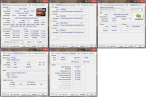
FX 8350 Standard Takt
Corsair Vengeance 4GB RAM DDR3 1600 MHZ
Asrock 970DE3/US3 (Bios 1.7)
Palit GTX 670 2 GB
Be Quiet Pure Power L7 530W
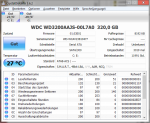
WD Blue 320GB
Kann ich irgendwie herausfinden, welcher Hardwareteil dieses Problem verursacht? Der PC ist noch keine 2 Jahre alt (selbst gebaut) habe also noch Garantie auf alle Bauteile
On Thu 13.03.2014 15:58:58 GMT your computer crashed
crash dump file: C:\Windows\Minidump\031314-24772-01.dmp
This was probably caused by the following module: hal.dll (hal+0x12A37)
Bugcheck code: 0x124 (0x0, 0xFFFFFA8004A36028, 0xB6000000, 0x100153)
Error: WHEA_UNCORRECTABLE_ERROR
file path: C:\Windows\system32\hal.dll
product: Microsoft® Windows® Operating System
company: Microsoft Corporation
description: Hardware Abstraction Layer DLL
Bug check description: This bug check indicates that a fatal hardware error has occurred. This bug check uses the error data that is provided by the Windows Hardware Error Architecture (WHEA).
This is likely to be caused by a hardware problem problem. This problem might be caused by a thermal issue.
The crash took place in a standard Microsoft module. Your system configuration may be incorrect. Possibly this problem is caused by another driver on your system that cannot be identified at this time.
On Thu 13.03.2014 15:58:58 GMT your computer crashed
crash dump file: C:\Windows\memory.dmp
This was probably caused by the following module: hal.dll (hal!HalBugCheckSystem+0x1E3)
Bugcheck code: 0x124 (0x0, 0xFFFFFA8004A36028, 0xB6000000, 0x100153)
Error: WHEA_UNCORRECTABLE_ERROR
file path: C:\Windows\system32\hal.dll
product: Microsoft® Windows® Operating System
company: Microsoft Corporation
description: Hardware Abstraction Layer DLL
Bug check description: This bug check indicates that a fatal hardware error has occurred. This bug check uses the error data that is provided by the Windows Hardware Error Architecture (WHEA).
This is likely to be caused by a hardware problem problem. This problem might be caused by a thermal issue.
The crash took place in a standard Microsoft module. Your system configuration may be incorrect. Possibly this problem is caused by another driver on your system that cannot be identified at this time.
On Thu 13.03.2014 15:54:28 GMT your computer crashed
crash dump file: C:\Windows\Minidump\031314-22105-01.dmp
This was probably caused by the following module: ntoskrnl.exe (nt+0x4B123C)
Bugcheck code: 0x124 (0x0, 0xFFFFFA80049A1688, 0x0, 0x0)
Error: WHEA_UNCORRECTABLE_ERROR
file path: C:\Windows\system32\ntoskrnl.exe
product: Microsoft® Windows® Operating System
company: Microsoft Corporation
description: NT Kernel & System
Bug check description: This bug check indicates that a fatal hardware error has occurred. This bug check uses the error data that is provided by the Windows Hardware Error Architecture (WHEA).
This is likely to be caused by a hardware problem problem. This problem might be caused by a thermal issue.
The crash took place in the Windows kernel. Possibly this problem is caused by another driver that cannot be identified at this time.
On Thu 13.03.2014 15:44:01 GMT your computer crashed
crash dump file: C:\Windows\Minidump\031314-22978-01.dmp
This was probably caused by the following module: hal.dll (hal+0x12A37)
Bugcheck code: 0x124 (0x0, 0xFFFFFA80049CC028, 0xB6000000, 0x100153)
Error: WHEA_UNCORRECTABLE_ERROR
file path: C:\Windows\system32\hal.dll
product: Microsoft® Windows® Operating System
company: Microsoft Corporation
description: Hardware Abstraction Layer DLL
Bug check description: This bug check indicates that a fatal hardware error has occurred. This bug check uses the error data that is provided by the Windows Hardware Error Architecture (WHEA).
This is likely to be caused by a hardware problem problem. This problem might be caused by a thermal issue.
The crash took place in a standard Microsoft module. Your system configuration may be incorrect. Possibly this problem is caused by another driver on your system that cannot be identified at this time.
On Tue 11.03.2014 21:22:31 GMT your computer crashed
crash dump file: C:\Windows\Minidump\031114-20841-01.dmp
This was probably caused by the following module: ntoskrnl.exe (nt+0x4B123C)
Bugcheck code: 0x124 (0x0, 0xFFFFFA80049AD6B8, 0x0, 0x0)
Error: WHEA_UNCORRECTABLE_ERROR
file path: C:\Windows\system32\ntoskrnl.exe
product: Microsoft® Windows® Operating System
company: Microsoft Corporation
description: NT Kernel & System
Bug check description: This bug check indicates that a fatal hardware error has occurred. This bug check uses the error data that is provided by the Windows Hardware Error Architecture (WHEA).
This is likely to be caused by a hardware problem problem. This problem might be caused by a thermal issue.
The crash took place in the Windows kernel. Possibly this problem is caused by another driver that cannot be identified at this time.
On Tue 11.03.2014 21:14:40 GMT your computer crashed
crash dump file: C:\Windows\Minidump\031114-21403-01.dmp
This was probably caused by the following module: ntoskrnl.exe (nt+0x4B123C)
Bugcheck code: 0x124 (0x0, 0xFFFFFA80049BC8F8, 0x0, 0x0)
Error: WHEA_UNCORRECTABLE_ERROR
file path: C:\Windows\system32\ntoskrnl.exe
product: Microsoft® Windows® Operating System
company: Microsoft Corporation
description: NT Kernel & System
Bug check description: This bug check indicates that a fatal hardware error has occurred. This bug check uses the error data that is provided by the Windows Hardware Error Architecture (WHEA).
This is likely to be caused by a hardware problem problem. This problem might be caused by a thermal issue.
The crash took place in the Windows kernel. Possibly this problem is caused by another driver that cannot be identified at this time.
On Sat 08.03.2014 01:57:43 GMT your computer crashed
crash dump file: C:\Windows\Minidump\030814-19234-01.dmp
This was probably caused by the following module: ntoskrnl.exe (nt+0x4B123C)
Bugcheck code: 0x124 (0x0, 0xFFFFFA800798C748, 0x0, 0x0)
Error: WHEA_UNCORRECTABLE_ERROR
file path: C:\Windows\system32\ntoskrnl.exe
product: Microsoft® Windows® Operating System
company: Microsoft Corporation
description: NT Kernel & System
Bug check description: This bug check indicates that a fatal hardware error has occurred. This bug check uses the error data that is provided by the Windows Hardware Error Architecture (WHEA).
This is likely to be caused by a hardware problem problem. This problem might be caused by a thermal issue.
The crash took place in the Windows kernel. Possibly this problem is caused by another driver that cannot be identified at this time.
On Fri 07.03.2014 12:00:23 GMT your computer crashed
crash dump file: C:\Windows\Minidump\030714-21964-01.dmp
This was probably caused by the following module: hal.dll (hal+0x12A37)
Bugcheck code: 0x124 (0x0, 0xFFFFFA80049C4028, 0xB6000000, 0x100153)
Error: WHEA_UNCORRECTABLE_ERROR
file path: C:\Windows\system32\hal.dll
product: Microsoft® Windows® Operating System
company: Microsoft Corporation
description: Hardware Abstraction Layer DLL
Bug check description: This bug check indicates that a fatal hardware error has occurred. This bug check uses the error data that is provided by the Windows Hardware Error Architecture (WHEA).
This is likely to be caused by a hardware problem problem. This problem might be caused by a thermal issue.
The crash took place in a standard Microsoft module. Your system configuration may be incorrect. Possibly this problem is caused by another driver on your system that cannot be identified at this time.
On Fri 07.03.2014 11:36:05 GMT your computer crashed
crash dump file: C:\Windows\Minidump\030714-22900-01.dmp
This was probably caused by the following module: hal.dll (hal+0x12A37)
Bugcheck code: 0x124 (0x0, 0xFFFFFA8007AE1028, 0xB6000000, 0x100153)
Error: WHEA_UNCORRECTABLE_ERROR
file path: C:\Windows\system32\hal.dll
product: Microsoft® Windows® Operating System
company: Microsoft Corporation
description: Hardware Abstraction Layer DLL
Bug check description: This bug check indicates that a fatal hardware error has occurred. This bug check uses the error data that is provided by the Windows Hardware Error Architecture (WHEA).
This is likely to be caused by a hardware problem problem. This problem might be caused by a thermal issue.
The crash took place in a standard Microsoft module. Your system configuration may be incorrect. Possibly this problem is caused by another driver on your system that cannot be identified at this time.
On Thu 06.03.2014 22:26:49 GMT your computer crashed
crash dump file: C:\Windows\Minidump\030614-22448-01.dmp
This was probably caused by the following module: ntoskrnl.exe (nt+0x4B123C)
Bugcheck code: 0x124 (0x0, 0xFFFFFA8007A347A8, 0x0, 0x0)
Error: WHEA_UNCORRECTABLE_ERROR
file path: C:\Windows\system32\ntoskrnl.exe
product: Microsoft® Windows® Operating System
company: Microsoft Corporation
description: NT Kernel & System
Bug check description: This bug check indicates that a fatal hardware error has occurred. This bug check uses the error data that is provided by the Windows Hardware Error Architecture (WHEA).
This is likely to be caused by a hardware problem problem. This problem might be caused by a thermal issue.
The crash took place in the Windows kernel. Possibly this problem is caused by another driver that cannot be identified at this time.
On Thu 06.03.2014 22:11:41 GMT your computer crashed
crash dump file: C:\Windows\Minidump\030614-22354-01.dmp
This was probably caused by the following module: hal.dll (hal+0x12A37)
Bugcheck code: 0x124 (0x0, 0xFFFFFA8007A7C028, 0xB6000000, 0x100153)
Error: WHEA_UNCORRECTABLE_ERROR
file path: C:\Windows\system32\hal.dll
product: Microsoft® Windows® Operating System
company: Microsoft Corporation
description: Hardware Abstraction Layer DLL
Bug check description: This bug check indicates that a fatal hardware error has occurred. This bug check uses the error data that is provided by the Windows Hardware Error Architecture (WHEA).
This is likely to be caused by a hardware problem problem. This problem might be caused by a thermal issue.
The crash took place in a standard Microsoft module. Your system configuration may be incorrect. Possibly this problem is caused by another driver on your system that cannot be identified at this time.
On Thu 06.03.2014 21:57:56 GMT your computer crashed
crash dump file: C:\Windows\Minidump\030614-25662-01.dmp
This was probably caused by the following module: ntoskrnl.exe (nt+0x4B123C)
Bugcheck code: 0x124 (0x0, 0xFFFFFA80078F58F8, 0x0, 0x0)
Error: WHEA_UNCORRECTABLE_ERROR
file path: C:\Windows\system32\ntoskrnl.exe
product: Microsoft® Windows® Operating System
company: Microsoft Corporation
description: NT Kernel & System
Bug check description: This bug check indicates that a fatal hardware error has occurred. This bug check uses the error data that is provided by the Windows Hardware Error Architecture (WHEA).
This is likely to be caused by a hardware problem problem. This problem might be caused by a thermal issue.
The crash took place in the Windows kernel. Possibly this problem is caused by another driver that cannot be identified at this time.
On Wed 05.03.2014 23:00:18 GMT your computer crashed
crash dump file: C:\Windows\Minidump\030614-26800-01.dmp
This was probably caused by the following module: hal.dll (hal+0x12A37)
Bugcheck code: 0x124 (0x0, 0xFFFFFA8007AD7028, 0xB6000000, 0x100153)
Error: WHEA_UNCORRECTABLE_ERROR
file path: C:\Windows\system32\hal.dll
product: Microsoft® Windows® Operating System
company: Microsoft Corporation
description: Hardware Abstraction Layer DLL
Bug check description: This bug check indicates that a fatal hardware error has occurred. This bug check uses the error data that is provided by the Windows Hardware Error Architecture (WHEA).
This is likely to be caused by a hardware problem problem. This problem might be caused by a thermal issue.
The crash took place in a standard Microsoft module. Your system configuration may be incorrect. Possibly this problem is caused by another driver on your system that cannot be identified at this time.
On Wed 05.03.2014 10:10:11 GMT your computer crashed
crash dump file: C:\Windows\Minidump\030514-24024-01.dmp
This was probably caused by the following module: hal.dll (hal+0x12A37)
Bugcheck code: 0x124 (0x0, 0xFFFFFA8007A59028, 0xB6000000, 0x100153)
Error: WHEA_UNCORRECTABLE_ERROR
file path: C:\Windows\system32\hal.dll
product: Microsoft® Windows® Operating System
company: Microsoft Corporation
description: Hardware Abstraction Layer DLL
Bug check description: This bug check indicates that a fatal hardware error has occurred. This bug check uses the error data that is provided by the Windows Hardware Error Architecture (WHEA).
This is likely to be caused by a hardware problem problem. This problem might be caused by a thermal issue.
The crash took place in a standard Microsoft module. Your system configuration may be incorrect. Possibly this problem is caused by another driver on your system that cannot be identified at this time.
On Mon 03.03.2014 12:40:34 GMT your computer crashed
crash dump file: C:\Windows\Minidump\030314-20108-01.dmp
This was probably caused by the following module: hal.dll (hal+0x12A37)
Bugcheck code: 0x124 (0x0, 0xFFFFFA80079DB028, 0xB6000000, 0x100153)
Error: WHEA_UNCORRECTABLE_ERROR
file path: C:\Windows\system32\hal.dll
product: Microsoft® Windows® Operating System
company: Microsoft Corporation
description: Hardware Abstraction Layer DLL
Bug check description: This bug check indicates that a fatal hardware error has occurred. This bug check uses the error data that is provided by the Windows Hardware Error Architecture (WHEA).
This is likely to be caused by a hardware problem problem. This problem might be caused by a thermal issue.
The crash took place in a standard Microsoft module. Your system configuration may be incorrect. Possibly this problem is caused by another driver on your system that cannot be identified at this time.
FX 8350 Standard Takt
Corsair Vengeance 4GB RAM DDR3 1600 MHZ
Asrock 970DE3/US3 (Bios 1.7)
Palit GTX 670 2 GB
Be Quiet Pure Power L7 530W
WD Blue 320GB
Kann ich irgendwie herausfinden, welcher Hardwareteil dieses Problem verursacht? Der PC ist noch keine 2 Jahre alt (selbst gebaut) habe also noch Garantie auf alle Bauteile
On Thu 13.03.2014 15:58:58 GMT your computer crashed
crash dump file: C:\Windows\Minidump\031314-24772-01.dmp
This was probably caused by the following module: hal.dll (hal+0x12A37)
Bugcheck code: 0x124 (0x0, 0xFFFFFA8004A36028, 0xB6000000, 0x100153)
Error: WHEA_UNCORRECTABLE_ERROR
file path: C:\Windows\system32\hal.dll
product: Microsoft® Windows® Operating System
company: Microsoft Corporation
description: Hardware Abstraction Layer DLL
Bug check description: This bug check indicates that a fatal hardware error has occurred. This bug check uses the error data that is provided by the Windows Hardware Error Architecture (WHEA).
This is likely to be caused by a hardware problem problem. This problem might be caused by a thermal issue.
The crash took place in a standard Microsoft module. Your system configuration may be incorrect. Possibly this problem is caused by another driver on your system that cannot be identified at this time.
On Thu 13.03.2014 15:58:58 GMT your computer crashed
crash dump file: C:\Windows\memory.dmp
This was probably caused by the following module: hal.dll (hal!HalBugCheckSystem+0x1E3)
Bugcheck code: 0x124 (0x0, 0xFFFFFA8004A36028, 0xB6000000, 0x100153)
Error: WHEA_UNCORRECTABLE_ERROR
file path: C:\Windows\system32\hal.dll
product: Microsoft® Windows® Operating System
company: Microsoft Corporation
description: Hardware Abstraction Layer DLL
Bug check description: This bug check indicates that a fatal hardware error has occurred. This bug check uses the error data that is provided by the Windows Hardware Error Architecture (WHEA).
This is likely to be caused by a hardware problem problem. This problem might be caused by a thermal issue.
The crash took place in a standard Microsoft module. Your system configuration may be incorrect. Possibly this problem is caused by another driver on your system that cannot be identified at this time.
On Thu 13.03.2014 15:54:28 GMT your computer crashed
crash dump file: C:\Windows\Minidump\031314-22105-01.dmp
This was probably caused by the following module: ntoskrnl.exe (nt+0x4B123C)
Bugcheck code: 0x124 (0x0, 0xFFFFFA80049A1688, 0x0, 0x0)
Error: WHEA_UNCORRECTABLE_ERROR
file path: C:\Windows\system32\ntoskrnl.exe
product: Microsoft® Windows® Operating System
company: Microsoft Corporation
description: NT Kernel & System
Bug check description: This bug check indicates that a fatal hardware error has occurred. This bug check uses the error data that is provided by the Windows Hardware Error Architecture (WHEA).
This is likely to be caused by a hardware problem problem. This problem might be caused by a thermal issue.
The crash took place in the Windows kernel. Possibly this problem is caused by another driver that cannot be identified at this time.
On Thu 13.03.2014 15:44:01 GMT your computer crashed
crash dump file: C:\Windows\Minidump\031314-22978-01.dmp
This was probably caused by the following module: hal.dll (hal+0x12A37)
Bugcheck code: 0x124 (0x0, 0xFFFFFA80049CC028, 0xB6000000, 0x100153)
Error: WHEA_UNCORRECTABLE_ERROR
file path: C:\Windows\system32\hal.dll
product: Microsoft® Windows® Operating System
company: Microsoft Corporation
description: Hardware Abstraction Layer DLL
Bug check description: This bug check indicates that a fatal hardware error has occurred. This bug check uses the error data that is provided by the Windows Hardware Error Architecture (WHEA).
This is likely to be caused by a hardware problem problem. This problem might be caused by a thermal issue.
The crash took place in a standard Microsoft module. Your system configuration may be incorrect. Possibly this problem is caused by another driver on your system that cannot be identified at this time.
On Tue 11.03.2014 21:22:31 GMT your computer crashed
crash dump file: C:\Windows\Minidump\031114-20841-01.dmp
This was probably caused by the following module: ntoskrnl.exe (nt+0x4B123C)
Bugcheck code: 0x124 (0x0, 0xFFFFFA80049AD6B8, 0x0, 0x0)
Error: WHEA_UNCORRECTABLE_ERROR
file path: C:\Windows\system32\ntoskrnl.exe
product: Microsoft® Windows® Operating System
company: Microsoft Corporation
description: NT Kernel & System
Bug check description: This bug check indicates that a fatal hardware error has occurred. This bug check uses the error data that is provided by the Windows Hardware Error Architecture (WHEA).
This is likely to be caused by a hardware problem problem. This problem might be caused by a thermal issue.
The crash took place in the Windows kernel. Possibly this problem is caused by another driver that cannot be identified at this time.
On Tue 11.03.2014 21:14:40 GMT your computer crashed
crash dump file: C:\Windows\Minidump\031114-21403-01.dmp
This was probably caused by the following module: ntoskrnl.exe (nt+0x4B123C)
Bugcheck code: 0x124 (0x0, 0xFFFFFA80049BC8F8, 0x0, 0x0)
Error: WHEA_UNCORRECTABLE_ERROR
file path: C:\Windows\system32\ntoskrnl.exe
product: Microsoft® Windows® Operating System
company: Microsoft Corporation
description: NT Kernel & System
Bug check description: This bug check indicates that a fatal hardware error has occurred. This bug check uses the error data that is provided by the Windows Hardware Error Architecture (WHEA).
This is likely to be caused by a hardware problem problem. This problem might be caused by a thermal issue.
The crash took place in the Windows kernel. Possibly this problem is caused by another driver that cannot be identified at this time.
On Sat 08.03.2014 01:57:43 GMT your computer crashed
crash dump file: C:\Windows\Minidump\030814-19234-01.dmp
This was probably caused by the following module: ntoskrnl.exe (nt+0x4B123C)
Bugcheck code: 0x124 (0x0, 0xFFFFFA800798C748, 0x0, 0x0)
Error: WHEA_UNCORRECTABLE_ERROR
file path: C:\Windows\system32\ntoskrnl.exe
product: Microsoft® Windows® Operating System
company: Microsoft Corporation
description: NT Kernel & System
Bug check description: This bug check indicates that a fatal hardware error has occurred. This bug check uses the error data that is provided by the Windows Hardware Error Architecture (WHEA).
This is likely to be caused by a hardware problem problem. This problem might be caused by a thermal issue.
The crash took place in the Windows kernel. Possibly this problem is caused by another driver that cannot be identified at this time.
On Fri 07.03.2014 12:00:23 GMT your computer crashed
crash dump file: C:\Windows\Minidump\030714-21964-01.dmp
This was probably caused by the following module: hal.dll (hal+0x12A37)
Bugcheck code: 0x124 (0x0, 0xFFFFFA80049C4028, 0xB6000000, 0x100153)
Error: WHEA_UNCORRECTABLE_ERROR
file path: C:\Windows\system32\hal.dll
product: Microsoft® Windows® Operating System
company: Microsoft Corporation
description: Hardware Abstraction Layer DLL
Bug check description: This bug check indicates that a fatal hardware error has occurred. This bug check uses the error data that is provided by the Windows Hardware Error Architecture (WHEA).
This is likely to be caused by a hardware problem problem. This problem might be caused by a thermal issue.
The crash took place in a standard Microsoft module. Your system configuration may be incorrect. Possibly this problem is caused by another driver on your system that cannot be identified at this time.
On Fri 07.03.2014 11:36:05 GMT your computer crashed
crash dump file: C:\Windows\Minidump\030714-22900-01.dmp
This was probably caused by the following module: hal.dll (hal+0x12A37)
Bugcheck code: 0x124 (0x0, 0xFFFFFA8007AE1028, 0xB6000000, 0x100153)
Error: WHEA_UNCORRECTABLE_ERROR
file path: C:\Windows\system32\hal.dll
product: Microsoft® Windows® Operating System
company: Microsoft Corporation
description: Hardware Abstraction Layer DLL
Bug check description: This bug check indicates that a fatal hardware error has occurred. This bug check uses the error data that is provided by the Windows Hardware Error Architecture (WHEA).
This is likely to be caused by a hardware problem problem. This problem might be caused by a thermal issue.
The crash took place in a standard Microsoft module. Your system configuration may be incorrect. Possibly this problem is caused by another driver on your system that cannot be identified at this time.
On Thu 06.03.2014 22:26:49 GMT your computer crashed
crash dump file: C:\Windows\Minidump\030614-22448-01.dmp
This was probably caused by the following module: ntoskrnl.exe (nt+0x4B123C)
Bugcheck code: 0x124 (0x0, 0xFFFFFA8007A347A8, 0x0, 0x0)
Error: WHEA_UNCORRECTABLE_ERROR
file path: C:\Windows\system32\ntoskrnl.exe
product: Microsoft® Windows® Operating System
company: Microsoft Corporation
description: NT Kernel & System
Bug check description: This bug check indicates that a fatal hardware error has occurred. This bug check uses the error data that is provided by the Windows Hardware Error Architecture (WHEA).
This is likely to be caused by a hardware problem problem. This problem might be caused by a thermal issue.
The crash took place in the Windows kernel. Possibly this problem is caused by another driver that cannot be identified at this time.
On Thu 06.03.2014 22:11:41 GMT your computer crashed
crash dump file: C:\Windows\Minidump\030614-22354-01.dmp
This was probably caused by the following module: hal.dll (hal+0x12A37)
Bugcheck code: 0x124 (0x0, 0xFFFFFA8007A7C028, 0xB6000000, 0x100153)
Error: WHEA_UNCORRECTABLE_ERROR
file path: C:\Windows\system32\hal.dll
product: Microsoft® Windows® Operating System
company: Microsoft Corporation
description: Hardware Abstraction Layer DLL
Bug check description: This bug check indicates that a fatal hardware error has occurred. This bug check uses the error data that is provided by the Windows Hardware Error Architecture (WHEA).
This is likely to be caused by a hardware problem problem. This problem might be caused by a thermal issue.
The crash took place in a standard Microsoft module. Your system configuration may be incorrect. Possibly this problem is caused by another driver on your system that cannot be identified at this time.
On Thu 06.03.2014 21:57:56 GMT your computer crashed
crash dump file: C:\Windows\Minidump\030614-25662-01.dmp
This was probably caused by the following module: ntoskrnl.exe (nt+0x4B123C)
Bugcheck code: 0x124 (0x0, 0xFFFFFA80078F58F8, 0x0, 0x0)
Error: WHEA_UNCORRECTABLE_ERROR
file path: C:\Windows\system32\ntoskrnl.exe
product: Microsoft® Windows® Operating System
company: Microsoft Corporation
description: NT Kernel & System
Bug check description: This bug check indicates that a fatal hardware error has occurred. This bug check uses the error data that is provided by the Windows Hardware Error Architecture (WHEA).
This is likely to be caused by a hardware problem problem. This problem might be caused by a thermal issue.
The crash took place in the Windows kernel. Possibly this problem is caused by another driver that cannot be identified at this time.
On Wed 05.03.2014 23:00:18 GMT your computer crashed
crash dump file: C:\Windows\Minidump\030614-26800-01.dmp
This was probably caused by the following module: hal.dll (hal+0x12A37)
Bugcheck code: 0x124 (0x0, 0xFFFFFA8007AD7028, 0xB6000000, 0x100153)
Error: WHEA_UNCORRECTABLE_ERROR
file path: C:\Windows\system32\hal.dll
product: Microsoft® Windows® Operating System
company: Microsoft Corporation
description: Hardware Abstraction Layer DLL
Bug check description: This bug check indicates that a fatal hardware error has occurred. This bug check uses the error data that is provided by the Windows Hardware Error Architecture (WHEA).
This is likely to be caused by a hardware problem problem. This problem might be caused by a thermal issue.
The crash took place in a standard Microsoft module. Your system configuration may be incorrect. Possibly this problem is caused by another driver on your system that cannot be identified at this time.
On Wed 05.03.2014 10:10:11 GMT your computer crashed
crash dump file: C:\Windows\Minidump\030514-24024-01.dmp
This was probably caused by the following module: hal.dll (hal+0x12A37)
Bugcheck code: 0x124 (0x0, 0xFFFFFA8007A59028, 0xB6000000, 0x100153)
Error: WHEA_UNCORRECTABLE_ERROR
file path: C:\Windows\system32\hal.dll
product: Microsoft® Windows® Operating System
company: Microsoft Corporation
description: Hardware Abstraction Layer DLL
Bug check description: This bug check indicates that a fatal hardware error has occurred. This bug check uses the error data that is provided by the Windows Hardware Error Architecture (WHEA).
This is likely to be caused by a hardware problem problem. This problem might be caused by a thermal issue.
The crash took place in a standard Microsoft module. Your system configuration may be incorrect. Possibly this problem is caused by another driver on your system that cannot be identified at this time.
On Mon 03.03.2014 12:40:34 GMT your computer crashed
crash dump file: C:\Windows\Minidump\030314-20108-01.dmp
This was probably caused by the following module: hal.dll (hal+0x12A37)
Bugcheck code: 0x124 (0x0, 0xFFFFFA80079DB028, 0xB6000000, 0x100153)
Error: WHEA_UNCORRECTABLE_ERROR
file path: C:\Windows\system32\hal.dll
product: Microsoft® Windows® Operating System
company: Microsoft Corporation
description: Hardware Abstraction Layer DLL
Bug check description: This bug check indicates that a fatal hardware error has occurred. This bug check uses the error data that is provided by the Windows Hardware Error Architecture (WHEA).
This is likely to be caused by a hardware problem problem. This problem might be caused by a thermal issue.
The crash took place in a standard Microsoft module. Your system configuration may be incorrect. Possibly this problem is caused by another driver on your system that cannot be identified at this time.