ObiWanKenobi
Cadet 4th Year
- Registriert
- Juni 2006
- Beiträge
- 74
Hallo zusammen
Ich habe zurzeit verwerte Bluescreens unter Windows 7 Home Premium 64Bit und finde denn Fehler nicht.
Das System habe ich auch Neu aufgesetzt und Trotzdem Passieren sie ab und zu bei Spielen und Desktop Arbeiten.
Mein System:
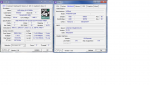
Prozessor: AMD X2 Dual Core 6000+ 3,00 GHZ
CPU Kühler: Standard Kühler von AMD
Mainboard: Asrock 790GXH/128M (Aktuelle Treiber)
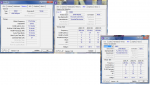
Arbeitsspeicher: 4 GB Dual Channel einen Ram Slot 1 und Slot 3 in denn Anderen Slots bekomme ich sie nicht zum laufen.
Grafikkarte: Powercolor ATI Radeon HD5770 Grafikkarte (PCI-E, 1GB GDDR5, HDMI, 2DVI)
Ati Cata und Display Driver Version 11.5
Festplatten: 1 Terabyte von Wester Digital WDC WD10EARS-00Y5B1 und 500 GB Festplatte von Samsung HD502IJ
DVD Brenner : Lite One SATA.
Multi Funktion Card Reader.
Netzteil von Emarex 400 Watt
Bios Meldung über Bluescreen Viewer:
Wäre nett für eure Hilfe
Danke
liebe grüße.
Ich habe zurzeit verwerte Bluescreens unter Windows 7 Home Premium 64Bit und finde denn Fehler nicht.
Das System habe ich auch Neu aufgesetzt und Trotzdem Passieren sie ab und zu bei Spielen und Desktop Arbeiten.
Mein System:
Prozessor: AMD X2 Dual Core 6000+ 3,00 GHZ
CPU Kühler: Standard Kühler von AMD
Mainboard: Asrock 790GXH/128M (Aktuelle Treiber)
Arbeitsspeicher: 4 GB Dual Channel einen Ram Slot 1 und Slot 3 in denn Anderen Slots bekomme ich sie nicht zum laufen.
Grafikkarte: Powercolor ATI Radeon HD5770 Grafikkarte (PCI-E, 1GB GDDR5, HDMI, 2DVI)
Ati Cata und Display Driver Version 11.5
Festplatten: 1 Terabyte von Wester Digital WDC WD10EARS-00Y5B1 und 500 GB Festplatte von Samsung HD502IJ
DVD Brenner : Lite One SATA.
Multi Funktion Card Reader.
Netzteil von Emarex 400 Watt
Bios Meldung über Bluescreen Viewer:
A problem has been detected and Windows has been shut down to prevent damage
to your computer.
The problem seems to be caused by the following file: atikmdag.sys
SYSTEM_SERVICE_EXCEPTION
If this is the first time you've seen this stop error screen,
restart your computer. If this screen appears again, follow
these steps:
Check to make sure any new hardware or software is properly installed.
If this is a new installation, ask your hardware or software manufacturer
for any Windows updates you might need.
If problems continue, disable or remove any newly installed hardware
or software. Disable BIOS memory options such as caching or shadowing.
If you need to use safe mode to remove or disable components, restart
your computer, press F8 to select Advanced Startup Options, and then
select Safe Mode.
Technical Information:
*** STOP: 0x0000003b (0x00000000c0000005, 0xfffff80002dc2f8c, 0xfffff880037abfd0,
0x0000000000000000)
*** atikmdag.sys - Address 0xfffff88004f3d810 base at 0xfffff88004e57000 DateStamp
0x4dae3c99
Wäre nett für eure Hilfe
Danke
liebe grüße.