How to force the SSD detection by the OS?
If the "Optimizer" should show an SSD by mistake as "Hard Disk Drive", the user should run the "Windows Experience Index" (WEI) of the OS. This tool will measure the performance of some hardware components inclusive the storage drives and will definitively detect, if there is a Solid State Drive instead of a Hard Disk Drive.
After having run the WEI tool users with one or more SSDs within their system can run the Win8/8.1 "Optimizer" without any risk.
Actual problem with Windows 8.1 (Preview and RTM)
Both Windows 8.1 versions (Preview and RTM) have a severe bug: The OS doesn't detect RAIDed SSDs and sees them as HDDs.
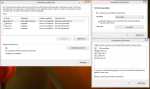
This is what the Win8.1 "Optimizer" showed for me having 2x256GB Samsung 840 PRO SSDs as RAID0 and 1 HDD for data:
Win8.1 Optimizer doesnt detect SSDs.png - Bild entfernt (keine Rechte)
Unfortunately the Windows Experience Index option, which would force the SSD detection, is missing on Win8.1 Preview.
Look here:
Win8.1 System doesnt show WEI.png - Bild entfernt (keine Rechte)
Bad consequence for affected SSD users: The problem (SSD detection failure by the OS) cannot be solved the normal way by running the Windows Experience Index.
Workaround to solve the problem:
Meanwhile I was able to solve the problem, that Win8.1 Preview doesn't detect SSDs, which are members of a RAID array (or just running in RAID mode?).
The key was to find the tool respective the file, which is doing the Windows Experience Index, and the command for the execution (the EXE file itself doesn't do anything without a special command).
Here is the solution about how to force the detection of the RAIDed SSDs by Windows 8.1 Preview:
Run the Powershell as Administrator (you find it in the popup menu after doing a right klick into the left bottom angle of the Desktop).
Just enter the words "WinSAT diskformal" and hit the Enter key.
This is what you get to see:
Win8.1 Preview - Manual execution of the Windows Experience Index.png - Bild entfernt (keine Rechte)
Now run the Win8.1 Optimizer again.
It will look like this (surprise-surprise!):
Win8.1 Preview - Successful detection of the SSDs.png - Bild entfernt (keine Rechte)
Now you can use the Win8.1 Optimizer for SSDs as it has been designed for by Microsoft: It sends a thunderstorm of TRIM commands to the SSDs and doesn't defrag them.
If you want to execute the complete Windows Experience Index test for all relevant hardware devices (incl. Graphics, CPU etc.), the command will be "WinSAT formal".