

Du verwendest einen veralteten Browser. Es ist möglich, dass diese oder andere Websites nicht korrekt angezeigt werden.
Du solltest ein Upgrade durchführen oder einen alternativen Browser verwenden.
Du solltest ein Upgrade durchführen oder einen alternativen Browser verwenden.
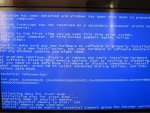
Blue Screen
- Ersteller Jens2212
- Erstellt am

Inzersdorfer
Admiral
- Registriert
- Juli 2010
- Beiträge
- 7.583
_21.03.2012 15865 System Uptime: 0 days 1:00:24.778
BugCheck 0xD1 DRIVER_IRQL_NOT_LESS_OR_EQUAL
FAILURE_BUCKET_ID: X64_0xD1_CODE_AV_NULL_IP_nt!KiPageFault+260
_21.03.2012 20810 System Uptime: 0 days 0:00:08.720
BugCheck 0x124
Flags : 0x00000002 PreviousError
Error : DCACHEL1_DRD_ERR (Proc 2 Bank 0)
_21.03.2012 21247 System Uptime: 0 days 1:24:30.774
BugCheck 0xD1 DRIVER_IRQL_NOT_LESS_OR_EQUAL
FAILURE_BUCKET_ID: X64_0xD1_CODE_AV_BAD_IP_USBPORT!MPf_PollEndpoint+aa
Probably caused by : USBPORT.SYS
_22.03.2012 14882 System Uptime: 0 days 4:07:38.223
BugCheck 0x124
Error : DCACHEL1_DRD_ERR (Proc 1 Bank 0)
_22.03.2012 15350 System Uptime: 0 days 0:00:08.096
BugCheck 0x124
Flags : 0x00000002 PreviousError
Error : DCACHEL1_DRD_ERR (Proc 1 Bank 0)
_22.03.2012 17690 System Uptime: 0 days 0:00:09.049
BugCheck 0x124
Flags : 0x00000002 PreviousError
Error : DCACHEL1_DRD_ERR (Proc 2 Bank 0)
_22.03.2012 17971 System Uptime: 0 days 2:30:32.885
BugCheck 0x101 CLOCK_WATCHDOG_TIMEOUT
FAILURE_BUCKET_ID: X64_CLOCK_WATCHDOG_TIMEOUT_4_PROC_ANALYSIS_INCONCLUSIVE
Probably caused by : Unknown_Image ( ANALYSIS_INCONCLUSIVE )
_24.03.2012 17456 System Uptime: 0 days 5:29:19.133
BugCheck 0x101 CLOCK_WATCHDOG_TIMEOUT
FAILURE_BUCKET_ID: X64_CLOCK_WATCHDOG_TIMEOUT_4_PROC_ANALYSIS_INCONCLUSIVE
Probably caused by : Unknown_Image ( ANALYSIS_INCONCLUSIVE )
_25.03.2012 14726 System Uptime: 0 days 0:00:07.363
BugCheck 0x124
Flags : 0x00000002 PreviousError
Error : DCACHEL1_DRD_ERR (Proc 2 Bank 0)
_26.03.2012 14757 System Uptime: 0 days 1:05:02.198
BugCheck 0x101 CLOCK_WATCHDOG_TIMEOUT
Unable to load image \SystemRoot\system32\drivers\ks.sys, Win32 error 0n2
FAILURE_BUCKET_ID: X64_CLOCK_WATCHDOG_TIMEOUT_4_PROC_ANALYSIS_INCONCLUSIVE
Probably caused by : Unknown_Image ( ANALYSIS_INCONCLUSIVE )
_26.03.2012 30716 System Uptime: 0 days 9:02:10.704
BugCheck 0x124
Error : DCACHEL1_DRD_ERR (Proc 2 Bank 0)
_27.03.2012 19250 System Uptime: 0 days 0:00:08.862
BugCheck 0x124
Flags : 0x00000002 PreviousError
Error : DCACHEL1_DRD_ERR (Proc 2 Bank 0)
_27.03.2012 19968 System Uptime: 0 days 1:39:25.065
BugCheck 0x1E KMODE_EXCEPTION_NOT_HANDLED
EXCEPTION_CODE: (NTSTATUS) 0xc0000005
FAILURE_BUCKET_ID: X64_0x1E_USBPORT!USBPORT_EndpointFromHandle+32
Probably caused by : USBPORT.SYS
_27.03.2012 24259 System Uptime: 0 days 3:35:07.493
BugCheck 0x1E KMODE_EXCEPTION_NOT_HANDLED
EXCEPTION_CODE: (NTSTATUS) 0xc0000005
FAILURE_BUCKET_ID: X64_0x1E_USBPORT!USBPORT_EndpointFromHandle+32
Probably caused by : USBPORT.SYS
_27.03.2012 27752 System Uptime: 0 days 0:55:59.969
BugCheck 0x124
Error : DCACHEL1_EVICT_ERR (Proc 3 Bank 0)
_27.03.2012 28641 System Uptime: 0 days 4:35:19.282
BugCheck 0x1E KMODE_EXCEPTION_NOT_HANDLED
EXCEPTION_CODE: (NTSTATUS) 0xc0000005
FAILURE_BUCKET_ID: X64_0x1E_USBPORT!USBPORT_EndpointFromHandle+32
Probably caused by : USBPORT.SYS
======BIOS UPDATE=========================================
_30.03.2012 19562 System Uptime: 0 days 6:41:17.414
BugCheck 0x1E KMODE_EXCEPTION_NOT_HANDLED
EXCEPTION_CODE: (NTSTATUS) 0xc0000005
FAILURE_BUCKET_ID: X64_0x1E_USBPORT!USBPORT_Core_UsbMapDpc_Worker+7f
Probably caused by : USBPORT.SYS
_30.03.2012 20280 System Uptime: 1 days 5:46:10.193
BugCheck 0x1E KMODE_EXCEPTION_NOT_HANDLED
EXCEPTION_CODE: (NTSTATUS) 0xc0000005
FAILURE_BUCKET_ID: X64_0x1E_nt!_??_::FNODOBFM::_string_+48d2d
nach:
nt!KiExceptionDispatch+0xc2
nt!KiGeneralProtectionFault+0x10a
_01.04.2012 22947 System Uptime: 0 days 2:37:15.284
BugCheck 0xA IRQL_NOT_LESS_OR_EQUAL
Probably caused by : memory_corruption
FAILURE_BUCKET_ID: X64_0xA_nt!MiFindNodeOrParent+0
_02.04.2012 21777 System Uptime: 0 days 1:45:32.750
BugCheck 0xD1 DRIVER_IRQL_NOT_LESS_OR_EQUAL
Probably caused by : USBPORT.SYS
FAILURE_BUCKET_ID: X64_0xD1_USBPORT!USBPORT_Core_UsbHcIntDpc_Worker+a9
_02.04.2012 51854 System Uptime: 0 days 0:00:07.846
BugCheck 0x124
Flags : 0x00000002 PreviousError
Error : DCACHEL1_DRD_ERR (Proc 2 Bank 0)
Rot weist auf einen vorherigen Fehler als Auslöser hin, diese Bugchecks sind mit Sicherheit nicht durch die WHEA ausgelöst.
Die bei div. 0x1E und 0xD1 angegebene USBPORT.SYS dürfte als Ursache ebenfalls auszuschließen sein.
Neben den Anweisungen von simpel1970 und Hanne zu den RAM Einstellungen sollte
ein Probeweises vollständiges Deinstallieren der DigitalDevices DVB PCI-Karte und aller ihrer Treiber erwogen werden.
BugCheck 0xD1 DRIVER_IRQL_NOT_LESS_OR_EQUAL
FAILURE_BUCKET_ID: X64_0xD1_CODE_AV_NULL_IP_nt!KiPageFault+260
_21.03.2012 20810 System Uptime: 0 days 0:00:08.720
BugCheck 0x124
Flags : 0x00000002 PreviousError
Error : DCACHEL1_DRD_ERR (Proc 2 Bank 0)
_21.03.2012 21247 System Uptime: 0 days 1:24:30.774
BugCheck 0xD1 DRIVER_IRQL_NOT_LESS_OR_EQUAL
FAILURE_BUCKET_ID: X64_0xD1_CODE_AV_BAD_IP_USBPORT!MPf_PollEndpoint+aa
Probably caused by : USBPORT.SYS
_22.03.2012 14882 System Uptime: 0 days 4:07:38.223
BugCheck 0x124
Error : DCACHEL1_DRD_ERR (Proc 1 Bank 0)
_22.03.2012 15350 System Uptime: 0 days 0:00:08.096
BugCheck 0x124
Flags : 0x00000002 PreviousError
Error : DCACHEL1_DRD_ERR (Proc 1 Bank 0)
_22.03.2012 17690 System Uptime: 0 days 0:00:09.049
BugCheck 0x124
Flags : 0x00000002 PreviousError
Error : DCACHEL1_DRD_ERR (Proc 2 Bank 0)
_22.03.2012 17971 System Uptime: 0 days 2:30:32.885
BugCheck 0x101 CLOCK_WATCHDOG_TIMEOUT
FAILURE_BUCKET_ID: X64_CLOCK_WATCHDOG_TIMEOUT_4_PROC_ANALYSIS_INCONCLUSIVE
Probably caused by : Unknown_Image ( ANALYSIS_INCONCLUSIVE )
_24.03.2012 17456 System Uptime: 0 days 5:29:19.133
BugCheck 0x101 CLOCK_WATCHDOG_TIMEOUT
FAILURE_BUCKET_ID: X64_CLOCK_WATCHDOG_TIMEOUT_4_PROC_ANALYSIS_INCONCLUSIVE
Probably caused by : Unknown_Image ( ANALYSIS_INCONCLUSIVE )
_25.03.2012 14726 System Uptime: 0 days 0:00:07.363
BugCheck 0x124
Flags : 0x00000002 PreviousError
Error : DCACHEL1_DRD_ERR (Proc 2 Bank 0)
_26.03.2012 14757 System Uptime: 0 days 1:05:02.198
BugCheck 0x101 CLOCK_WATCHDOG_TIMEOUT
Unable to load image \SystemRoot\system32\drivers\ks.sys, Win32 error 0n2
FAILURE_BUCKET_ID: X64_CLOCK_WATCHDOG_TIMEOUT_4_PROC_ANALYSIS_INCONCLUSIVE
Probably caused by : Unknown_Image ( ANALYSIS_INCONCLUSIVE )
_26.03.2012 30716 System Uptime: 0 days 9:02:10.704
BugCheck 0x124
Error : DCACHEL1_DRD_ERR (Proc 2 Bank 0)
_27.03.2012 19250 System Uptime: 0 days 0:00:08.862
BugCheck 0x124
Flags : 0x00000002 PreviousError
Error : DCACHEL1_DRD_ERR (Proc 2 Bank 0)
_27.03.2012 19968 System Uptime: 0 days 1:39:25.065
BugCheck 0x1E KMODE_EXCEPTION_NOT_HANDLED
EXCEPTION_CODE: (NTSTATUS) 0xc0000005
FAILURE_BUCKET_ID: X64_0x1E_USBPORT!USBPORT_EndpointFromHandle+32
Probably caused by : USBPORT.SYS
_27.03.2012 24259 System Uptime: 0 days 3:35:07.493
BugCheck 0x1E KMODE_EXCEPTION_NOT_HANDLED
EXCEPTION_CODE: (NTSTATUS) 0xc0000005
FAILURE_BUCKET_ID: X64_0x1E_USBPORT!USBPORT_EndpointFromHandle+32
Probably caused by : USBPORT.SYS
_27.03.2012 27752 System Uptime: 0 days 0:55:59.969
BugCheck 0x124
Error : DCACHEL1_EVICT_ERR (Proc 3 Bank 0)
_27.03.2012 28641 System Uptime: 0 days 4:35:19.282
BugCheck 0x1E KMODE_EXCEPTION_NOT_HANDLED
EXCEPTION_CODE: (NTSTATUS) 0xc0000005
FAILURE_BUCKET_ID: X64_0x1E_USBPORT!USBPORT_EndpointFromHandle+32
Probably caused by : USBPORT.SYS
======BIOS UPDATE=========================================
_30.03.2012 19562 System Uptime: 0 days 6:41:17.414
BugCheck 0x1E KMODE_EXCEPTION_NOT_HANDLED
EXCEPTION_CODE: (NTSTATUS) 0xc0000005
FAILURE_BUCKET_ID: X64_0x1E_USBPORT!USBPORT_Core_UsbMapDpc_Worker+7f
Probably caused by : USBPORT.SYS
_30.03.2012 20280 System Uptime: 1 days 5:46:10.193
BugCheck 0x1E KMODE_EXCEPTION_NOT_HANDLED
EXCEPTION_CODE: (NTSTATUS) 0xc0000005
FAILURE_BUCKET_ID: X64_0x1E_nt!_??_::FNODOBFM::_string_+48d2d
nach:
nt!KiExceptionDispatch+0xc2
nt!KiGeneralProtectionFault+0x10a
_01.04.2012 22947 System Uptime: 0 days 2:37:15.284
BugCheck 0xA IRQL_NOT_LESS_OR_EQUAL
Probably caused by : memory_corruption
FAILURE_BUCKET_ID: X64_0xA_nt!MiFindNodeOrParent+0
_02.04.2012 21777 System Uptime: 0 days 1:45:32.750
BugCheck 0xD1 DRIVER_IRQL_NOT_LESS_OR_EQUAL
Probably caused by : USBPORT.SYS
FAILURE_BUCKET_ID: X64_0xD1_USBPORT!USBPORT_Core_UsbHcIntDpc_Worker+a9
_02.04.2012 51854 System Uptime: 0 days 0:00:07.846
BugCheck 0x124
Flags : 0x00000002 PreviousError
Error : DCACHEL1_DRD_ERR (Proc 2 Bank 0)
Rot weist auf einen vorherigen Fehler als Auslöser hin, diese Bugchecks sind mit Sicherheit nicht durch die WHEA ausgelöst.
Die bei div. 0x1E und 0xD1 angegebene USBPORT.SYS dürfte als Ursache ebenfalls auszuschließen sein.
Neben den Anweisungen von simpel1970 und Hanne zu den RAM Einstellungen sollte
ein Probeweises vollständiges Deinstallieren der DigitalDevices DVB PCI-Karte und aller ihrer Treiber erwogen werden.
Zuletzt bearbeitet:
Hallo @Inzersdorfer,
eine Erhöhung der Spannungswerte der CPU würde ich nicht vorschlagen - zumindest nicht bei AMD-Systemen - ein MB-BIOS-Update wäre dann wohl eher anzuraten -
bei OC der CPU-Werte sieht es anders aus -
Das BIOS im BIOS vor jeder Änderung zunächst auf "default" setzen - jetzt die Änderungen vornehmen - anschließend das Datum / Bootreihenfolge überprüfen / einstellen -
eine VIDEO - Karte kann das Problem sein - diese brauchen nicht selten einen eigenen IRQ - dann den Steckplatz wechseln oder dieser Karte einen IRQ zuweisen - IRQ 10 oder 12 - IRQ 12 nur dann, wenn keine PS2-Maus genutzt wird -
eine Erhöhung der Spannungswerte der CPU würde ich nicht vorschlagen - zumindest nicht bei AMD-Systemen - ein MB-BIOS-Update wäre dann wohl eher anzuraten -
bei OC der CPU-Werte sieht es anders aus -
Das BIOS im BIOS vor jeder Änderung zunächst auf "default" setzen - jetzt die Änderungen vornehmen - anschließend das Datum / Bootreihenfolge überprüfen / einstellen -
eine VIDEO - Karte kann das Problem sein - diese brauchen nicht selten einen eigenen IRQ - dann den Steckplatz wechseln oder dieser Karte einen IRQ zuweisen - IRQ 10 oder 12 - IRQ 12 nur dann, wenn keine PS2-Maus genutzt wird -
Inzersdorfer
Admiral
- Registriert
- Juli 2010
- Beiträge
- 7.583
Hm, BIOS Update hat der TE ja am 28.03. durchgeführt, dannach wurde W7 neu Installiert.
Die von simpel1970 angesprochene BETA wär noch eine Option.
Danke für den Hinweis zu den AMD Prozessoren.
Die von simpel1970 angesprochene BETA wär noch eine Option.
Danke für den Hinweis zu den AMD Prozessoren.
Zuletzt bearbeitet:

simpel1970
Fleet Admiral
- Registriert
- Apr. 2009
- Beiträge
- 16.274
Das Beta-Bios wäre m.E. auf jeden Fall noch eine Option.

gigabyte²
Lieutenant
- Registriert
- März 2009
- Beiträge
- 674
simpel1970 schrieb:Was für ein NT ist es genau? 420W sind nicht immer gleich 430W.
Das sollte bei den Komponenten egal sein die Leistungsaufnahme ist zu gering ~240W unter Last.
emeraldmine schrieb:musst mal im Bios schauen, der Ram läuft mit DDR3-1333 und nicht mit DDR3-1600 wie er sollte.
Ob der jetzt mit 1600 oder 1333 läuft ist bei einem HTPC doch eigentlich egal.
Dieser Code steht für Hardwarefehler.
Ich würde auch das Betabios testen.
Zuletzt bearbeitet:
simpel1970
Fleet Admiral
- Registriert
- Apr. 2009
- Beiträge
- 16.274
gigabyte² schrieb:Das sollte bei den Komponenten egal sein die Leistungsaufnahme ist zu gering ~240W unter Last.
Nicht, wenn ein China-Böller eingebaut ist.
simpel1970
Fleet Admiral
- Registriert
- Apr. 2009
- Beiträge
- 16.274
Hast du denn den RAM schon -wie empfohlen- im Bios umgestellt?
Hallo
Habe den Ram auf die Herstellerangaben eingestellt und die Cine S2 in alle drei Steckplätzen probiert. Bei allen ist der Fehler immernoch und habe bei einem Kollegen die Cine S2 der auch einen Liano hat ausprobiert und da geht es einwandfrei.
Ich denke es liegt am Board selbst was probleme mit der Cine S2 hat
meine frage jetzt, wer hat die Cine S2 im einatz mit einem Liano APU und was für ein Board
Denke ich werde mir ein neues Board kaufen. Welches würdet ihr mir empfehlen
Ausstattung:
Optischer Ausgang
HDMI
mATX
vier Ram Steckplätze
und sollte nicht mehr als 60-80€ kosten
Habe den Ram auf die Herstellerangaben eingestellt und die Cine S2 in alle drei Steckplätzen probiert. Bei allen ist der Fehler immernoch und habe bei einem Kollegen die Cine S2 der auch einen Liano hat ausprobiert und da geht es einwandfrei.
Ich denke es liegt am Board selbst was probleme mit der Cine S2 hat
meine frage jetzt, wer hat die Cine S2 im einatz mit einem Liano APU und was für ein Board
Denke ich werde mir ein neues Board kaufen. Welches würdet ihr mir empfehlen
Ausstattung:
Optischer Ausgang
HDMI
mATX
vier Ram Steckplätze
und sollte nicht mehr als 60-80€ kosten
simpel1970
Fleet Admiral
- Registriert
- Apr. 2009
- Beiträge
- 16.274
Vielleicht ist hier für dich etwas dabei: https://www.computerbase.de/forum/threads/der-ideale-multimedia-pc.336072/
Hallo
Verstehe ich das richtig (siehe Anhang) das der Speicher reguler auf 1333Mhz läuft?????
DESCRIPTION
Kingston’s KHX1600C9AD3K2/4G is a kit of two 256M x
64-bit (2GB) DDR3-1600MHz CL9 SDRAM (Synchronous
DRAM) memory modules, based on sixteen 128M x 8-bit
DDR3 FBGA components per module. Total kit capacity
is 4GB. Each module kit has been tested to run at DDR3-
1600MHz at a low latency timing of 9-9-9-27 at 1.65V. The
SPDs are programmed to JEDEC standard latency DDR3-
1333MHz timing of 9-9-9 at 1.5V. Each 240-pin DIMM uses
gold contact fingers and requires +1.5V. The JEDEC standard
electrical and mechanical specifications are as follows:
SPECIFICATIONS
CL(IDD) 9 cycles
Row Cycle Time (tRCmin) 49.5ns (min.)
Refresh to Active/Refresh 110ns
Command Time (tRFCmin)
Row Active Time (tRASmin) 36ns (min.)
Power 1.800 W (operating per module)
UL Rating 94 V - 0
Operating Temperature 0° C to 85° C
Storage Temperature -55° C to +100° C
FEATURES
• JEDEC standard 1.5V ± 0.075V Power Supply
• VDDQ = 1.5V ± 0.075V
• 667MHz fCK for 1333Mb/sec/pin
• 8 independent internal bank
• Programmable CAS Latency: 5,6,7,8,9,10
• Posted CAS
• Programmable Additive Latency: 0, CL - 2, or CL - 1 clock
• Programmable CAS Write Latency(CWL) = 7(DDR3-1333)
• 8-bit pre-fetch
• Burst Length: 8 (Interleave without any limit, sequential with
starting address “000” only), 4 with tCCD = 4 which does not allow
seamless read or write [either on the fly using A12 or MRS]
• Bi-directional Differential Data Strobe
• Internal(self) calibration : Internal self calibration through ZQ
pin (RZQ : 240 ohm ± 1%)
• On Die Termination using ODT pin
• Average Refresh Period 7.8us at lower than TCASE 85°C,
3.9us at 85°C < TCASE ≤ 95°C
• Asynchronous Reset
• PCB : Height 1.180” (30.00mm), double sided component
Verstehe ich das richtig (siehe Anhang) das der Speicher reguler auf 1333Mhz läuft?????
DESCRIPTION
Kingston’s KHX1600C9AD3K2/4G is a kit of two 256M x
64-bit (2GB) DDR3-1600MHz CL9 SDRAM (Synchronous
DRAM) memory modules, based on sixteen 128M x 8-bit
DDR3 FBGA components per module. Total kit capacity
is 4GB. Each module kit has been tested to run at DDR3-
1600MHz at a low latency timing of 9-9-9-27 at 1.65V. The
SPDs are programmed to JEDEC standard latency DDR3-
1333MHz timing of 9-9-9 at 1.5V. Each 240-pin DIMM uses
gold contact fingers and requires +1.5V. The JEDEC standard
electrical and mechanical specifications are as follows:
SPECIFICATIONS
CL(IDD) 9 cycles
Row Cycle Time (tRCmin) 49.5ns (min.)
Refresh to Active/Refresh 110ns
Command Time (tRFCmin)
Row Active Time (tRASmin) 36ns (min.)
Power 1.800 W (operating per module)
UL Rating 94 V - 0
Operating Temperature 0° C to 85° C
Storage Temperature -55° C to +100° C
FEATURES
• JEDEC standard 1.5V ± 0.075V Power Supply
• VDDQ = 1.5V ± 0.075V
• 667MHz fCK for 1333Mb/sec/pin
• 8 independent internal bank
• Programmable CAS Latency: 5,6,7,8,9,10
• Posted CAS
• Programmable Additive Latency: 0, CL - 2, or CL - 1 clock
• Programmable CAS Write Latency(CWL) = 7(DDR3-1333)
• 8-bit pre-fetch
• Burst Length: 8 (Interleave without any limit, sequential with
starting address “000” only), 4 with tCCD = 4 which does not allow
seamless read or write [either on the fly using A12 or MRS]
• Bi-directional Differential Data Strobe
• Internal(self) calibration : Internal self calibration through ZQ
pin (RZQ : 240 ohm ± 1%)
• On Die Termination using ODT pin
• Average Refresh Period 7.8us at lower than TCASE 85°C,
3.9us at 85°C < TCASE ≤ 95°C
• Asynchronous Reset
• PCB : Height 1.180” (30.00mm), double sided component
Anhänge
simpel1970
Fleet Admiral
- Registriert
- Apr. 2009
- Beiträge
- 16.274
Jain...
Das sind die im Profil (JEDEC Standard) hinterlegten Einstellungen, die vom Motherboard (i.d.R.) ausgelesen und eingestellt werden.DDR3-1333MHz timing of 9-9-9 at 1.5V.
Das sind die garantierten Einstellungen, die per Hand eingegeben werden müssen.DDR3-1600MHz at a low latency timing of 9-9-9-27 at 1.65V
Ähnliche Themen

- Antworten
- 10
- Aufrufe
- 820

- Antworten
- 25
- Aufrufe
- 3.128
- Antworten
- 18
- Aufrufe
- 901
S

- Antworten
- 208
- Aufrufe
- 9.640

- Antworten
- 42
- Aufrufe
- 2.453


