jr0xx
Cadet 2nd Year
- Registriert
- Feb. 2011
- Beiträge
- 28
Hallo!
Ich hab schon seit längeren Probleme mit Bluscreens und weiss nicht woran das liegt.
Mein Systeme:
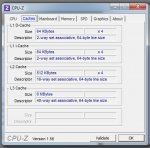
Prozessor - AMD Phenom II X4 965 Black Edition, 140W 4x 3.4GHz, boxed
Mainboard - ASUS M4A78T-E, 790GX (dual PC3-10667U DDR3)
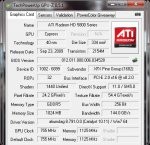
Grafikarte: XFX Radeon HD 5850
Netzteil - BE QUIET! 530W L7-530W PURE-Power BQT
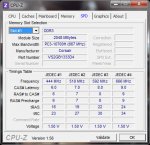
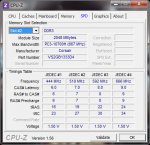
Speicher - CORSAIR DDRAM3 4GB CL9 1333MHz 1,5V
Festplatte - Samsung SpinPoint F3 500GB, SATA II
-updates sind auf den neuesten stand
-Grafikkarte Treiber version 11.1 hotfix
-RAM getestet mit Memtest hat keine Fehler gefunden
-Viren frei Kaspersky Internet Security 2010
-BIOS auf den neuesten stand Version 3406
das sind die Bluscreens
A problem has been detected and Windows has been shut down to prevent damage
to your computer.
The problem seems to be caused by the following file: ntoskrnl.exe
SYSTEM_SERVICE_EXCEPTION
If this is the first time you've seen this stop error screen,
restart your computer. If this screen appears again, follow
these steps:
Check to make sure any new hardware or software is properly installed.
If this is a new installation, ask your hardware or software manufacturer
for any Windows updates you might need.
If problems continue, disable or remove any newly installed hardware
or software. Disable BIOS memory options such as caching or shadowing.
If you need to use safe mode to remove or disable components, restart
your computer, press F8 to select Advanced Startup Options, and then
select Safe Mode.
Technical Information:
*** STOP: 0x0000003b (0x00000000c0000005, 0xfffff80002c82905, 0xfffff8800b15ab90,
0x0000000000000000)
*** ntoskrnl.exe - Address 0xfffff80002c7f740 base at 0xfffff80002c0f000 DateStamp
0x4cc791bd
A problem has been detected and Windows has been shut down to prevent damage
to your computer.
The problem seems to be caused by the following file: ntoskrnl.exe
KMODE_EXCEPTION_NOT_HANDLED
If this is the first time you've seen this stop error screen,
restart your computer. If this screen appears again, follow
these steps:
Check to make sure any new hardware or software is properly installed.
If this is a new installation, ask your hardware or software manufacturer
for any Windows updates you might need.
If problems continue, disable or remove any newly installed hardware
or software. Disable BIOS memory options such as caching or shadowing.
If you need to use safe mode to remove or disable components, restart
your computer, press F8 to select Advanced Startup Options, and then
select Safe Mode.
Technical Information:
*** STOP: 0x0000001e (0xffffffffc0000005, 0xfffff80002ccdaa6, 0x0000000000000000,
0xffffffffffffffff)
*** ntoskrnl.exe - Address 0xfffff80002cc7740 base at 0xfffff80002c57000 DateStamp
0x4cc791bd
hoffe ihr könnt mir da weiterhelfen.
Ich hab schon seit längeren Probleme mit Bluscreens und weiss nicht woran das liegt.
Mein Systeme:
Prozessor - AMD Phenom II X4 965 Black Edition, 140W 4x 3.4GHz, boxed
Mainboard - ASUS M4A78T-E, 790GX (dual PC3-10667U DDR3)
Grafikarte: XFX Radeon HD 5850
Netzteil - BE QUIET! 530W L7-530W PURE-Power BQT
Speicher - CORSAIR DDRAM3 4GB CL9 1333MHz 1,5V
Festplatte - Samsung SpinPoint F3 500GB, SATA II
-updates sind auf den neuesten stand
-Grafikkarte Treiber version 11.1 hotfix
-RAM getestet mit Memtest hat keine Fehler gefunden
-Viren frei Kaspersky Internet Security 2010
-BIOS auf den neuesten stand Version 3406
das sind die Bluscreens
A problem has been detected and Windows has been shut down to prevent damage
to your computer.
The problem seems to be caused by the following file: ntoskrnl.exe
SYSTEM_SERVICE_EXCEPTION
If this is the first time you've seen this stop error screen,
restart your computer. If this screen appears again, follow
these steps:
Check to make sure any new hardware or software is properly installed.
If this is a new installation, ask your hardware or software manufacturer
for any Windows updates you might need.
If problems continue, disable or remove any newly installed hardware
or software. Disable BIOS memory options such as caching or shadowing.
If you need to use safe mode to remove or disable components, restart
your computer, press F8 to select Advanced Startup Options, and then
select Safe Mode.
Technical Information:
*** STOP: 0x0000003b (0x00000000c0000005, 0xfffff80002c82905, 0xfffff8800b15ab90,
0x0000000000000000)
*** ntoskrnl.exe - Address 0xfffff80002c7f740 base at 0xfffff80002c0f000 DateStamp
0x4cc791bd
A problem has been detected and Windows has been shut down to prevent damage
to your computer.
The problem seems to be caused by the following file: ntoskrnl.exe
KMODE_EXCEPTION_NOT_HANDLED
If this is the first time you've seen this stop error screen,
restart your computer. If this screen appears again, follow
these steps:
Check to make sure any new hardware or software is properly installed.
If this is a new installation, ask your hardware or software manufacturer
for any Windows updates you might need.
If problems continue, disable or remove any newly installed hardware
or software. Disable BIOS memory options such as caching or shadowing.
If you need to use safe mode to remove or disable components, restart
your computer, press F8 to select Advanced Startup Options, and then
select Safe Mode.
Technical Information:
*** STOP: 0x0000001e (0xffffffffc0000005, 0xfffff80002ccdaa6, 0x0000000000000000,
0xffffffffffffffff)
*** ntoskrnl.exe - Address 0xfffff80002cc7740 base at 0xfffff80002c57000 DateStamp
0x4cc791bd
hoffe ihr könnt mir da weiterhelfen.